Payment Methods
Add a payment method so subscriptions, top-ups, and purchases can bill without interruption.
Step 1 - Open Billing
- Log in to the Geonode dashboard.
- Click your profile icon in the top right.
- Select Billing.
On the Overview tab, find Payment methods.
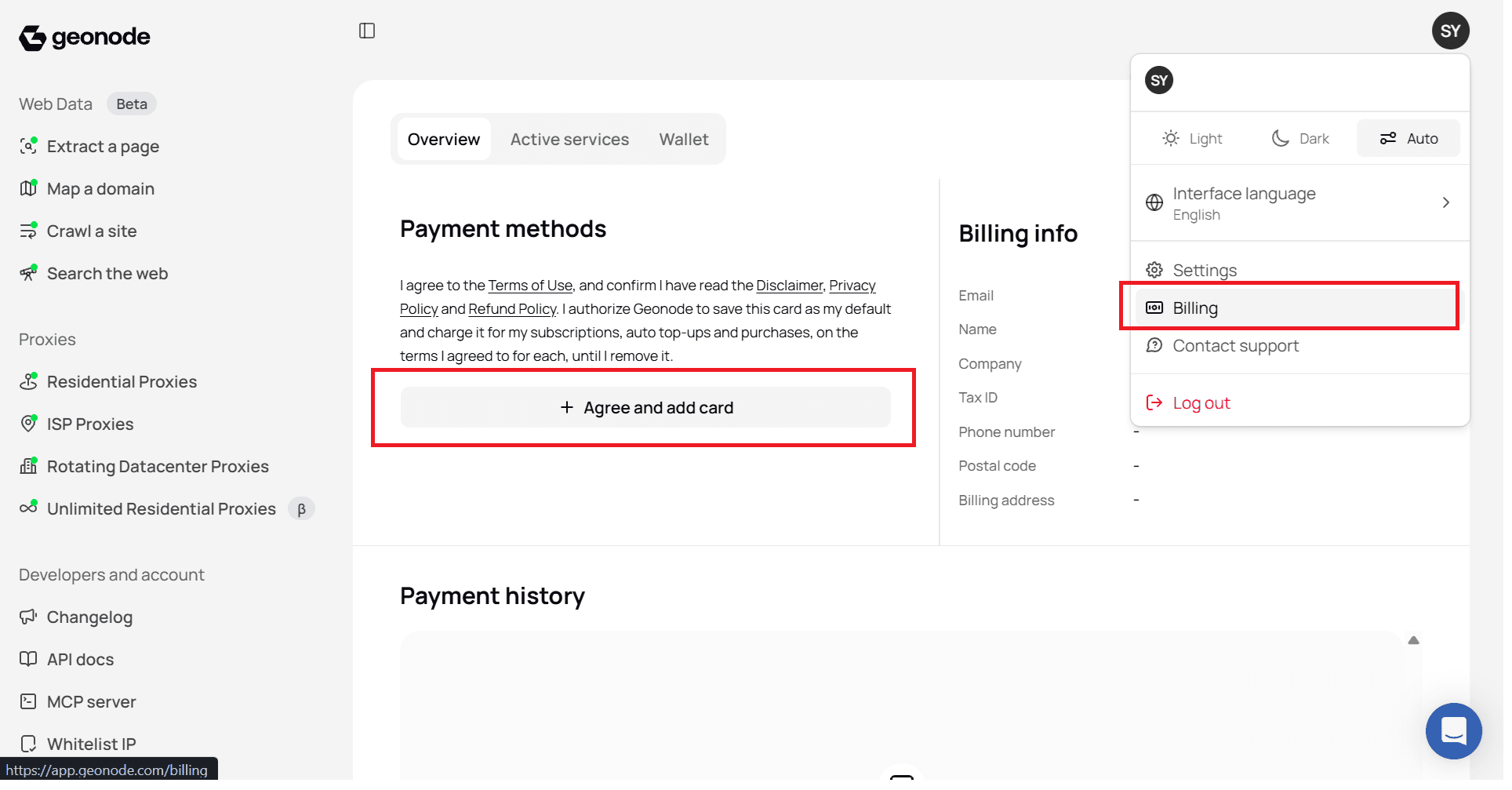
Step 2 - Add a payment method
- Click Agree and add card.
- Choose how you want to pay:
- Apple Pay, or
- Card (Mastercard, Visa, or American Express)
For a card, enter:
- Card number
- Expiry date (MM / YY)
- Security code
- Name on card
- Billing country
- Click Save.
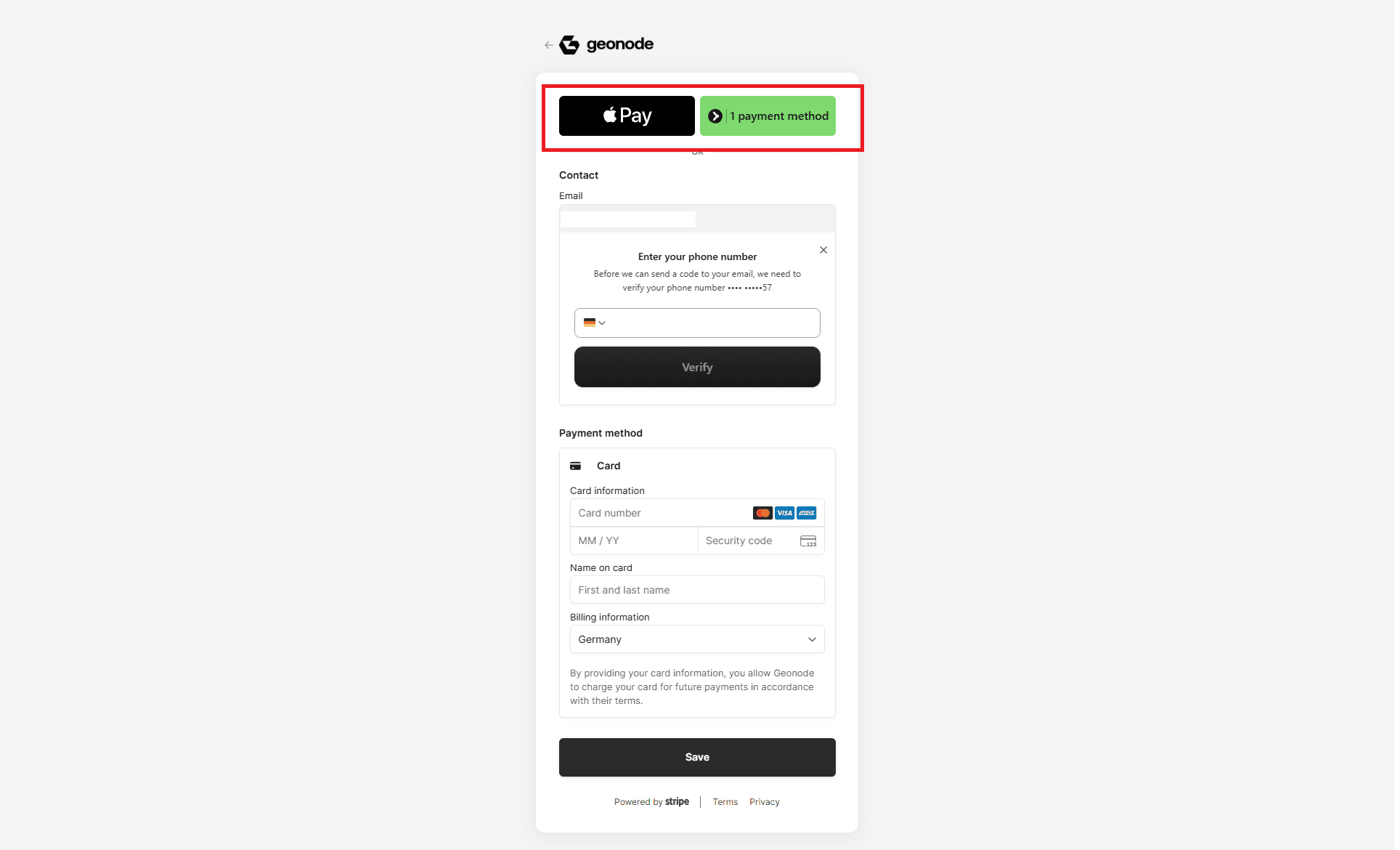
You may be asked to verify your phone number before the payment method is saved.
Billing info and payment history
On the same Billing Overview page you can also:
- Update Billing info (email, name, company, tax ID, phone, address)
- Review Payment history for past charges and invoices
Keep billing details current so payments do not fail.
Was this page helpful?