Quick Setup
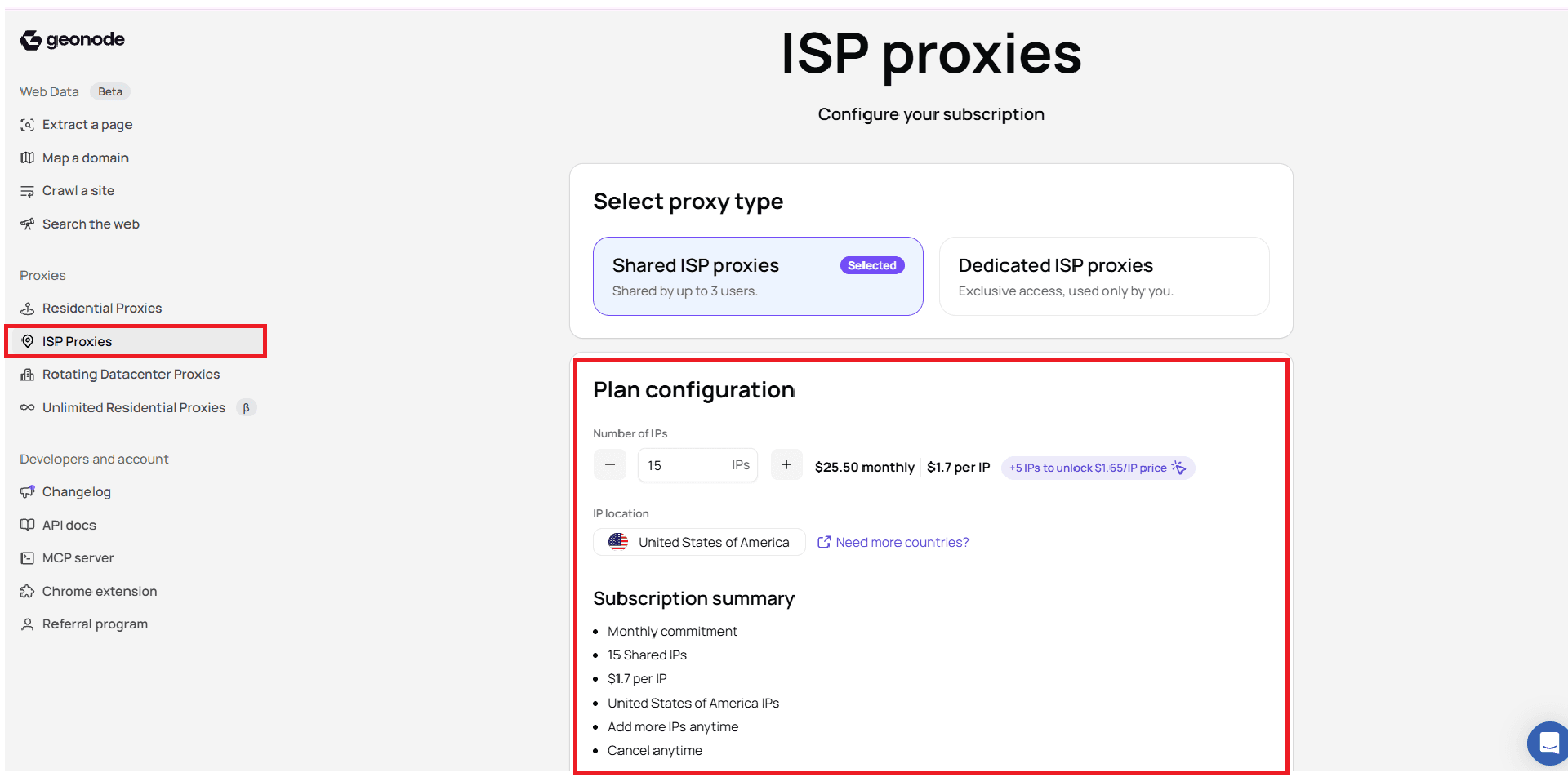
ProxiesSet up ISP Proxies in a few minutes: sign in, choose Shared or Dedicated, set the number of IPs, then continue to checkout. For managing assigned IPs, use Configure.
1. Open ISP Proxies
Sign in to the Geonode dashboard.
In the left menu, under Proxies, select ISP Proxies.
2. Select proxy type
On Configure your subscription, pick the allocation type:
| Option | When to use it |
|---|---|
| Shared ISP proxies | Lower cost. Shared by up to 3 users. |
| Dedicated ISP proxies | Exclusive access, used only by you. |
Both options give you a static IPv4 address with unlimited bandwidth.
3. Configure your plan
- Set Number of IPs (for example 15 IPs).
- Review the price per IP and monthly total shown in the dashboard.
- Confirm IP location (for example United States of America).
- Review the Subscription summary.
- Continue to checkout.
Example from the dashboard for 15 Shared IPs:
15 × $1.70 = $25.50/monthThe dashboard may also show how many more IPs unlock the next volume price (for example +5 IPs to unlock $1.65/IP).
Billing note
ISP Proxies are billed per IP as a monthly subscription. Bandwidth is unlimited. There is no per-GB charge and no Pay As You Go option for this product.
Shared ISP pricing tiers
| Number of IPs | Price per IP |
|---|---|
| 3–4 | $1.75 |
| 5–19 | $1.70 |
| 20–29 | $1.65 |
| 30–39 | $1.60 |
| 40–49 | $1.55 |
| 50–74 | $1.50 |
| 75–99 | $1.45 |
| 100–149 | $1.40 |
| 150–199 | $1.35 |
| 200–999 | $1.30 |
| 1,000–10,000 | $1.25 |
Dedicated ISP pricing tiers
| Number of IPs | Price per IP |
|---|---|
| 3–4 | $3.50 |
| 5–29 | $3.00 |
| 30–74 | $2.85 |
| 75–299 | $2.75 |
| 300–999 | $2.50 |
| 1,000–10,000 | $2.25 |
Minimum IPs
Current ISP proxies start at 3 to 4 IPs. The price per IP decreases as you move into higher-volume tiers. See the product page for current terms.
Was this page helpful?