Quick Setup
ProxiesSet up Residential Proxies in a few minutes: sign in, then choose a plan or start a trial. For endpoints and targeting, use Configure.
1. Open Residential Proxies
Sign in to the Geonode dashboard.
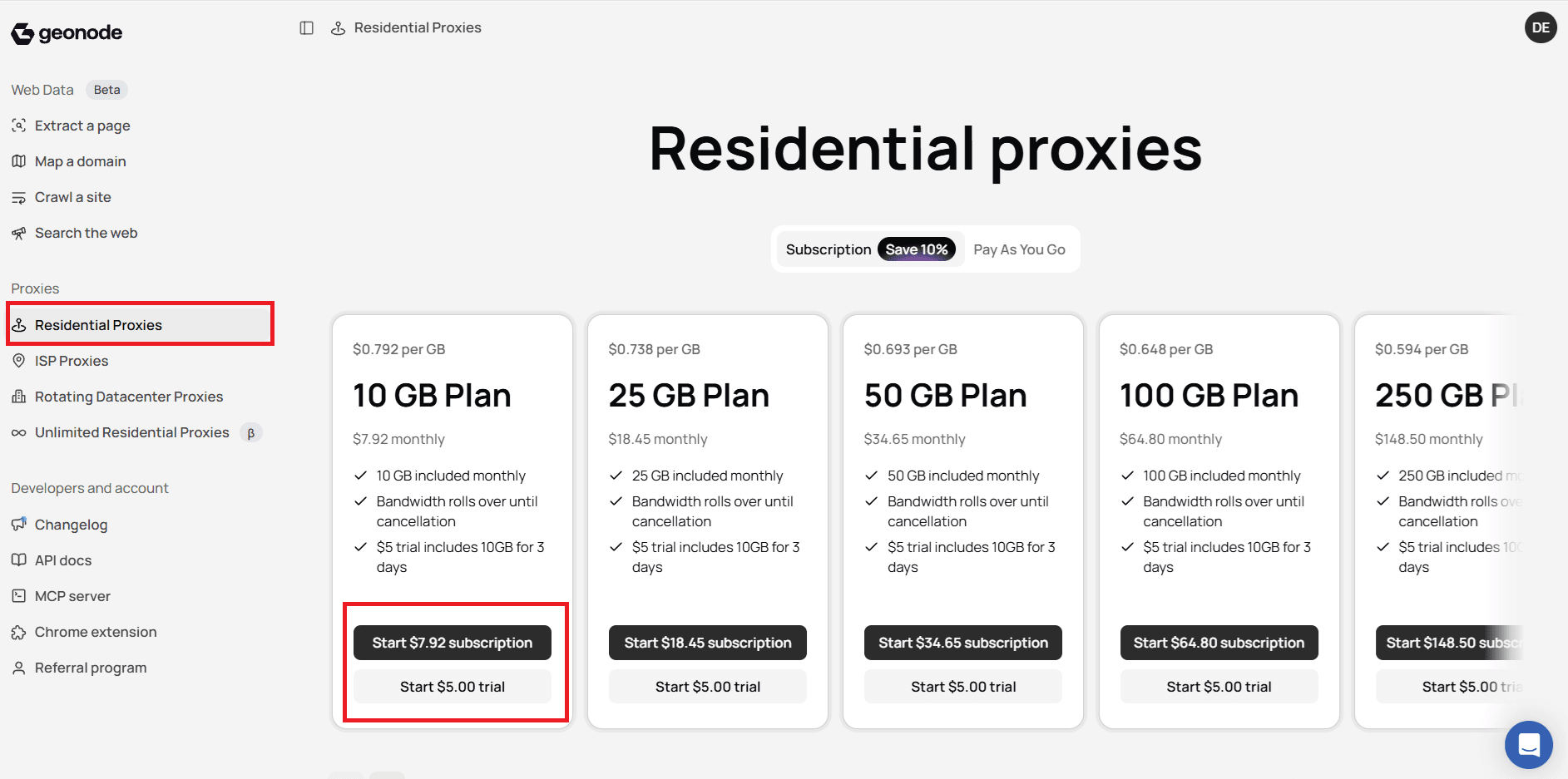
In the left menu, under Proxies, select Residential Proxies.
2. Choose how you want to pay
On the Residential Proxies pricing screen, pick the option that fits your traffic:
| Option | When to use it |
|---|---|
| Subscription | Monthly GB plans with a lower per-GB rate (toggle Subscription at the top). |
| Pay As You Go | Flexible usage without a fixed monthly GB commitment (toggle Pay As You Go). |
| $5 trial | Try Residential Proxies with trial traffic before committing to a full plan. |
Subscription
- Make sure Subscription is selected at the top of the page.
- Choose a monthly plan (for example 10 GB, 25 GB, 50 GB, and higher).
- Click Start $? subscription on the plan you want.
Each subscription card also shows a Start $5.00 trial button if you prefer to trial first.
Pay As You Go
- Switch the toggle to Pay As You Go.
- Follow the on-screen steps to enable pay-as-you-go billing for Residential Proxies.
Start a $5 trial
- On any subscription plan card, click Start $5.00 trial.
- Complete the checkout steps shown in the dashboard.
Trial details
Trial terms (included bandwidth and duration) are shown on each plan card in the dashboard. You can upgrade or change billing after the trial.
Was this page helpful?