Quick Setup
ProxiesSet up Unlimited Residential Proxies in a few minutes: sign in, then choose a speed tier or start a trial. For endpoints and targeting, use Configure.
1. Open Unlimited Residential Proxies
Sign in to the Geonode dashboard.
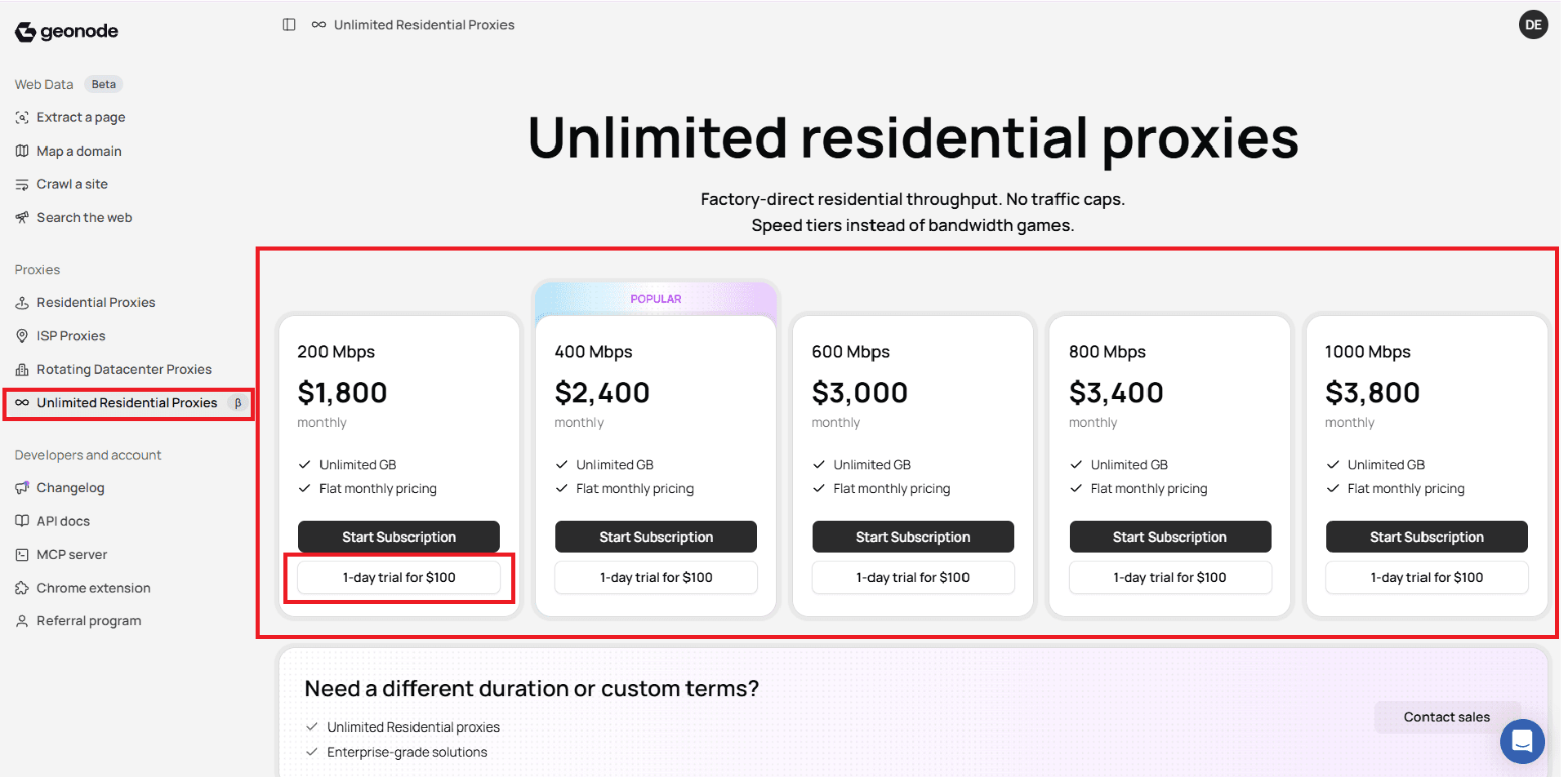
In the left menu, under Proxies, select Unlimited Residential Proxies.
2. Choose a speed tier
On the Unlimited Residential Proxies pricing screen, pick a monthly speed plan. This product has no Pay As You Go option.
| Speed | Monthly price | Traffic |
|---|---|---|
| 200 Mbps | $1,800 | Unlimited |
| 400 Mbps | $2,400 | Unlimited |
| 600 Mbps | $3,000 | Unlimited |
| 800 Mbps | $3,400 | Unlimited |
| 1000 Mbps | $3,800 | Unlimited |
Start a subscription
- Choose the speed tier that fits your throughput needs.
- Click Start Subscription on that plan card.
- Complete the checkout steps shown in the dashboard.
Each plan card lists Unlimited GB and Flat monthly pricing.
Start a 1-day trial
- On any plan card, click 1-day trial for $100.
- Complete the checkout steps shown in the dashboard.
Trial details
Trial is 1 day for $100, credited toward your plan if you upgrade. Current terms are also on the product page.
What unlimited means
Data volume is not metered and there are no overage charges. Throughput is capped at the plan speed tier (for example 200 Mbps). It is unlimited data, not unlimited speed.
Was this page helpful?