Configure Proxy Settings
To get started with Unlimited Residential Proxies, access your proxy credentials from the Geonode dashboard.
Access Your Credentials
- Log in to the Geonode Dashboard.
- Go to Residential Proxies.
- Open Proxy Configuration.
- Find your proxy credentials.
Your credentials include:
- Username
- Password
- Host
- Port
Proxy Configuration
You can configure Unlimited Residential Proxies from the Geonode dashboard under Proxies → Unlimited Residential Proxies → Proxy configuration.
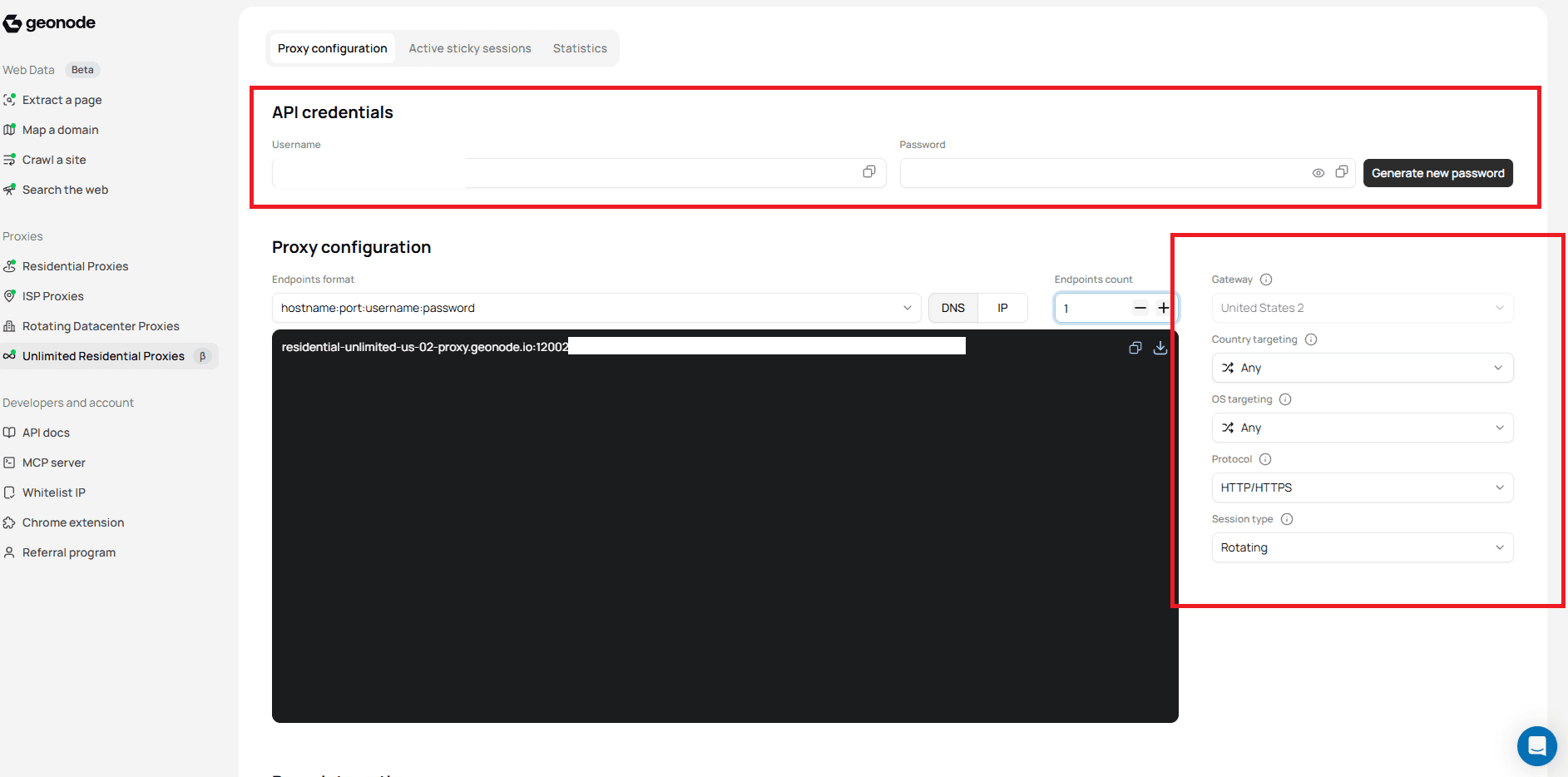
Configuration Options
| Option | Description |
|---|---|
| Gateway | Currently United States only for Unlimited Residential |
| Country targeting | Any by default, or a specific country |
| OS targeting | Filter by operating system when available |
| Protocol | HTTP/HTTPS or SOCKS5 |
| Session type | Rotating or Sticky |
| Session time | How long a sticky session keeps the same IP |
| Endpoints | Number of endpoints and output format |
US Gateway Only
Unlimited Residential currently supports the US gateway only.
Endpoint Format
Use this format for tools that accept a single proxy string:
hostname:port:username:passwordExample:
residential-unlimited-us-01-proxy.geonode.io:13003:USERNAME:PASSWORDReplace USERNAME and PASSWORD with your dashboard credentials.
Basic Connection
HTTP
curl -x http://USERNAME:PASSWORD@residential-unlimited-us-01-proxy.geonode.io:13003 https://ipinfo.ioSOCKS5
curl --proxy socks5://USERNAME:PASSWORD@residential-unlimited-us-01-proxy.geonode.io:13003 https://ipinfo.ioRelated Guides
For detailed workflows, use the Residential Proxies guides:
- Target Specific Location: country and geo targeting
- Rotating Proxies: rotating session setup
- New Sticky Session: create sticky sessions
- How to Set Proxy Session Lifetime: session time
- How to Release Sticky Sessions: release sticky sessions
- Usage Stats & Analytics: monitor usage and statistics
- Block List: block outlier domains, IPs, or wildcards
Was this page helpful?