Active Subscriptions
Use Active services to see what you currently have, when it ends, and how to resume or change a plan.
Step 1 - Open Billing
- Log in to the Geonode dashboard.
- Click your profile icon in the top right.
- Select Billing.
Step 2 - Open Active services
On the Billing page, open the Active services tab.
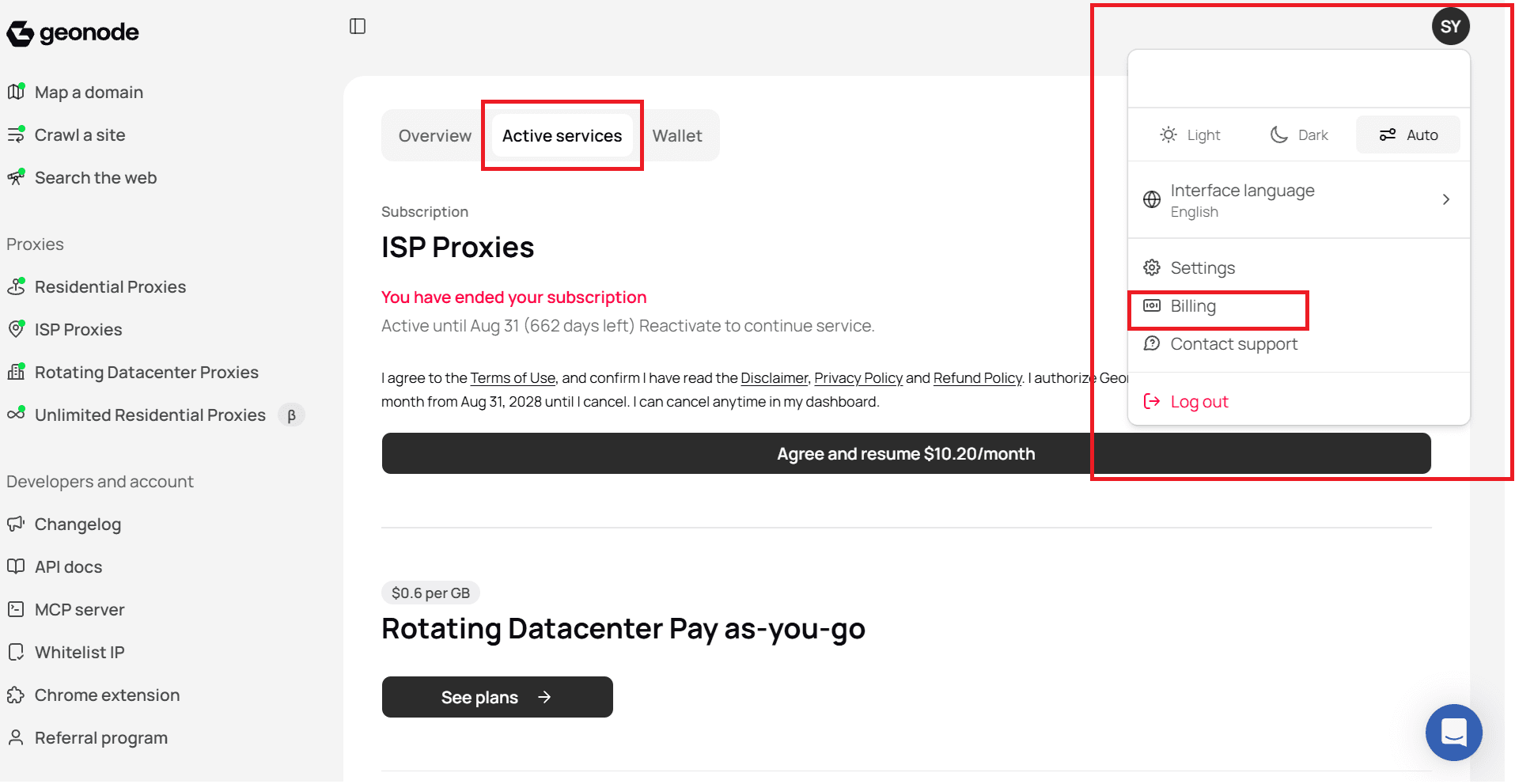
Here you can:
- See each product you use (for example ISP Proxies or pay-as-you-go plans)
- Check status, end date, and time left
- Resume a subscription you ended, if it is still within the active period
- Open plan options for services that are pay-as-you-go
If a subscription was ended, it stays available until the listed date. Use Agree and resume if you want to continue after that.
Was this page helpful?