Getting started
Before You Start
This guide covers the basic requirements needed to follow the Extraction guides and ensure your account is set up and ready to make requests.
Prerequisites
Create a Geonode Account
Sign up for a Geonode account if you do not already have one.
Get Access to the Scraper API
Make sure your account has access to the Scraper API.
Generate an API Key
- Go to
https://app.geonode.com/scraper-api. - Click
Get Code. - The
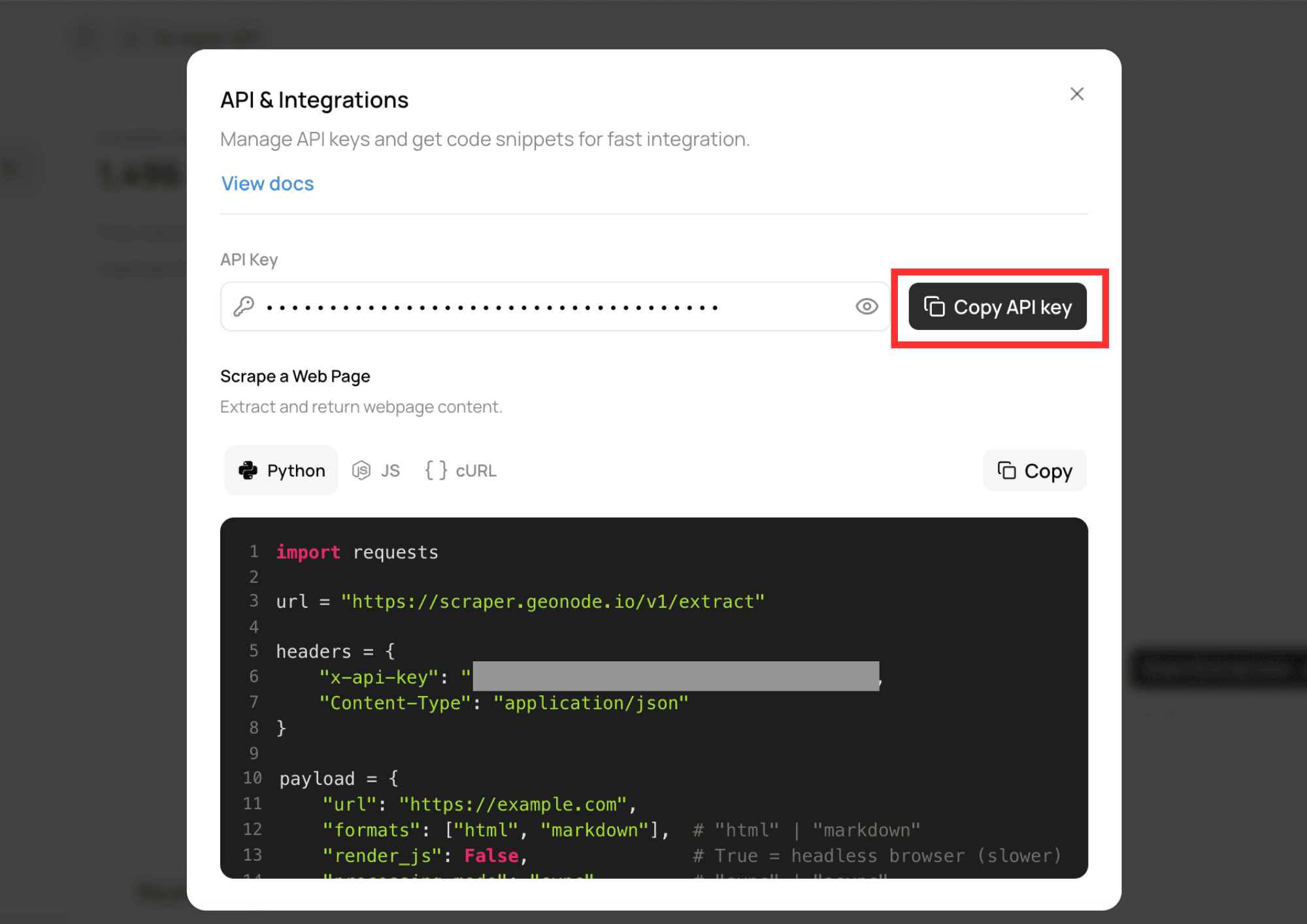
API & Integrationsmodal will open. - Click
Copy API Keyto copy your API key.
Authentication
Include your API key in the X-Api-Key request header.
X-Api-Key: YOUR_API_KEYRequests without a valid API key will be rejected.
Base URL
All Extraction API endpoints are available through the following base URL:
https://scraper.geonode.ioNext Steps
Now that your account is set up, continue to Understanding Extraction to learn how the Extraction API works and when to use its different features.