Map Overview
The Map dashboard helps you discover the URLs available on a website before extracting content. It provides a simple interface for creating mapping requests, reviewing previous jobs, and monitoring your account usage.
Before creating your first mapping request, we recommend reviewing the following guides to understand how the Map API works and the best practices for efficient website discovery.
These guides explain how the Map API discovers URLs, how mapping requests are processed, and the recommended workflows for achieving the best results.
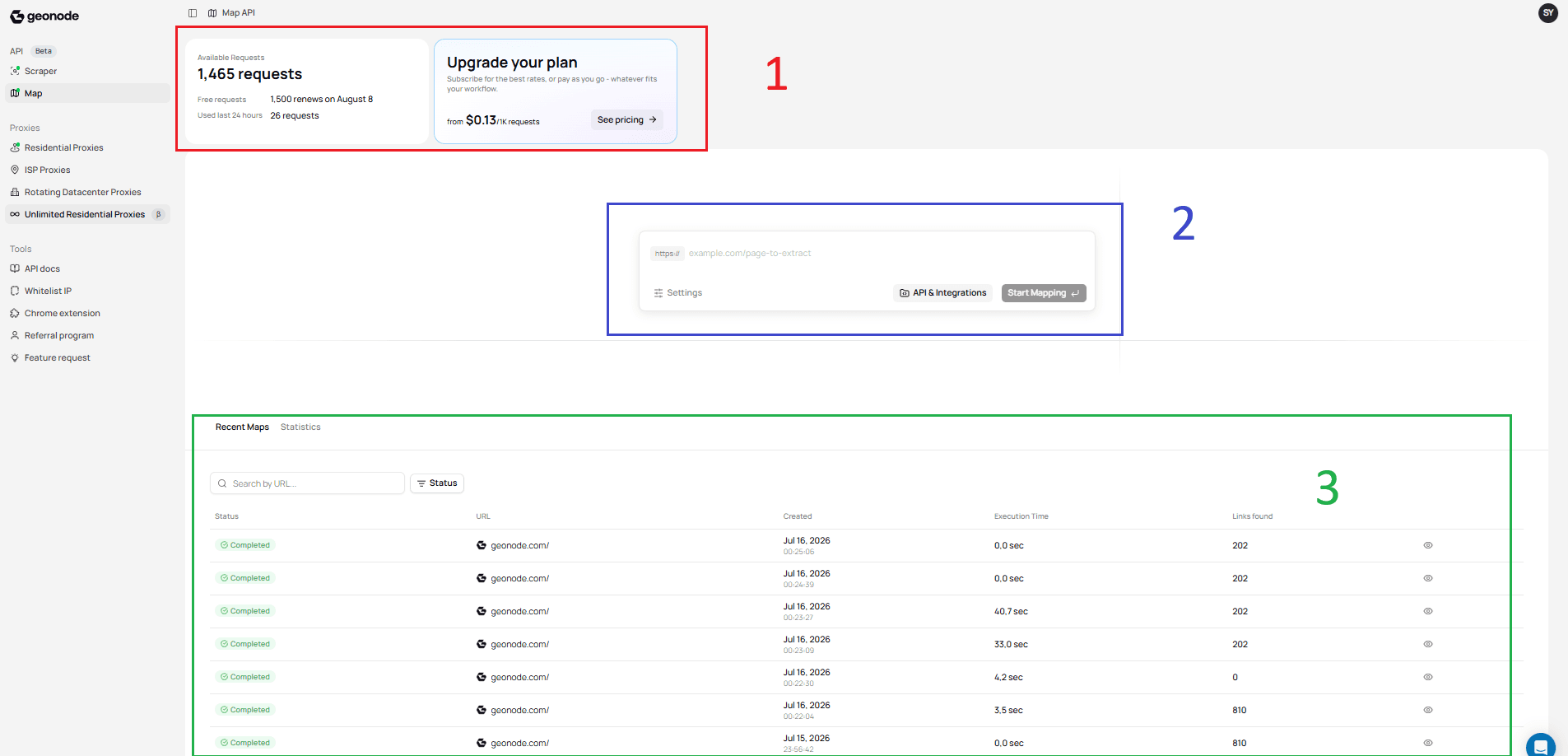
1. Account Overview
The top section provides information about your account and subscription.
Here you can:
- View your available requests.
- Check your free request allowance.
- See when your requests renew.
- Review the number of requests used during the last 24 hours.
- Upgrade your plan if you need additional requests.
This section helps you monitor your available usage before submitting new mapping requests.
2. Mapping Workspace
The center section is where you create new mapping requests.
From this workspace, you can:
- Enter the website URL you want to map.
- Open the Settings panel to configure the request.
- Access API & Integrations.
- Start a new mapping request.
This guide introduces the dashboard only. The complete mapping workflow is covered in the Create Your First Map guide.
3. Recent Maps
The bottom section displays your previous mapping requests.
From here, you can:
- View recent mapping jobs.
- Search previous requests by URL.
- Filter jobs by status.
- Review execution times.
- View the number of discovered links.
- Open completed mapping results.
Managing previous mapping jobs is covered in the Manage Map Jobs guide.
Next Step
Continue with Create Your First Map to submit your first mapping request using the dashboard.
Was this page helpful?