How to
How to Release Sticky Sessions
This guide explains how to release sticky sessions in Geonode to refresh your proxy connection, switch to a new IP, or free up resources.
Why Release a Sticky Session
Releasing a sticky session ends your current connection and starts a new one.
This helps when you need to:
- Switch to a different proxy IP.
- Free up resources such as ports or threads.
- Improve security by refreshing your active session.
How to Release Selected Sticky Sessions
Follow these steps to release specific sticky sessions from your Geonode Dashboard.
Step 1: Select the Sessions to Release
- Go to the Active Sticky Sessions section in your Geonode Dashboard.
- Select the sessions you want to release — you can select multiple at once.
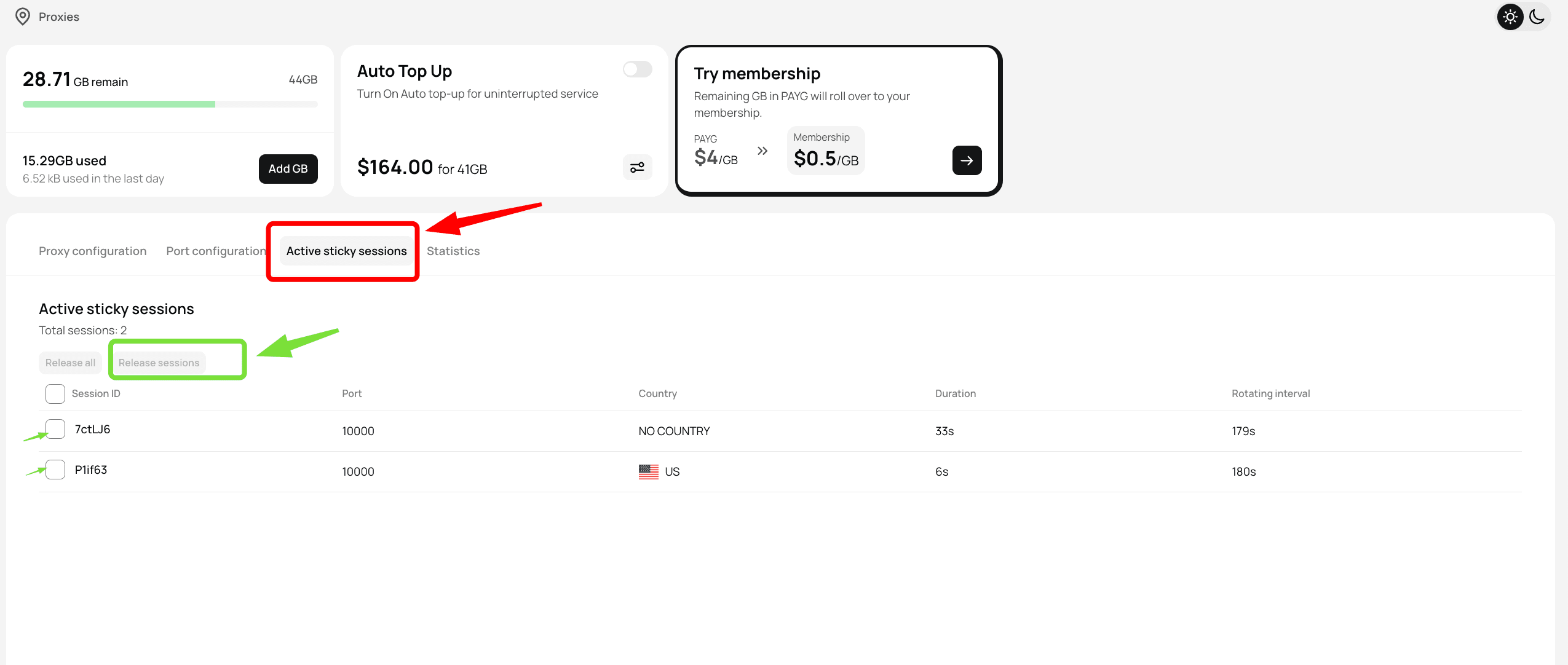
Step 2: Release Selected Sessions
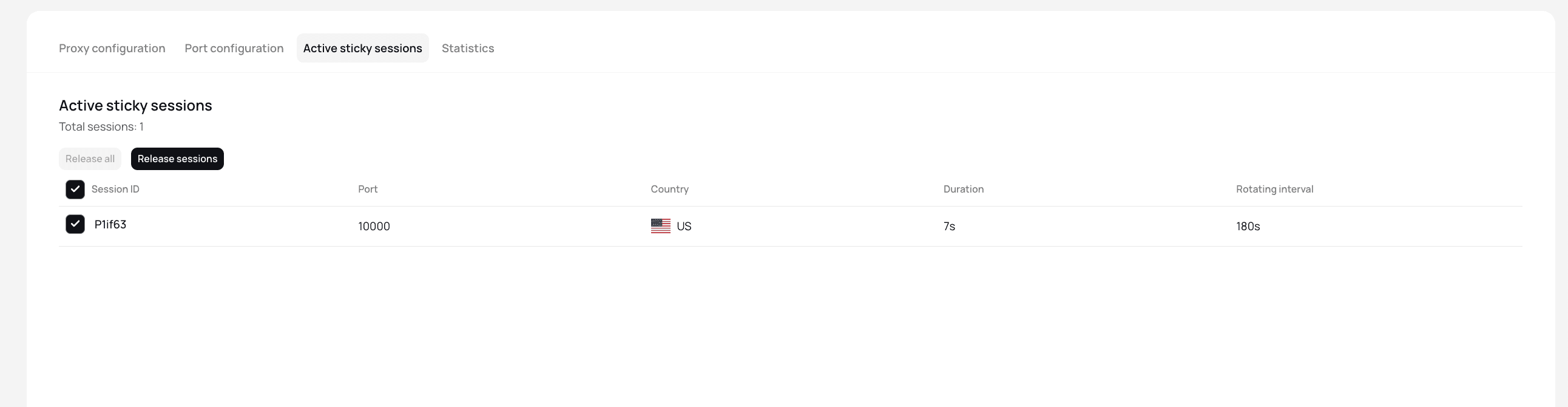
- After selecting sessions, click Release Selected.
- Confirm by clicking Release Sessions.
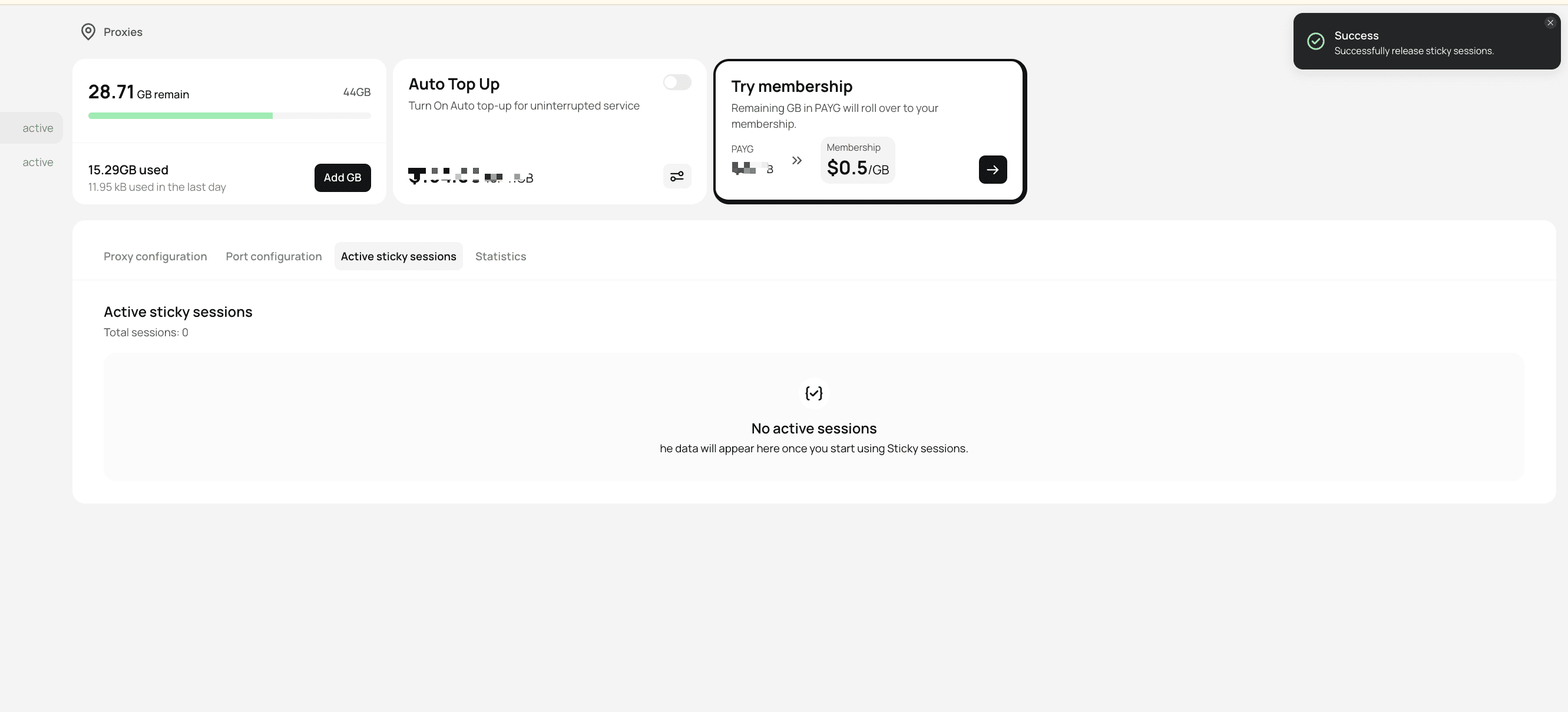
- A success notification will appear once the sessions are released.
How to Release All Sticky Sessions
To disconnect all active sessions at once:
- Click Release All Sessions in the Dashboard.
- Confirm by selecting Release All.
- All active connections will be immediately terminated.
Best Practices
- If a sticky session shows slow performance or fails to connect, release it to get a new IP. - Use Release Selected for specific sessions and Release All for bulk actions. - Refresh sticky sessions periodically to maintain security and performance.