Prerequisites
Access Credentials
To use Geonode's proxy services or API, you need authentication credentials. These credentials include a username and password, which allow you to securely connect to the service.
This guide will help you:
✔️ Access your credentials from the Geonode dashboard.
✔️ Secure them properly to prevent unauthorized access.
✔️ Use them for authentication in API requests.
Access Your Dashboard
-
Login to Geonode Dashboard: Visit Geonode Dashboard and log in using your credentials.
-
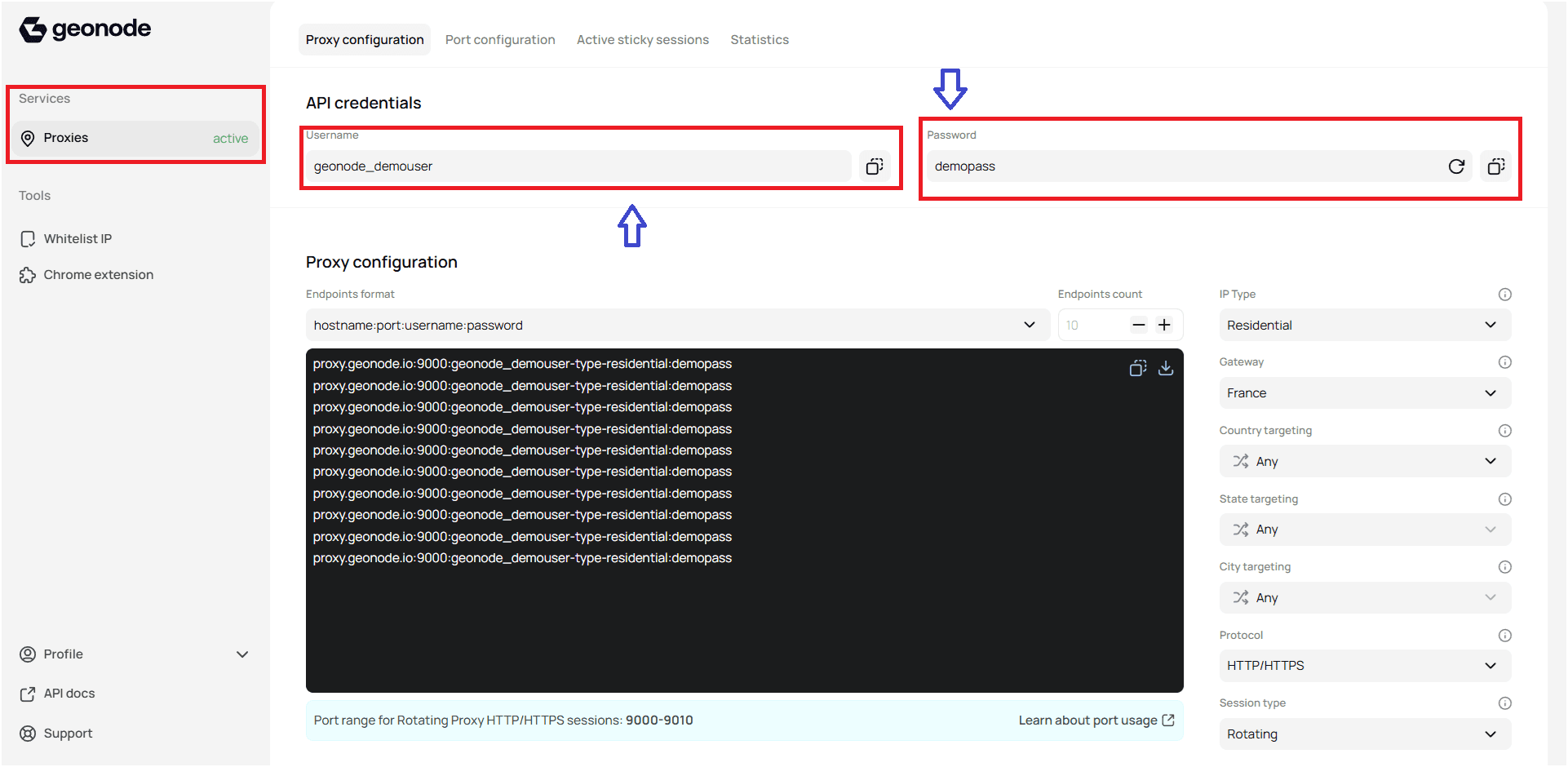
Navigate to Proxy Section: Go to the Proxies section in the dashboard.
-
Get Your User Credentials:
- Username: Copy your unique API username.
- Password: Copy your API password.
-
Secure Your Credentials: Keep your API credentials safe and never share them publicly
Once you've obtained your API credentials, you're ready to make your first API request or configure your proxy.