Account setting and billing
Wallet
The Geonode Wallet lets you view your balance, review transactions, and add funds for seamless proxy usage.
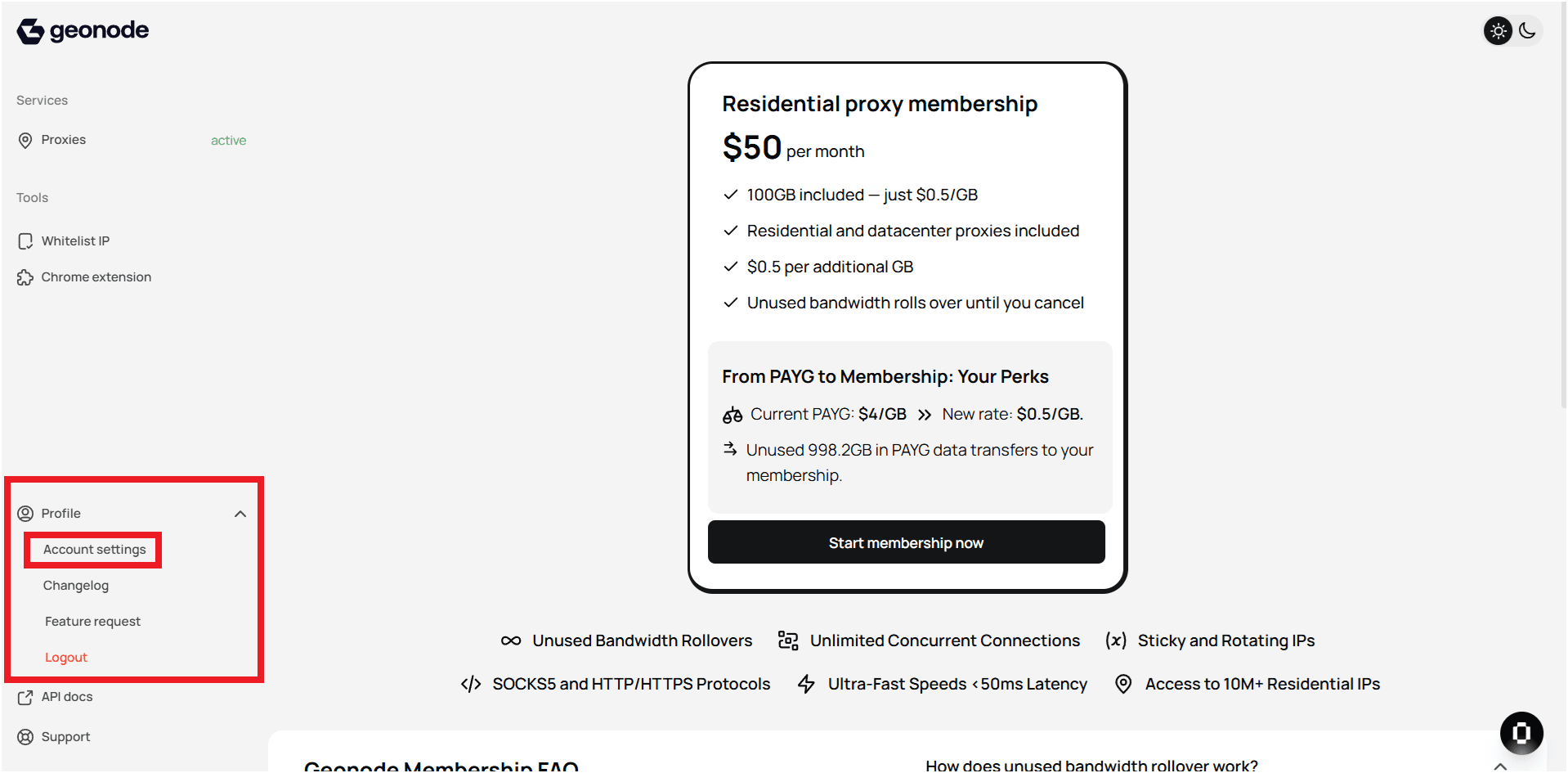
Step 1 — Access the Wallet
- Log in to your Geonode account.
- Open Wallet from the left sidebar.
Step 2 — Check your balance
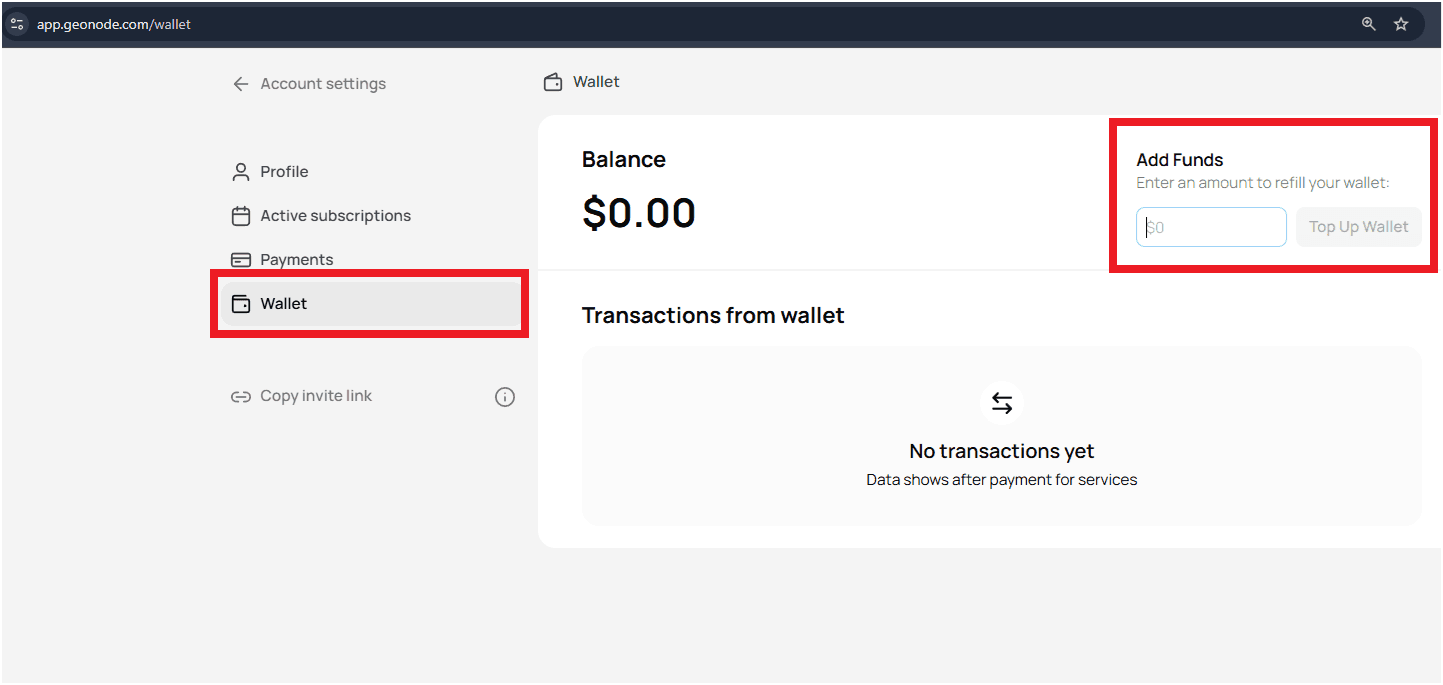
- Your current wallet balance appears at the top.
- Previous transactions are shown under Transactions from wallet.
If you haven’t made any payments yet, the transaction list will be empty.
Step 3 — Add funds
- In the Add Funds section, enter the desired amount.
- Click Top Up Wallet to start the payment process.
- Once the payment is confirmed, the amount will appear in your wallet balance.
Tips
- Keep your wallet funded to prevent service interruptions.
- Review your transaction history regularly for clarity and tracking.
- For any billing or payment issues, contact Geonode Support.
Using the Geonode Wallet makes managing payments simple and ensures uninterrupted access to all services.