Fixing common issues
Frequent Authentication Pop-Ups
If you keep getting authentication pop-ups while using a proxy — like this:
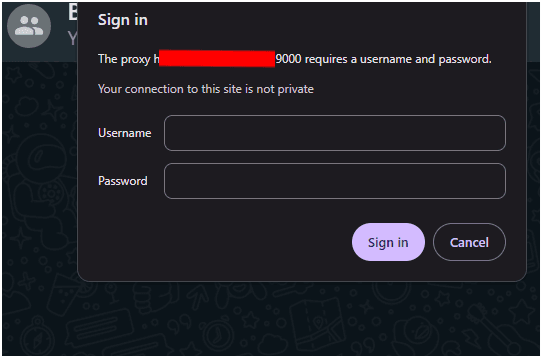
— it usually means there’s an issue with authentication or IP whitelisting.
Follow these steps to fix it.
Troubleshooting Steps
1. Whitelist Your IP Address
If your IP is not whitelisted, the proxy will repeatedly ask for credentials.
👉 How to Whitelist My IP
2. Check Your Login Credentials
Ensure that you’re using the correct username and password for your Geonode proxy.
Incorrect or expired credentials will trigger the authentication window every time.
3. Use an Authentication-Supported App
Some browsers or apps do not handle proxy authentication correctly.
✅ Try using Google Chrome, Mozilla Firefox, or another modern browser that supports proxy logins.
FAQs
Summary
- Repeated pop-ups usually mean your IP isn’t whitelisted.
- Double-check your proxy username and password.
- Use a browser that supports proxy authentication.
- Whitelisting your IP eliminates most repeated login prompts.