Devin AI
Web DataDevin.ai supports the Model Context Protocol (MCP), allowing AI agents to securely connect to external tools like the Geonode Scraper API.
Once connected, Cascade can automatically extract web pages, crawl websites, process multiple URLs, and retrieve structured content based on your prompts.
Devin AI and Windsurf
Windsurf has been acquired by Devin AI. Recent versions use the Devin branding throughout the application, while older releases may still display Windsurf. The MCP configuration process is the same for both.
Before you begin
Make sure you've completed the Before You Start guide and have:
- A Geonode API key
- The Geonode MCP endpoint
- A Devin.ai installation with MCP support.
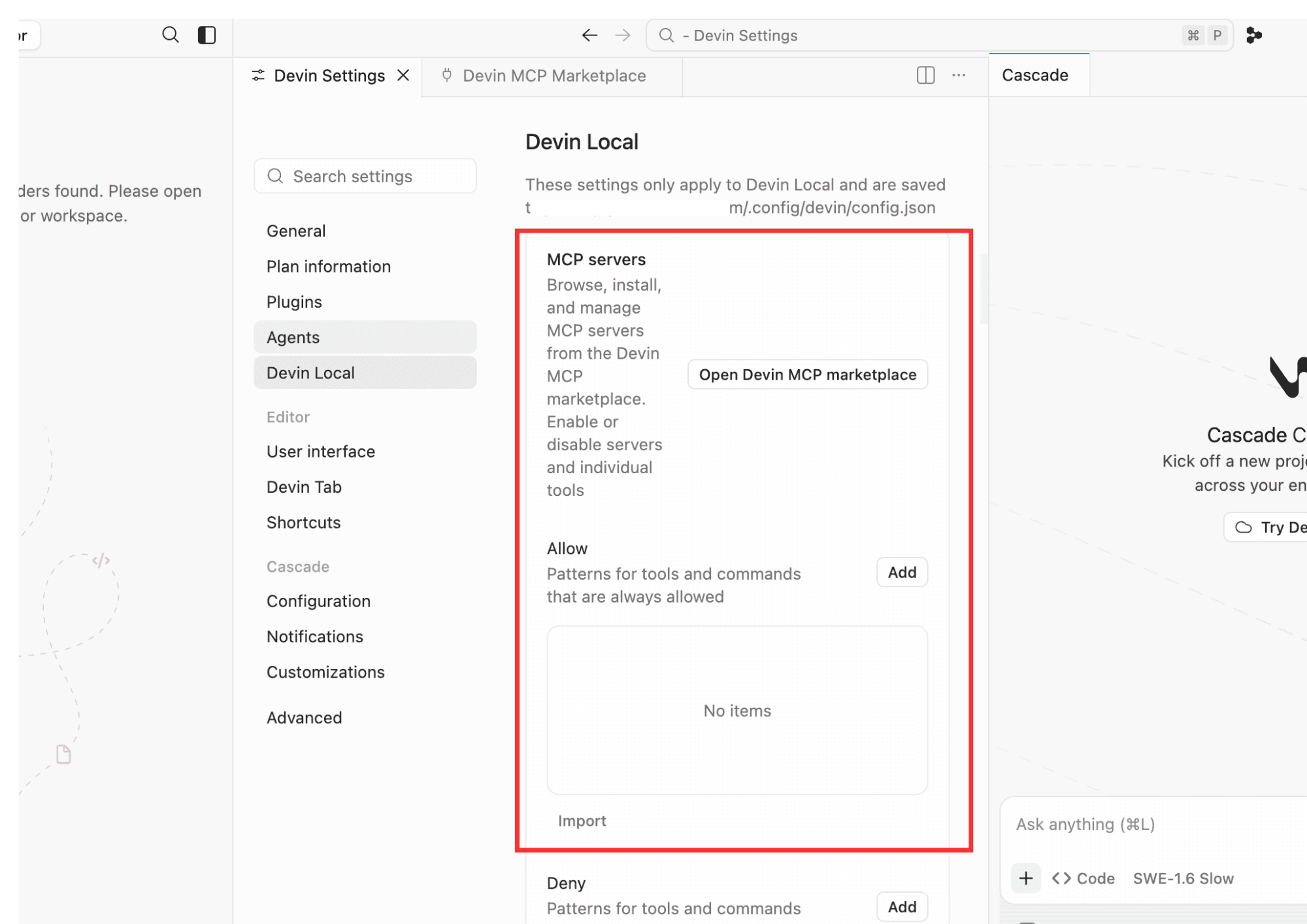
Step 1 — Open the MCP Marketplace
Open Devin.ai.
Navigate to:
Settings → MCP Marketplace
From the MCP Marketplace, click Add custom MCP.
Step 2 — Add the Geonode MCP Server
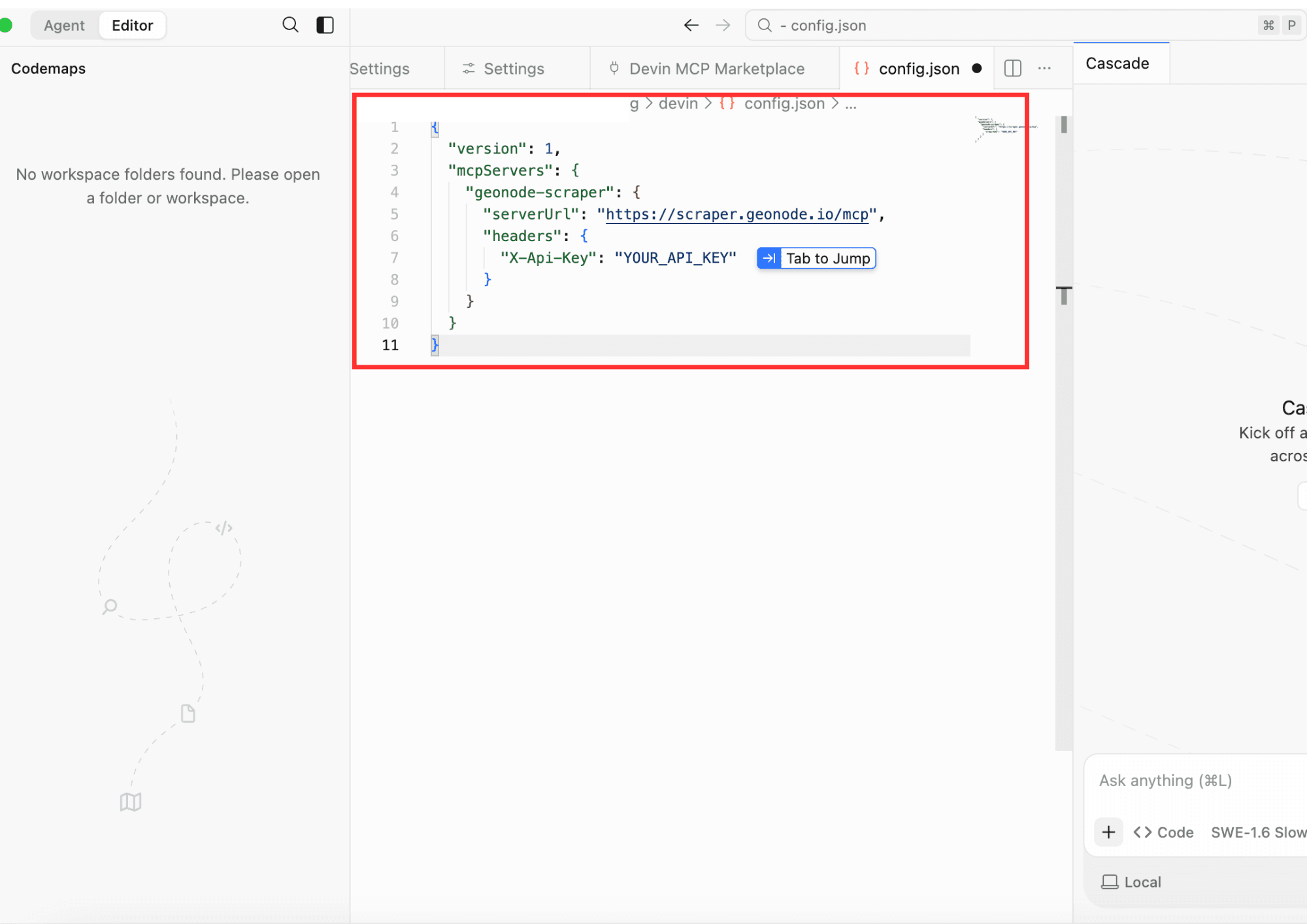
Configure the MCP server using the following information.
| Field | Value |
|---|---|
| Name | geonode-scraper |
| Server URL | https://scraper.geonode.io/mcp |
Under Headers, add the following authentication header.
| Header | Value |
|---|---|
X-Api-Key | YOUR_API_KEY |
Replace YOUR_API_KEY with your Geonode API key.
Step 3 — Connect the Server
Click Connect.
If the configuration is correct, Devin.ai establishes a connection to the Geonode MCP server.
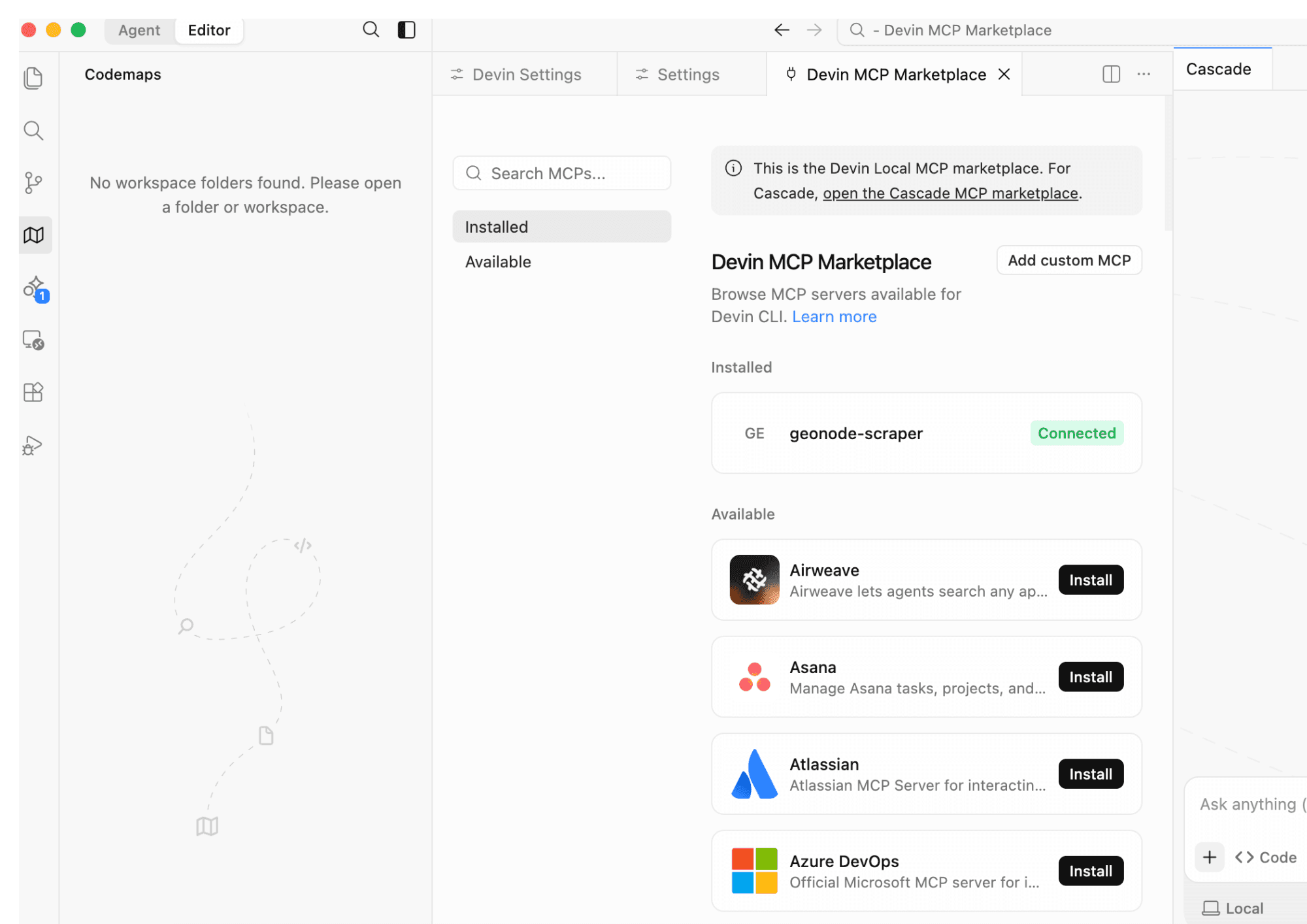
The status changes from Not Connected to Connected.
Step 4 — Verify the Configuration
After connecting, open the MCP server details to verify that:
- The server is connected.
- Your API key has been saved.
- The Geonode MCP server appears in the list of installed MCP servers.
If the server is shown as Connected, the setup is complete.
Step 5 — Start Using Geonode MCP
Open a new Cascade conversation.
You don't need to manually choose an MCP tool.
Simply describe the task in natural language, and Devin.ai automatically selects the appropriate Geonode MCP tool.
For example:
Extract a web page
Extract the content from https://geonode.comSummarize a page
Read https://geonode.com and summarize the homepage.Crawl a documentation website
Crawl https://docs.geonode.com and tell me what documentation sections exist.Process multiple pages
Extract these URLs and summarize each page.

https://example.com/page1
https://example.com/page2
https://example.com/page3
Check extraction statistics
Show my Geonode extraction statistics.How Devin.ai Uses MCP
When you send a prompt, Devin.ai analyzes your request and automatically calls the appropriate Geonode MCP tool.
For example:
| Your Prompt | MCP Tool |
|---|---|
| Extract this page. | extract |
| Crawl this documentation site. | crawl |
| Process these URLs. | batch |
| Show my extraction statistics. | statistics |
You never need to manually invoke these tools—Cascade handles tool selection and parameter mapping automatically.
FAQ's
Was this page helpful?