Build an Amazon Product Snapshot from Search Results
This guide walks you through a real marketplace workflow with the Geonode Scraper API: as if we are building it together.
You want a small competitive product snapshot on Amazon.com: what shows up for a keyword, at what price, with ratings. You already know the site. You do not need the Geonode Search API to find Amazon.
By the end, you will understand when to use Extract vs Batch on a hard, JavaScript-heavy marketplace, why residential geo targeting matters, and how to keep a demo bounded when pages block or fail.
Companion example code lives in geonode-scraper-examples/amazon-product-snapshot/.
Demo limits and compliance
This is a small teaching demo (one search page, capped ASINs). Amazon frequently blocks or challenges automated traffic. Follow Amazon’s terms and applicable law. This guide does not teach bypassing captchas, logging into accounts, or large-scale scraping. For production hardness, contact support.
Use case
Imagine you are on a pricing, marketplace, or assortment team. You need a short list of products for one keyword:
- ASIN and product URL
- Title
- Price (USD when present)
- Star rating and review count when present
Starting point: a known Amazon.com search URL, for example:
https://www.amazon.com/s?k=logitech+mx+masterWhat we are going to build
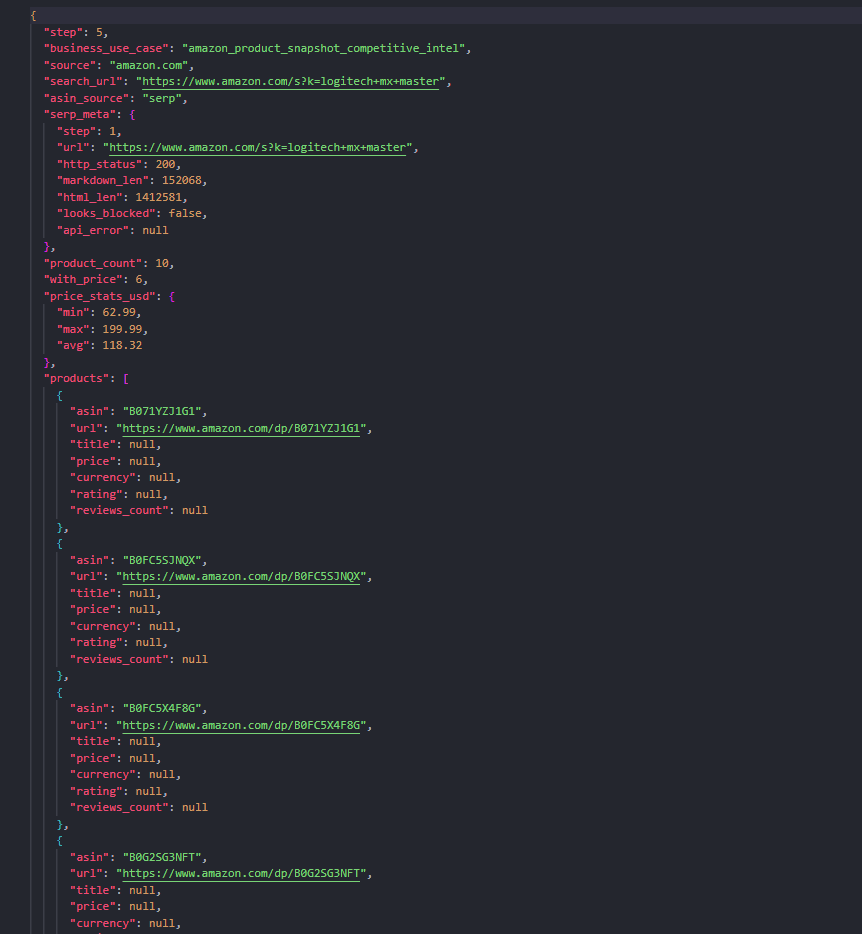
A master JSON snapshot. Each product looks roughly like this (shortened):
{
  "asin": "B0FB21526X",
  "url": "https://www.amazon.com/dp/B0FB21526X",
  "title": "Logitech MX Master 3S Bluetooth Wireless Mouse...",
  "price": 89.99,
  "currency": "USD",
  "rating": 4.6,
  "reviews_count": 1200
}| Metric | Demo target |
|---|---|
| SERP pages | 1 |
| Max ASINs | 10 |
| Proxy | US residential |
| JS render | on |
The plan (what you should expect)
1. Extract  → Amazon search (SERP) Markdown/HTML
2. Parse    → ASINs (local; fallback list if SERP empty)
3. Batch    → /dp/{ASIN} product pages
4. Parse    → title, price, rating (local)
5. Merge → amazon_products.json| API | Why we use it here |
|---|---|
| Extract | One known SERP URL; JS + residential + wait |
| Batch | Many /dp/ URLs with the same settings |
| Local parse | ASINs and product fields |
Geonode Search is not used. You already know amazon.com.
Map is not used. You are not inventorying a sitemap; you start from one search URL.
Crawl is not used. You do not want an unbounded walk of Amazon.
Compare with other real-world guides:
| Guide | Difference |
|---|---|
| Retail category price catalog | Sitemap + PLP pagination on a lighter retailer |
| Docs knowledge corpus | Crawl public docs |
| Basic Auth headers | Authenticated Extract, not marketplace SERP |
Before you start
You need:
- A Geonode API key
- Python 3.9+,
requests,python-dotenv
export GEONODE_SCRAPER_API_KEY="YOUR_API_KEY"Optional:
export AMAZON_SEARCH_URL="https://www.amazon.com/s?k=logitech+mx+master"
export AMAZON_MAX_ASINS="10"
Step 1: Extract the search results page
What we need
HTML/Markdown of one Amazon SERP so we can collect ASINs.
What we will do
POST /v1/extract with:
render_js: trueproxy: { "country": "US", "type": "residential" }wait_configwithwait_until: "networkidle"(Amazon is a heavy SPA)
What you should expect
A large Markdown/HTML blob with /dp/{ASIN} links, or a soft block / empty shell. Save raw output either way so you can debug.
import os
import requests

api_key = os.environ["GEONODE_SCRAPER_API_KEY"]
url = os.environ.get(
    "AMAZON_SEARCH_URL",
    "https://www.amazon.com/s?k=logitech+mx+master",
)

response = requests.post(
    "https://scraper.geonode.io/v1/extract",
    headers={
        "X-Api-Key": api_key,
        "Content-Type": "application/json",
    },
    json={
        "url": url,
        "formats": ["markdown", "html"],
        "render_js": True,
        "processing_mode": "sync",
        "proxy": {"country": "US", "type": "residential"},
        "wait_config": {
            "wait_until": "networkidle",
            "wait_timeout": 20000,
        },
    },
)
# Save markdown / html for ASIN parsing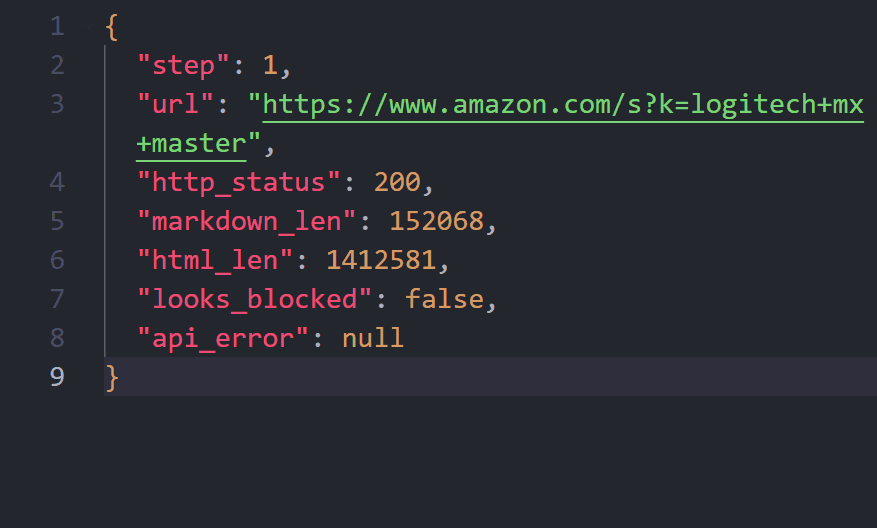
Takeaway
Hard marketplaces need JS + residential geo + patience. Retry on 429/503/504. If the SERP is blocked, do not pretend Batch will invent ASINs.
Step 2: Parse ASINs locally
What we need
A capped list of product URLs: https://www.amazon.com/dp/{ASIN}.
What we will do
Regex over SERP Markdown/HTML for /dp/, /gp/product/, and similar. Dedupe. Cap at AMAZON_MAX_ASINS (demo default 10).
If parsing finds nothing, the companion repo falls back to a checked-in fallback_asins.json so later Batch/parse steps still teach the pipeline.
What you should expect
asins.json + product_urls.json.
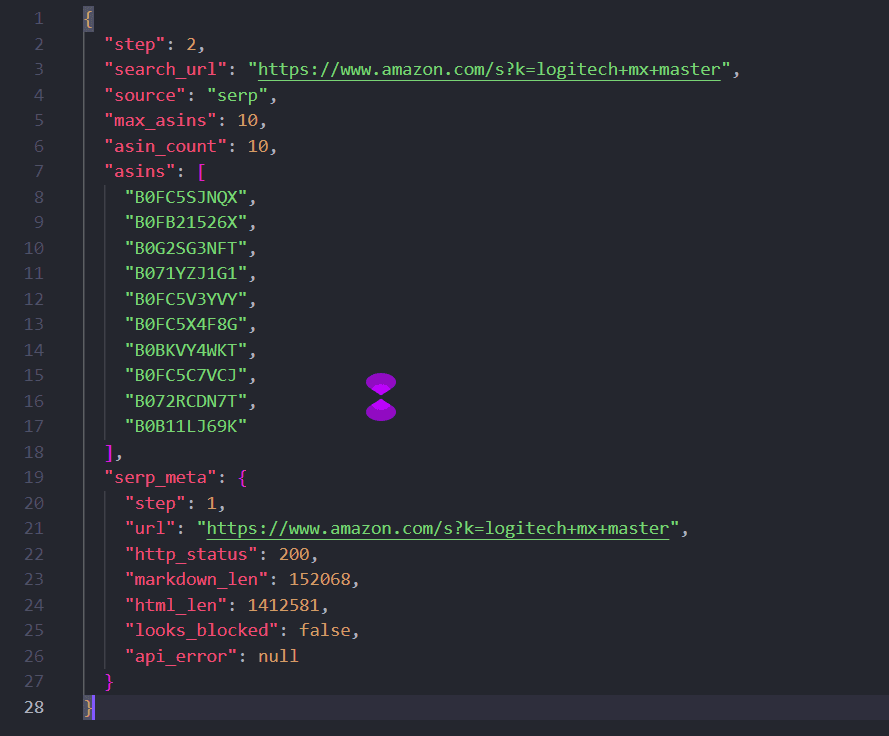
Takeaway
Discovery is local once Extract returns page content. Keep the ASIN cap small for demos and cost control.
Step 3: Batch product detail pages
What we need
Title/price/rating material from each /dp/ URL.
What we will do
POST /v1/batch with the same render_js, US residential proxy, and wait settings. Poll until completed. Save per-ASIN Markdown and HTML.
What you should expect
Some URLs succeed, some fail, Amazon demos often show partial completion (for example 6/10). That is normal; parse what you have.
# urls = ["https://www.amazon.com/dp/B0…", ...]
response = requests.post(
    "https://scraper.geonode.io/v1/batch",
    headers={
        "X-Api-Key": api_key,
        "Content-Type": "application/json",
    },
    json={
        "urls": urls,
        "ignore_invalid_urls": True,
        "formats": ["markdown", "html"],
        "render_js": True,
        "proxy": {"country": "US", "type": "residential"},
        "wait_config": {
            "wait_until": "networkidle",
            "wait_timeout": 20000,
        },
    },
)
job_id = response.json()["job_id"]
# Poll GET /v1/batch/{job_id} until completed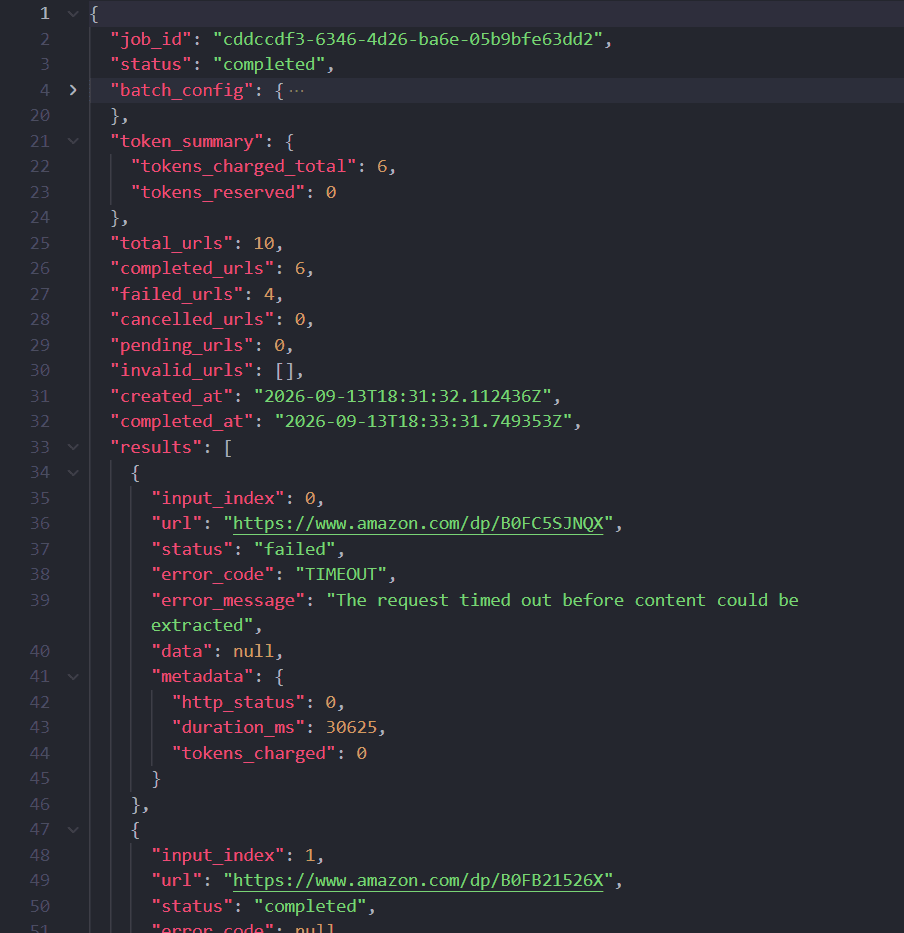
Takeaway
Batch reuses Extract settings across a URL list. It does not guarantee every Amazon PDP returns price HTML.
Step 4–5: Parse and merge
What we need
The business artifact: amazon_products.json.
What we will do
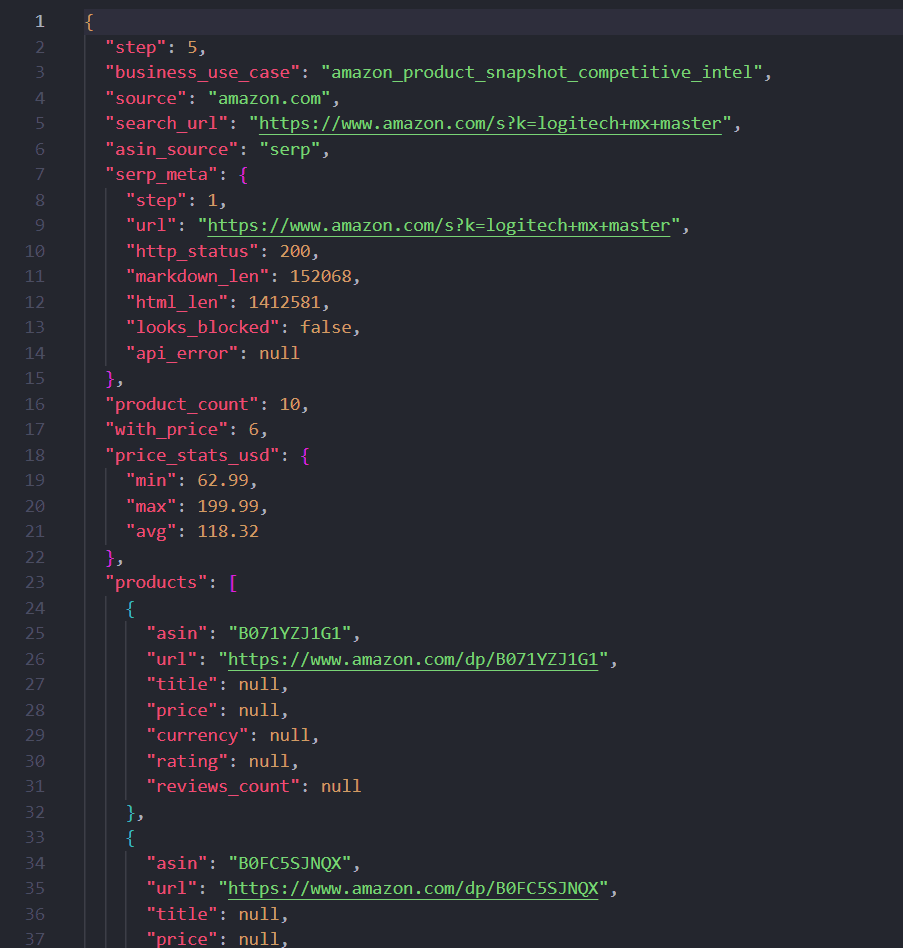
Locally parse title (including og:title), price patterns / a-offscreen price HTML, rating, and review counts. Merge into a slim master file with counts and optional SERP meta.
What you should expect
A spreadsheet-ready list. Some products may have price: null when the PDP shell loaded without a clear price node.
Takeaway
Same pattern as other real-world guides: Geonode fetches; your merge step is the deliverable.
Why this API mix worked
| Tool | Role |
|---|---|
| Extract | One SERP you already know |
| Batch | Many PDPs, same browser/proxy config |
| Map / Crawl | Wrong shape for a single keyword snapshot |
When not to use this pattern
- You only have known ASINs → skip SERP; start at Batch
- You need unbounded site coverage → still not Crawl-on-Amazon for demos
- You need account pages → not this guide (and often not feasible via simple headers)
Cost and request usage
| Stage | Rough volume | Notes |
|---|---|---|
| SERP Extract | 1 | JS + residential |
| Batch PDPs | up to AMAZON_MAX_ASINS | Partial failures still consume work |
| Parse / merge | 0 | Local |
Keep the ASIN cap small while teaching.
Limitations and good practice
- Amazon may return captchas, empty shells, or timeouts, expect flaky runs.
- Prefer first-party / permitted use cases; respect robots and terms.
- Do not store or publish customer account data.
- Multi-page SERP pagination (
page=) is on you, same idea as retail PLP pagination in the BBB catalog guide. - Production monitoring usually needs retries, alerting, and support for harder setups.
Recap
- Extract one Amazon search URL with JS + US residential.
- Parse ASINs (cap the list; keep a fallback for demos).
- Batch
/dp/pages with the same settings. - Parse / merge into
amazon_products.json.
That is the Amazon teaching story next to the lighter retail catalog: same Extract → Batch shape, harder site, smaller demo, honest limits.
Was this page helpful?
Extract a Basic Auth Page with Authorization Headers
Teaching walkthrough: probe a password-protected URL without auth, then Extract and Batch with Authorization Basic headers. Uses a public practice site so the before/after is reproducible.
Geonode MCP Server
Connect AI clients to Geonode for web extraction. Try basic Extract without a key, or add an API key for Map, Crawl, Search and other tools.