Extract a Basic Auth Page with Authorization Headers
This guide walks you through an authenticated Extract workflow with the Geonode Scraper API: as if we are building it together.
Geonode does not open a login UI. You send site credentials in request headers. Here we use HTTP Basic Auth — the same pattern many staging sites and internal tools use.
By the end you will understand:
X-Api-Key→ authenticates you to Geonodeheaders.Authorization: Basic …→ authenticates the request to the target site
Companion example code lives in geonode-scraper-examples/basic-auth-protected-page/.
Use case
You need Markdown from a URL that returns 401 Unauthorized without credentials (staging wiki, internal tool, password-protected doc).
For a reproducible public demo, this guide uses well-known Basic Auth practice URLs (not a production customer site):
https://the-internet.herokuapp.com/basic_authPublic demo credentials: username admin, password admin.
The API pattern is what you reuse on your own Basic Auth staging or internal pages.
What we are going to build
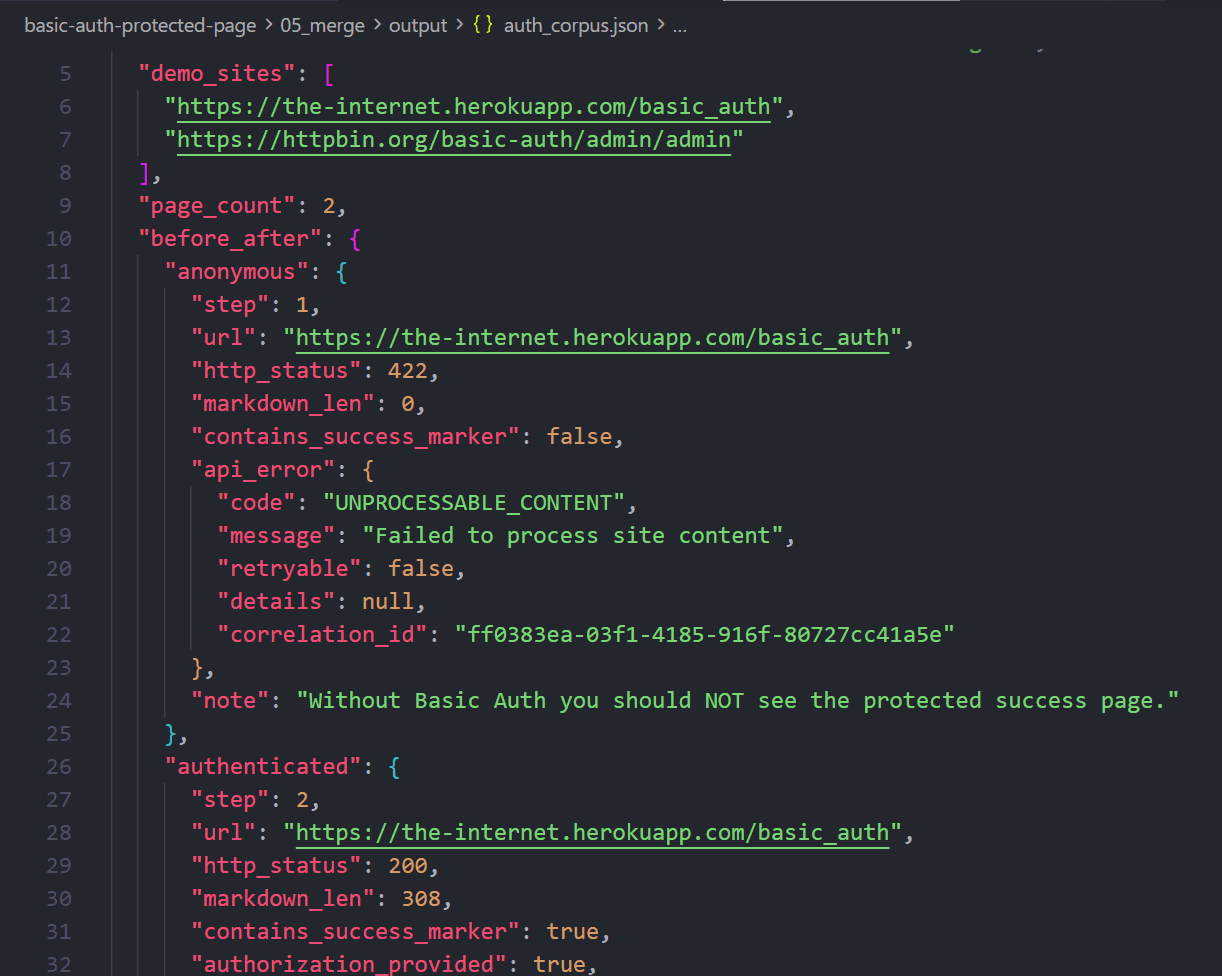
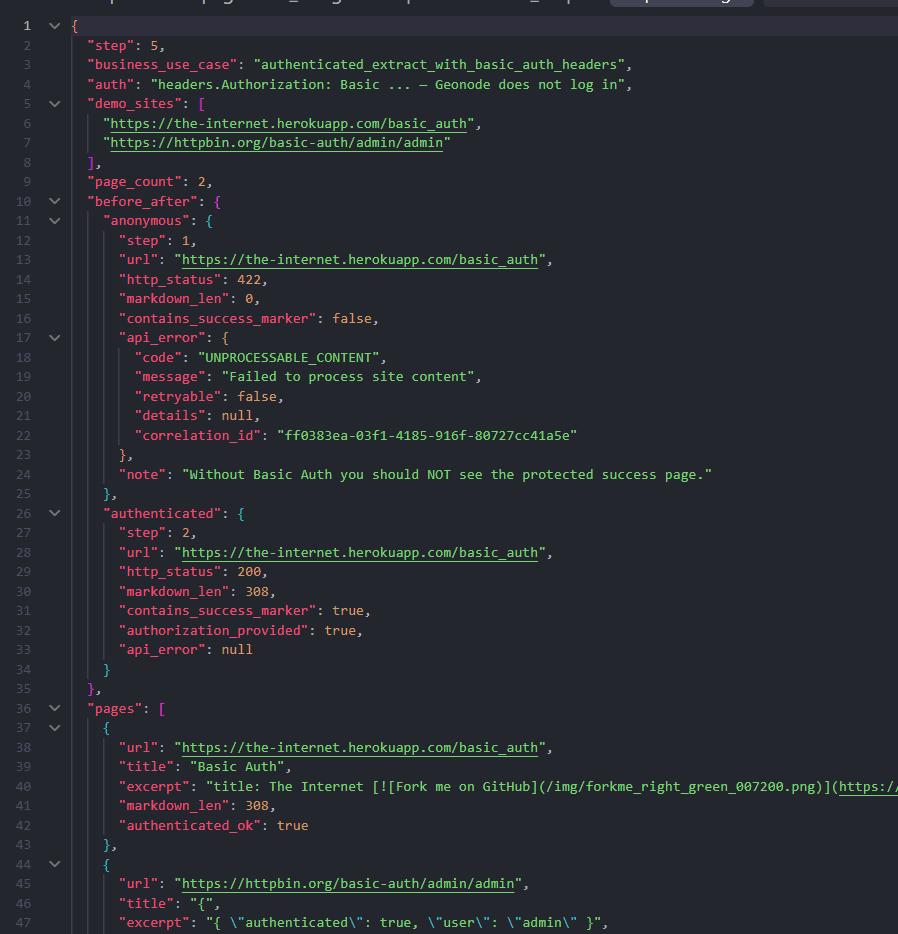
A small auth corpus plus before/after meta:
{
  "business_use_case": "authenticated_extract_with_basic_auth_headers",
  "auth": "headers.Authorization: Basic … — Geonode does not log in",
  "page_count": 2,
  "pages": [
    {
      "url": "https://the-internet.herokuapp.com/basic_auth",
      "authenticated_ok": true,
      "excerpt": "Congratulations! You must have the proper credentials."
    }
  ]
}| Metric | Demo target |
|---|---|
| Auth | HTTP Basic (admin / admin) |
| APIs | Extract + Batch |
| Outcome | auth_corpus.json |
The plan
1. Probe      → Extract WITHOUT Authorization
2. Extract    → same URL WITH Authorization: Basic
3. Batch      → more protected URLs, same header
4. Parse      → title + excerpt (local)
5. Merge → auth_corpus.json| API | Why we use it here |
|---|---|
| Extract | Clear before/after on one URL |
| Batch | Same Basic header on several URLs |
| Custom headers | Authorization is a target-site header |
Compare with other real-world guides (all public, no auth):
| Guide | Auth |
|---|---|
| B2B agency lead list | None |
| Retail category price catalog | None |
| Docs knowledge corpus | None |
| This guide | Authorization: Basic |
Before you start
- A Geonode API key
- Python 3.9+,
requests
export GEONODE_SCRAPER_API_KEY="YOUR_API_KEY"Why a practice site?
Heavy SaaS apps that rely on fragile browser cookies often fight proxies. Basic Auth on a simple page is the clearest way to teach authenticated Extract. Apply the same headers pattern to your staging or internal Basic Auth URLs.
Step 1: Probe without Authorization
What we need
Proof the page is protected.
What we will do
POST /v1/extract with no headers.Authorization.
What you should expect
No “Congratulations” success body (API may surface an error or empty/locked content).
import os
import requests

api_key = os.environ["GEONODE_SCRAPER_API_KEY"]
url = "https://the-internet.herokuapp.com/basic_auth"

response = requests.post(
    "https://scraper.geonode.io/v1/extract",
    headers={
        "X-Api-Key": api_key,
        "Content-Type": "application/json",
    },
    json={
        "url": url,
        "formats": ["markdown"],
        "render_js": False,
        "processing_mode": "sync",
    },
)
# Should NOT contain the protected success copy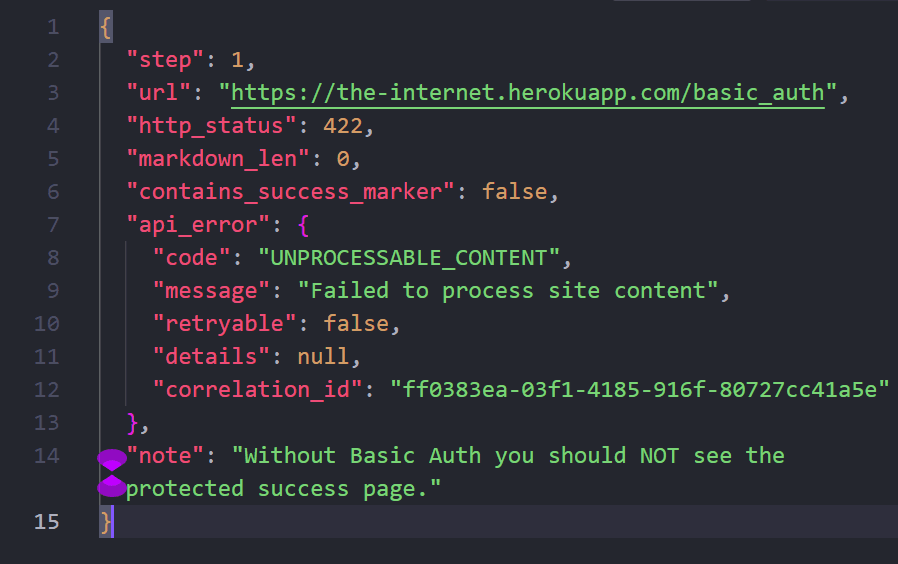
Takeaway
If anonymous Extract already shows the secret page, you are not testing auth.
Step 2: Extract with Basic Auth
What we need
The same URL, authorized.
What we will do
Encode username:password as Base64 and send:
Authorization: Basic YWRtaW46YWRtaW4=(admin:admin → YWRtaW46YWRtaW4=)
Do not put the Geonode API key inside headers.
import base64
import os
import requests

api_key = os.environ["GEONODE_SCRAPER_API_KEY"]
url = "https://the-internet.herokuapp.com/basic_auth"
token = base64.b64encode(b"admin:admin").decode("ascii")

response = requests.post(
    "https://scraper.geonode.io/v1/extract",
    headers={
        "X-Api-Key": api_key,
        "Content-Type": "application/json",
    },
    json={
        "url": url,
        "formats": ["markdown"],
        "render_js": False,
        "processing_mode": "sync",
        "headers": {
            "Authorization": f"Basic {token}",
        },
    },
)
# Expect Markdown containing "Congratulations"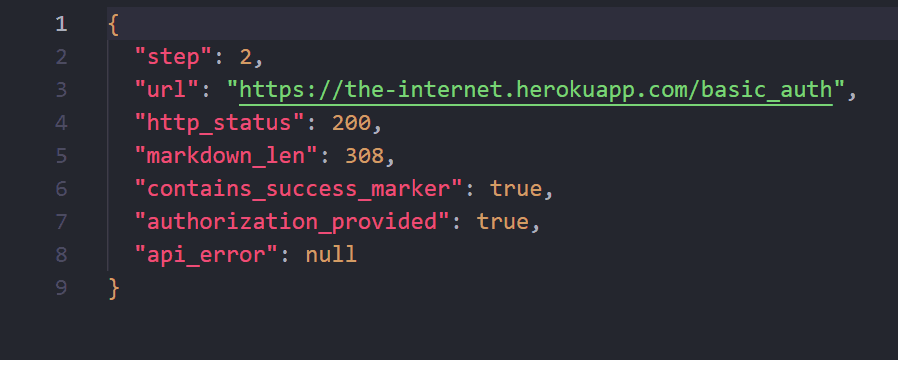
Takeaway
headers.Authorization is target-site auth. Same field works for Bearer tokens when a site expects that instead of Basic.
Step 3: Batch with the same header
What we need
Several protected URLs without rewriting Extract.
What we will do
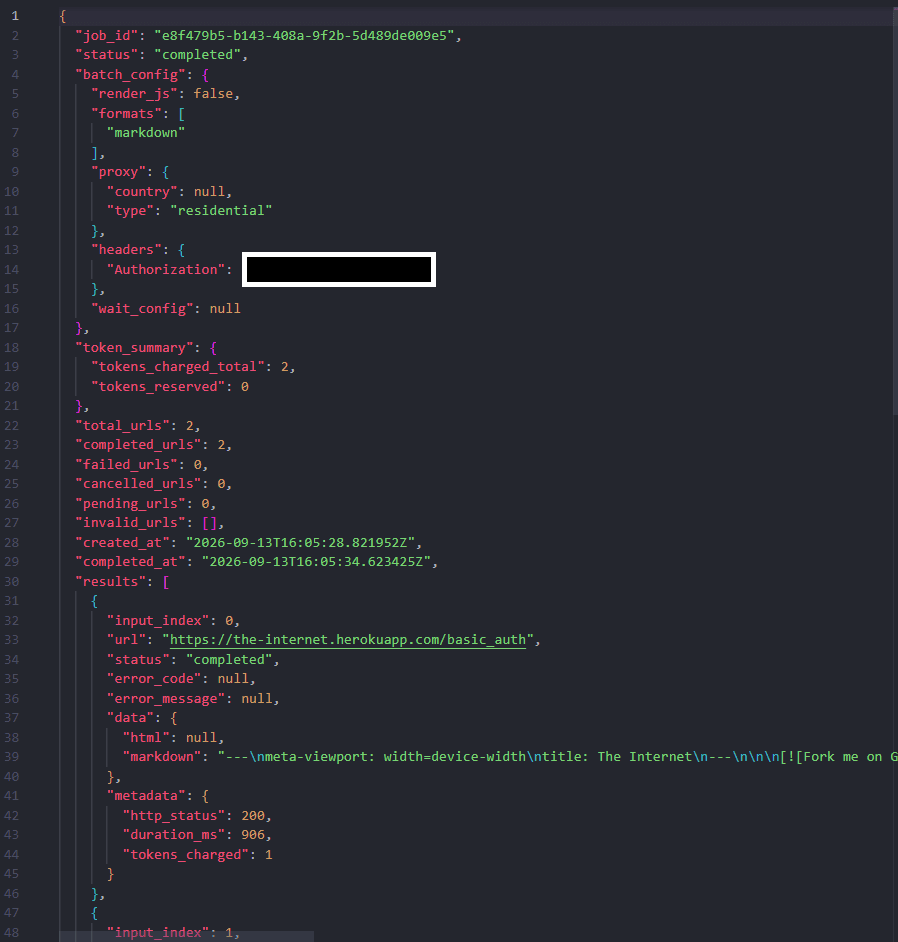
POST /v1/batch with urls and the same headers.Authorization. Demo list:
https://the-internet.herokuapp.com/basic_authhttps://httpbin.org/basic-auth/admin/admin(sameadmin/admin)
What you should expect
One job, one Basic header, multiple Markdown results.
Takeaway
Batch reuses headers; it does not invent a login.
Step 4–5: Parse and merge
Locally turn Markdown into auth_corpus.json, including optional before/after meta from probe vs authenticated Extract.
Why this API mix worked
| Tool | Role |
|---|---|
| Extract | Prove Basic Auth before/after |
| Batch | Same header, many URLs |
| Cookie / SSO flows | Out of scope here — see FAQ on custom headers vs full session UI |
Use only URLs and credentials you are allowed to access. Practice-site credentials are public by design; production secrets stay in .env.
Cost and request usage
| Stage | Rough volume |
|---|---|
| Probe Extract | 1 |
| Authed Extract | 1 |
| Batch | N URLs |
| Parse / merge | 0 (local) |
render_js is off for these simple pages.
Recap
- Probe without
Authorization. - Extract with
Authorization: Basic …. - Batch more protected URLs with the same header.
- Parse / merge into
auth_corpus.json.
That is the authenticated Extract story: Geonode key for the API, Basic (or Bearer) for the site.
Was this page helpful?
Build a Docs Knowledge Corpus with Crawl
Teaching walkthrough: start from Geonode public docs, use Crawl to discover and extract linked pages, then parse into a Markdown corpus for RAG or help-bot use.
Build an Amazon Product Snapshot from Search Results
Teaching walkthrough: Extract an Amazon.com search page, parse ASINs, Batch product detail pages, then merge title/price/rating into a competitive product snapshot.