Build a B2B Agency Lead List from a Directory
This guide walks you through a real B2B workflow with the Geonode Scraper API: as if we are building it together.
You want a list of companies you can use for sales, partnerships, or research. You do not already have their websites. You only know the market (Berlin tech / creative agencies).
By the end, you will understand which API to reach for at each stage, what a good result looks like, and why we skip Crawl (and avoid mapping every company website).
Use case
Imagine you are on a partnerships or outbound team. You need a spreadsheet-ready lead list with:
- Company name and website
- Location, size, founding year, hourly rate
- Services / industries
- Public email and phone from the company site
Starting point: market intent only: for example, “Berlin software / agency companies.”
Directory used in this walkthrough:
https://techbehemoths.com/companies/software-development/berlinThe same pattern works on other public directories.
What we are going to build
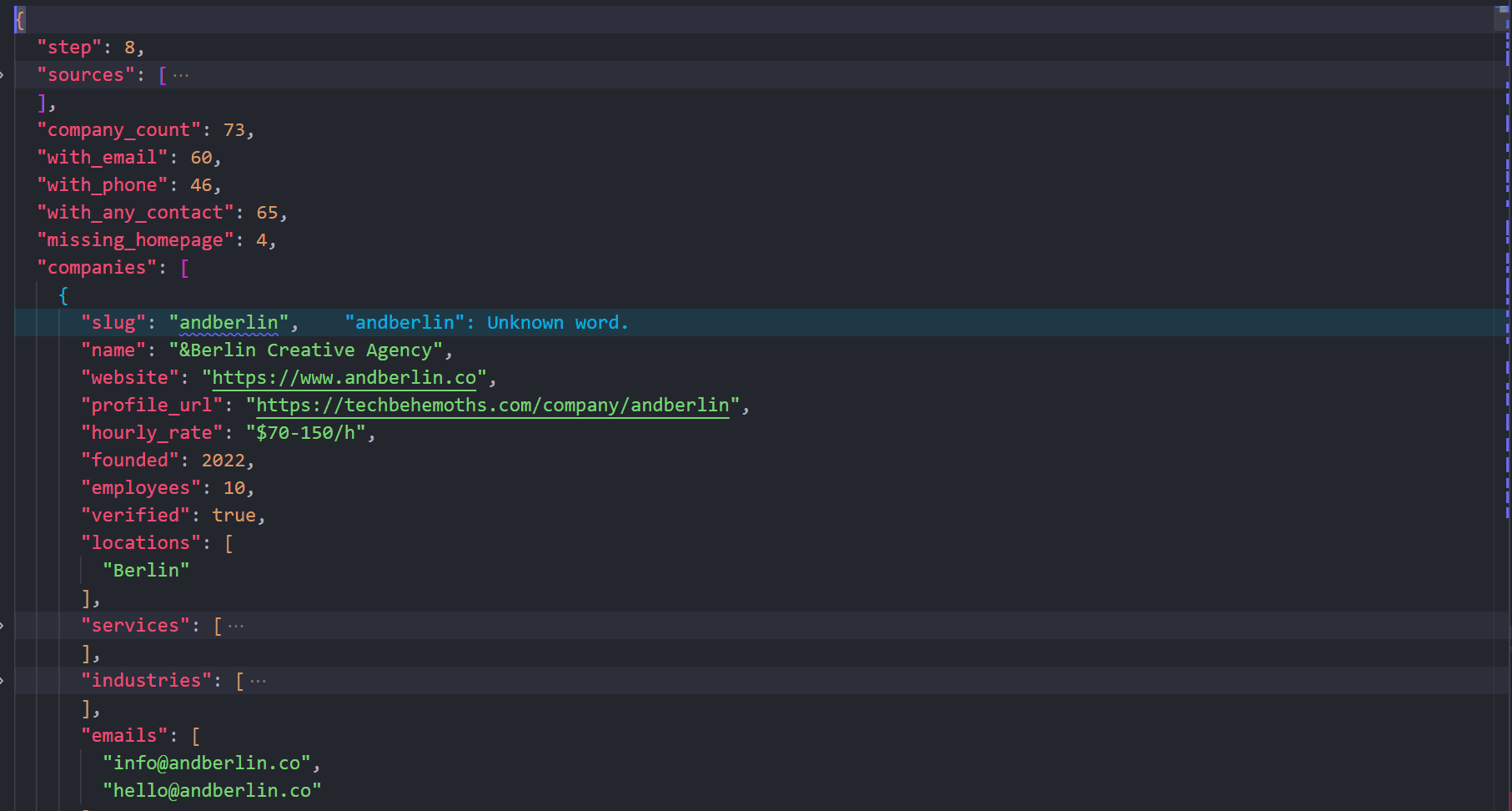
A master JSON lead file. Each company looks roughly like this (shortened):
{
  "slug": "andberlin",
  "name": "&Berlin Creative Agency",
  "website": "https://www.andberlin.co",
  "profile_url": "https://techbehemoths.com/company/andberlin",
  "hourly_rate": "$70-150/h",
  "founded": 2022,
  "employees": 10,
  "verified": true,
  "locations": ["Berlin"],
  "services": ["Branding", "Web Design", "Web Development"],
  "industries": [{ "name": "Business services", "percent": 10 }],
  "emails": ["example@example.com"],
  "phones": [],
  "has_contact": true
}
In a full run against the Berlin software-development directory slice used for this example:
| Metric | Approx. result |
|---|---|
| Companies from directory pages | ~73 |
| Homepages successfully extracted | ~69 |
| With at least one email | ~60 |
| With at least one phone | ~46 |
Exact counts depend on pagination depth and site availability.
The plan (what you should expect)
We will move through eight stages. At each stage we pick one Geonode product on purpose:
1. Search   → find a directory listing URL
2. Map      → try link discovery (expect failure on JS listings: teaching moment)
3. Extract  → render listing pages + pagination → profile URLs
4. Batch    → extract all profile pages → HTML
5. Parse    → firmographics + website (local)
6. Batch    → extract all company homepages → HTML
7. Parse    → emails / phones (local)
8. Merge → master lead file| API | Why we use it here |
|---|---|
| Search | You do not know the best listing URL yet |
| Map | Fast URL inventory check: often fails on JS grids |
| Extract | Render JS listing pages and collect profile links |
| Batch | Many known URLs (profiles, then homepages) |
| Local parsing | Turn HTML into structured fields, then merge |
Crawl is not used. After Extract you already know the profile URLs. After profile parse you already know the websites. You do not need a deep multi-page walk of one domain.
Before you start
You need:
- A Geonode API key
- Python 3.9 or later
- The
requestspackage
export GEONODE_SCRAPER_API_KEY="YOUR_API_KEY"
pip install requests
On Windows PowerShell:
$env:GEONODE_SCRAPER_API_KEY="YOUR_API_KEY"
pip install requests
Keep Your API Key Private
Never put your Geonode API key directly in your source code or commit it to your repository. Store it in an environment variable or .env file instead.
Step 1: Find a directory with Search
What we need
A listing URL: a page that shows many company cards. We do not hardcode one on day one; we discover candidates with Search.
What we will do
Send a natural-language query that matches the market, for example 100 berlin startups.
What you should expect
Search returns several sources (url, title, sometimes a snippet). Your job is to pick one strong directory. For this demo we keep a mini list from a single directory so the walkthrough stays clear. You can add more directories later with the same pipeline.
import os
import requests

api_key = os.environ["GEONODE_SCRAPER_API_KEY"]

response = requests.post(
    "https://scraper.geonode.io/v1/search",
    headers={
        "X-Api-Key": api_key,
        "Content-Type": "application/json",
    },
    json={
        "query": "100 berlin startups",
        "page": 1,
        "locale": "en",
    },
)

response.raise_for_status()
results = response.json()
print(results)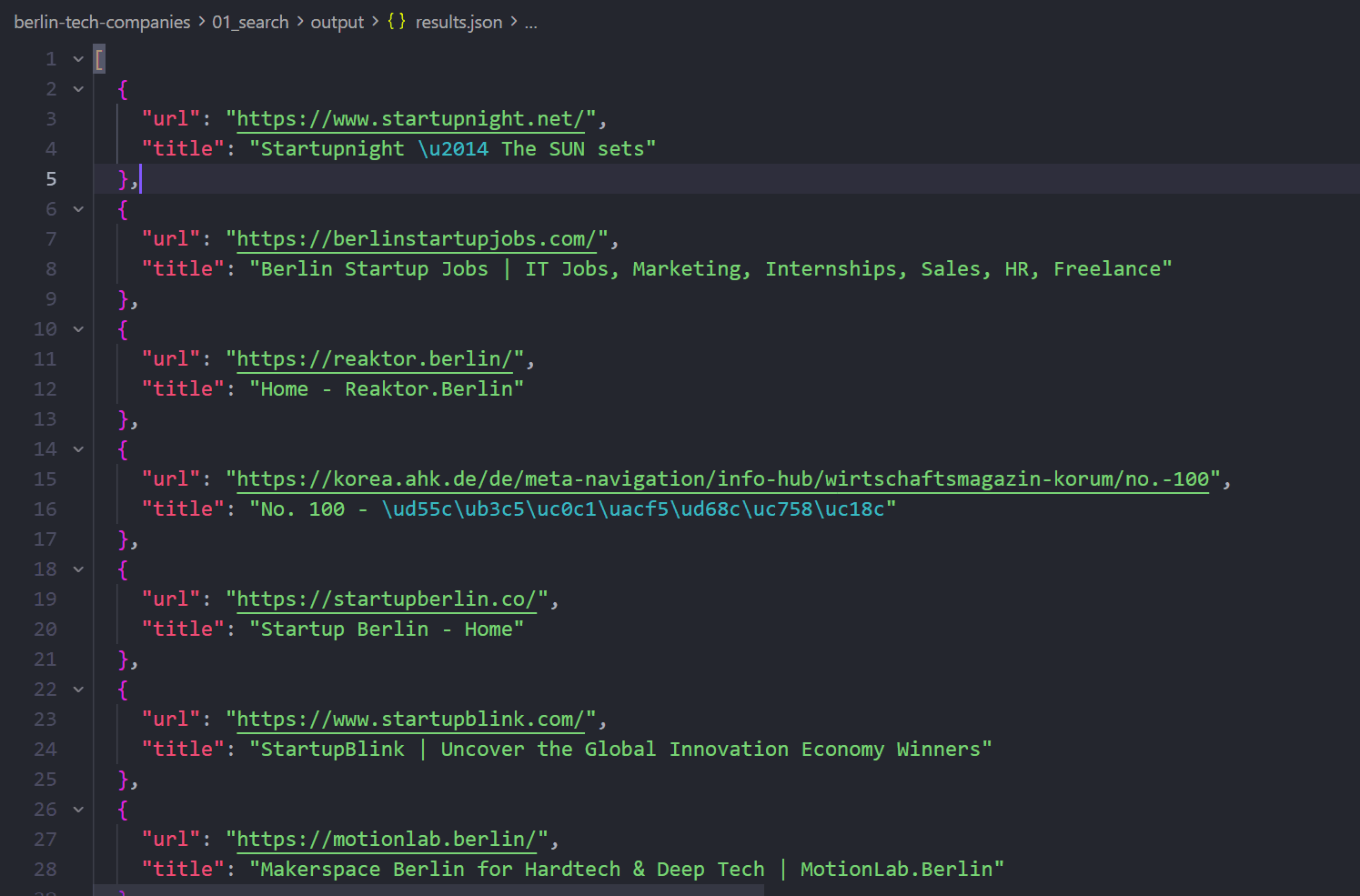
From the results, choose one directory listing. In this walkthrough we use TechBehemoths Berlin software-development companies:
https://techbehemoths.com/companies/software-development/berlin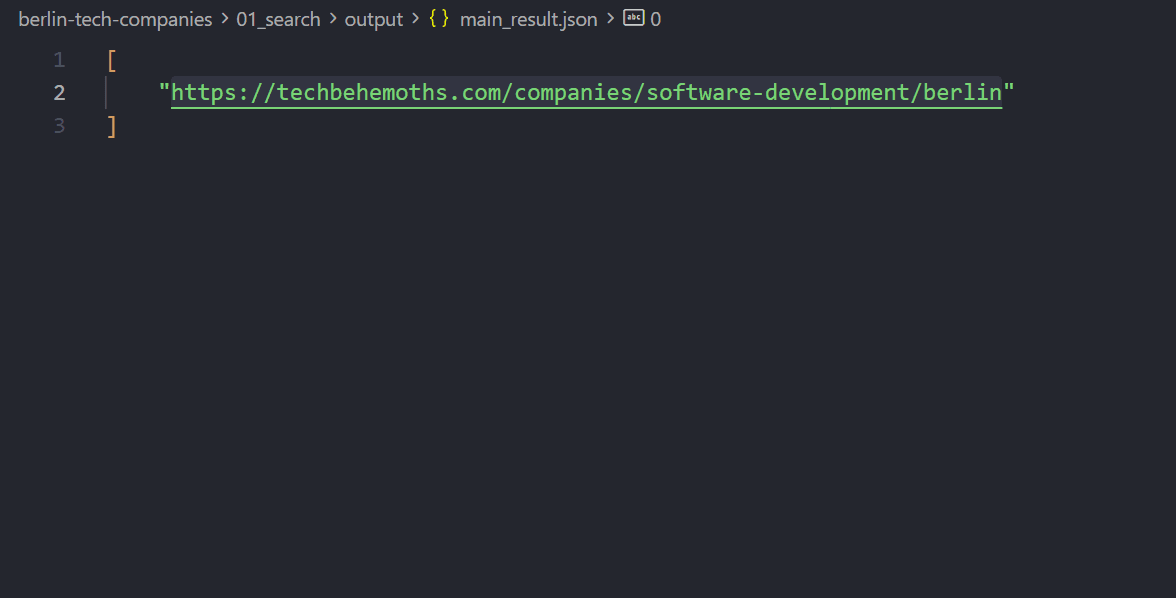
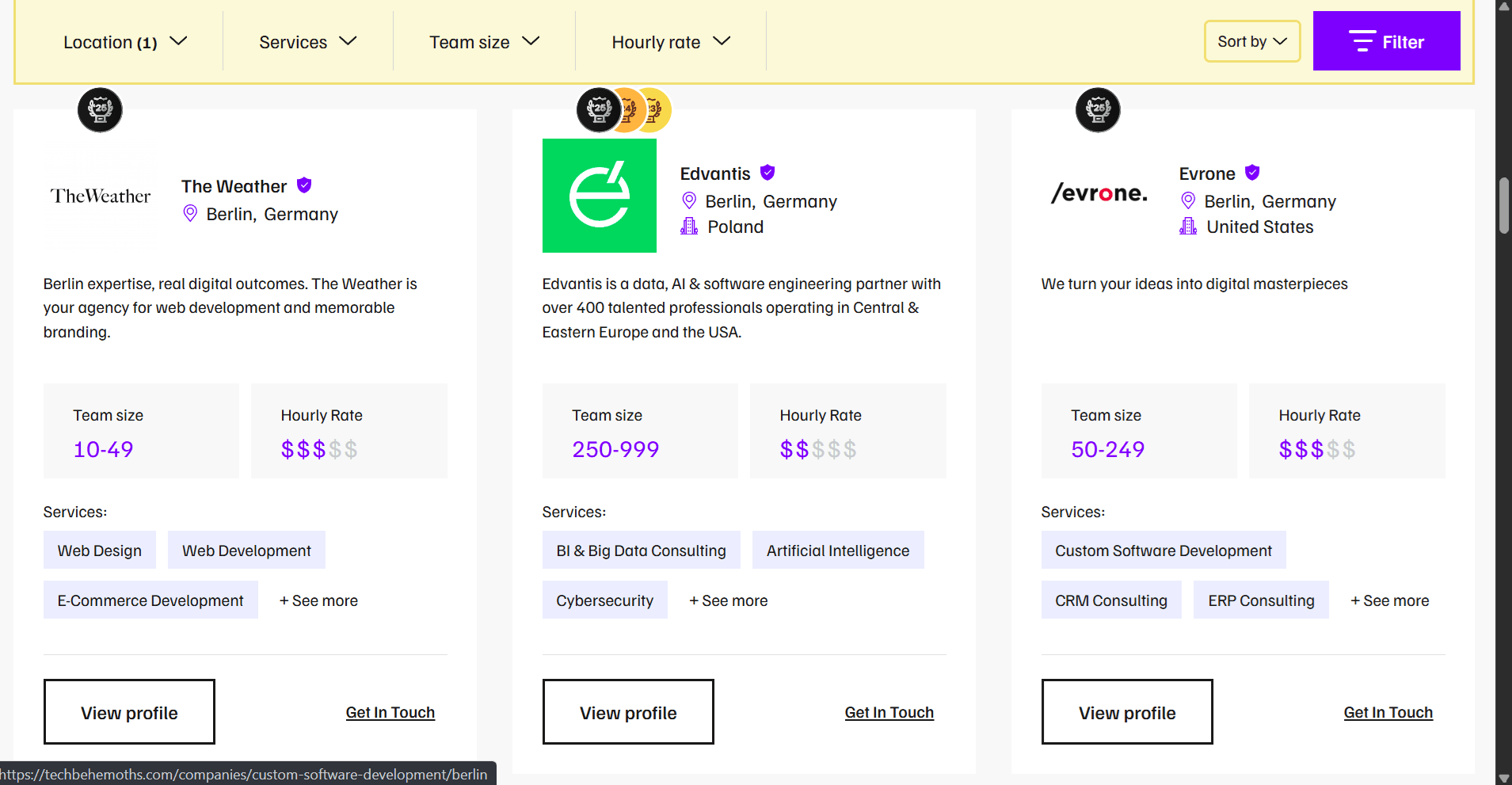
Open that URL in a browser so you know what “success” looks like: company cards, profile links, pagination.
Takeaway
Search answers “where do I start?”: not “give me every company yet.” After this step you should have one listing URL saved and ready for the next APIs.
Step 2: Try Map on the listing (expect JS limits)
What we need
A list of company profile URLs from the directory (for example /company/andberlin).
What we will do
Run Map on the listing. Map reads sitemaps and static HTML links. It does not execute JavaScript.
We try Map on purpose. On modern directories the company grid is often rendered client-side. Seeing zero profile links teaches you when to switch tools.
What you should expect
On TechBehemoths-style JS listings, Map often returns zero /company/... links even though the browser shows dozens of companies. That is normal: not a broken API key.
listing_url = "https://techbehemoths.com/companies/software-development/berlin"

response = requests.post(
    "https://scraper.geonode.io/v1/map",
    headers={
        "X-Api-Key": api_key,
        "Content-Type": "application/json",
    },
    json={
        "url": listing_url,
        "search": "company",
    },
)

response.raise_for_status()
print(response.json())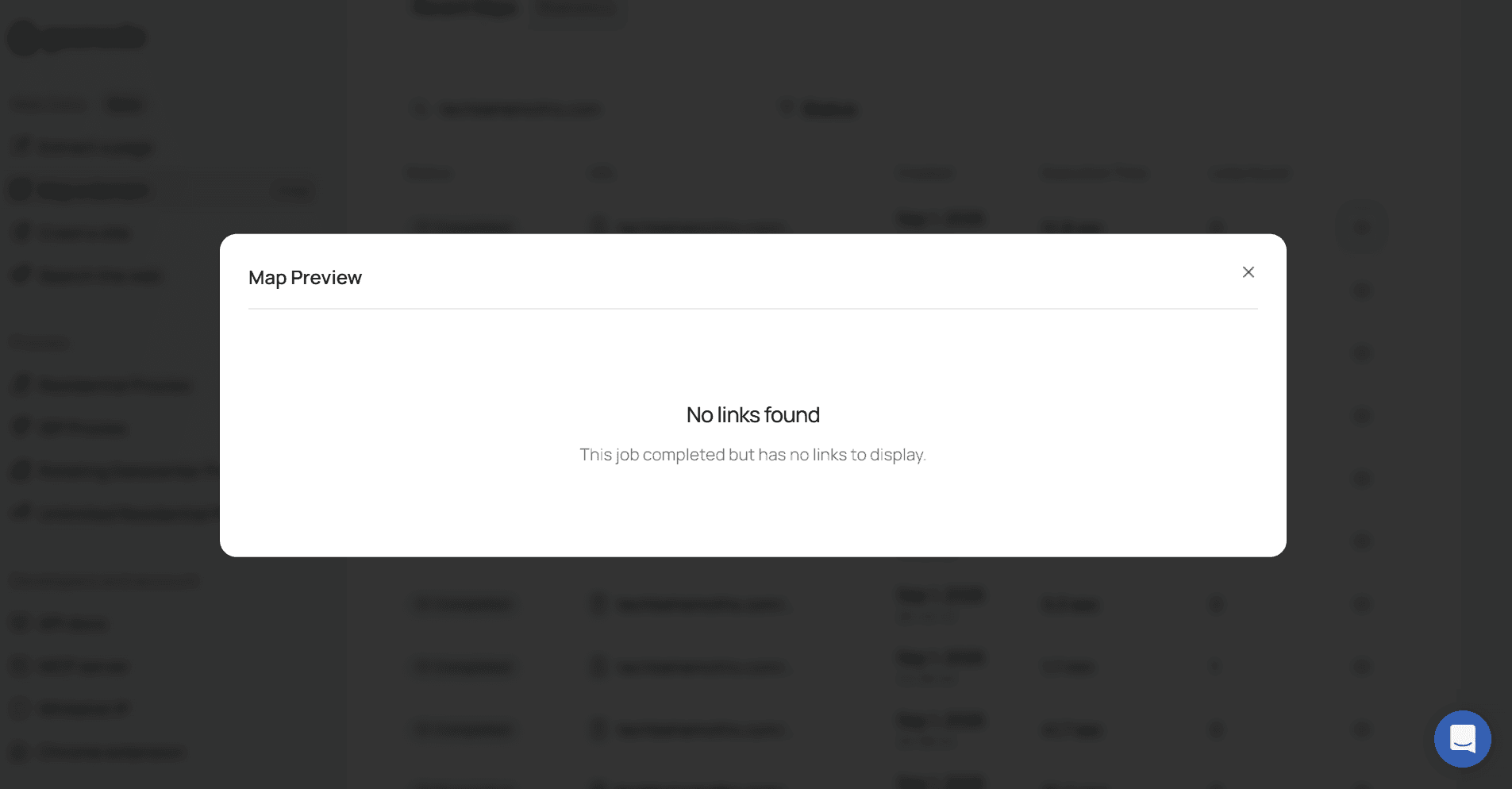
When Map shines
Use Map when you need a fast URL inventory for a site with a sitemap or static navigation: for example, finding /kontakt, /impressum, or /about on a single company domain later. Do not rely on Map alone for JS-heavy listing grids.
Takeaway
Map failed here as a discovery path: and that is the lesson. For JS directory grids, move to Extract with render_js.
Step 3: Extract listing pages with JavaScript rendering
What we need
The profile URLs that Map could not see.
What we will do
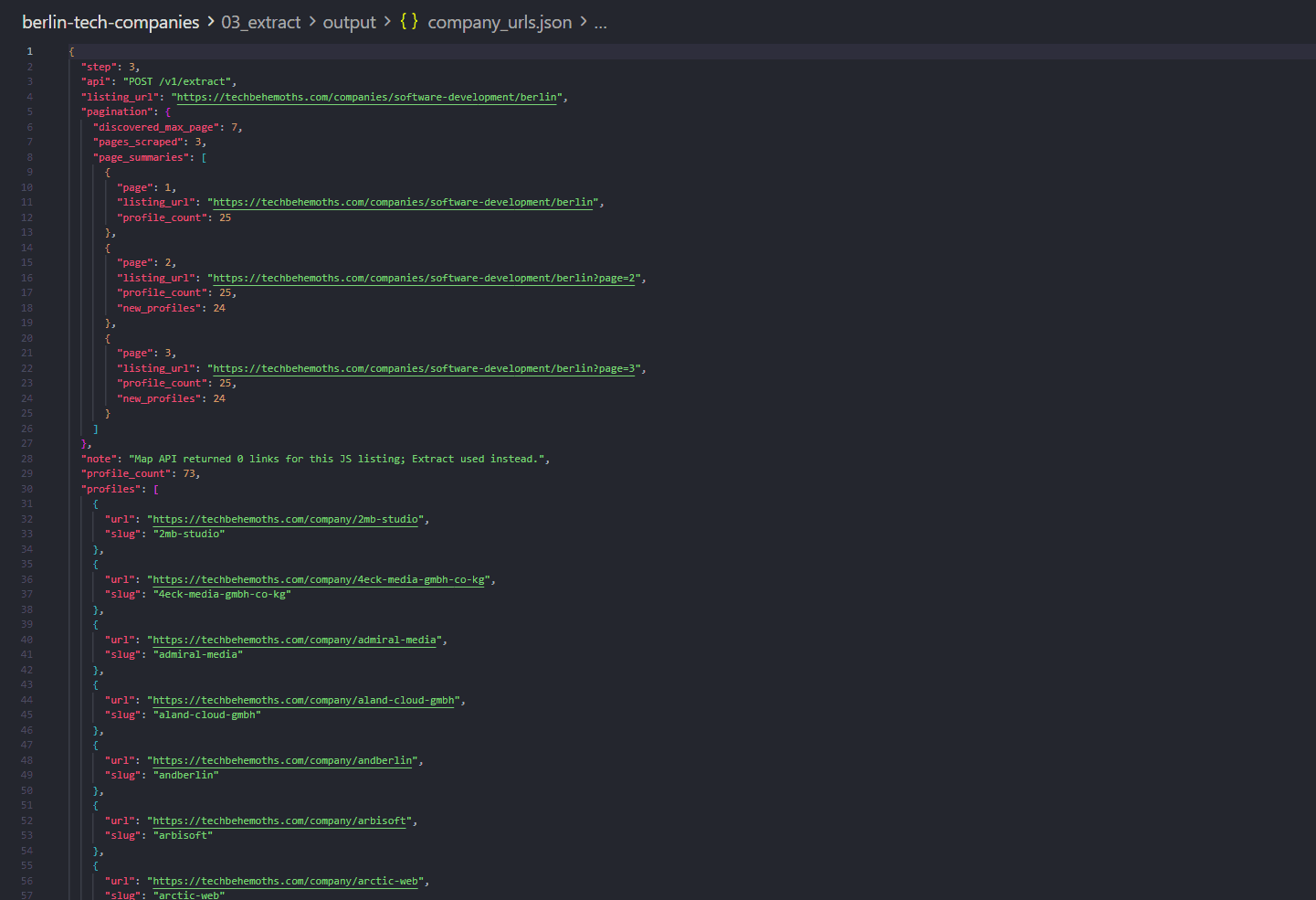
Extract the listing with render_js: true, wait for the page to settle, then parse /company/{slug} links from the Markdown. Repeat for ?page=2, ?page=3, … until you have enough companies for your demo.
What you should expect
Each extracted page should contain many profile links in the Markdown. After a few pages you have a clean list of profile URLs ready for Batch.
response = requests.post(
    "https://scraper.geonode.io/v1/extract",
    headers={
        "X-Api-Key": api_key,
        "Content-Type": "application/json",
    },
    json={
        "url": listing_url,
        "formats": ["markdown"],
        "render_js": True,
        "processing_mode": "sync",
        "proxy": {"country": "DE", "type": "residential"},
        "wait_config": {
            "wait_until": "networkidle",
            "wait_timeout": 5000,
        },
    },
)

response.raise_for_status()
markdown = response.json()["data"]["markdown"]
# Parse /company/{slug} links from markdown, then repeat for page=2, page=3, ...
Example profile URLs:
https://techbehemoths.com/company/andberlin
https://techbehemoths.com/company/why-studio
...
Takeaway
Extract is how you discover URLs on JS listings. Pagination is usually the same Extract call with ?page=N: you do not need Crawl for this directory pattern.
Step 4: Batch extract all profile pages
What we need
HTML for every company profile so we can read firmographics and the website field.
What we will do
Submit one Batch job with all known profile URLs instead of calling Extract in a loop.
What you should expect
You get a job_id. Poll GET /v1/batch/{job_id} until the job completes. Then save each result’s HTML. Concurrency follows your plan’s thread limits automatically: you do not manage worker threads in your app.
profile_urls = [
    "https://techbehemoths.com/company/andberlin",
    "https://techbehemoths.com/company/why-studio",
    # ... more profile URLs
]

response = requests.post(
    "https://scraper.geonode.io/v1/batch",
    headers={
        "X-Api-Key": api_key,
        "Content-Type": "application/json",
    },
    json={
        "urls": profile_urls,
        "ignore_invalid_urls": True,
        "formats": ["html"],
        "render_js": True,
        "wait_config": {"wait_until": "domcontentloaded"},
    },
)

response.raise_for_status()
job = response.json()
job_id = job["job_id"]

# Poll GET /v1/batch/{job_id} until status is completed, then save each result HTML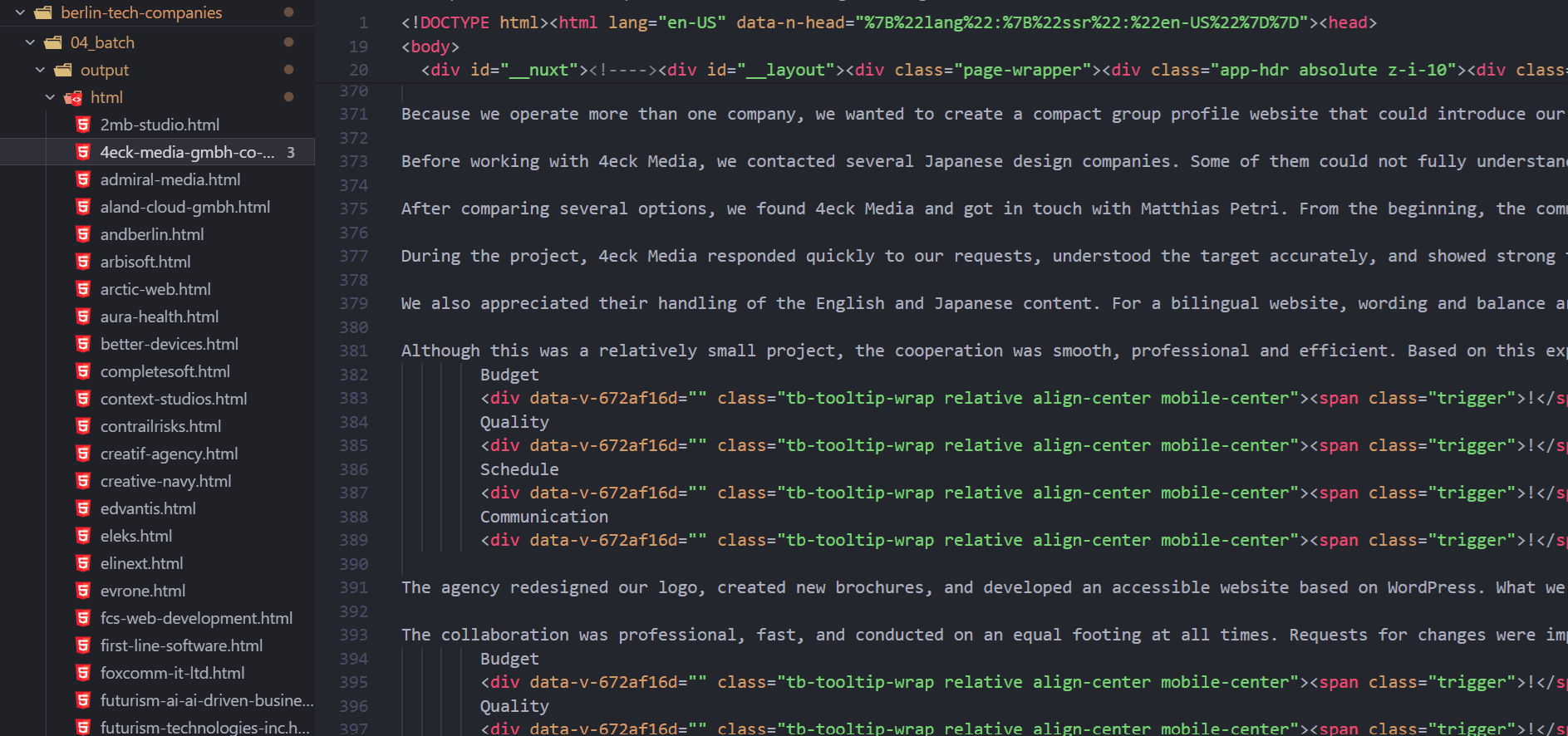
Takeaway
Many known URLs → Batch. Extract was for discovery on listing pages. Batch is for volume on URLs you already have.
Step 5: Parse profiles locally
What we need
Structured company records: name, website, size, services, and so on.
What we will do
Parse the saved profile HTML locally (no Geonode call). Directory profiles usually expose firmographics and a website: but rarely a public email.
What you should expect
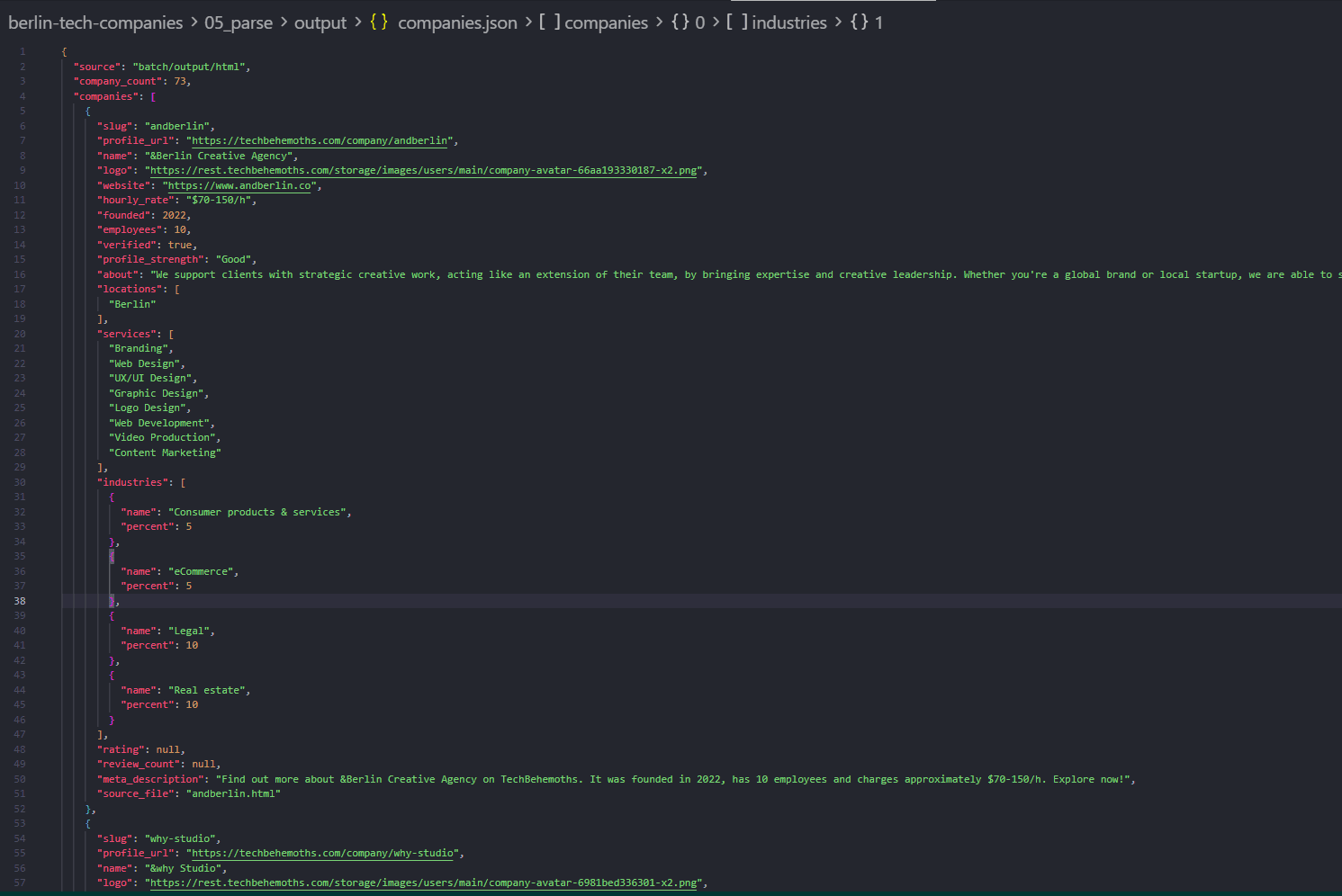
JSON objects with fields such as:
name,website,hourly_rate,founded,employeeslocations,services,industriesprofile_url
You should see a website and still see no email on most rows. That is why the next steps exist.
Takeaway
Directory pages give firmographics. Contact data usually lives on the company site. Keep the website field: it is the bridge to enrichment.
Step 6: Batch extract company homepages
What we need
Emails and phones. Homepages (and footers) are the fastest place to look first.
What we will do
Batch-extract each company’s homepage from the website field. We intentionally do not Map every company domain.
Why we skip Map-on-every-website here
- Map returns URLs only. You still need Extract/Batch afterward.
- Agency sites often expose huge sitemaps (hundreds of URLs). Mapping each domain is slow and noisy.
- Public emails/phones are often already on the homepage (
mailto:,tel:, footer text).
What you should expect
A second Batch job over homepage URLs. Some sites fail or block; that is fine: those companies stay in the master file with empty contacts.
homepage_urls = [
    "https://www.andberlin.co",
    "https://www.why.de",
    # ... websites from the profile parse step
]

response = requests.post(
    "https://scraper.geonode.io/v1/batch",
    headers={
        "X-Api-Key": api_key,
        "Content-Type": "application/json",
    },
    json={
        "urls": homepage_urls,
        "ignore_invalid_urls": True,
        "formats": ["html"],
        "render_js": True,
        "wait_config": {"wait_until": "domcontentloaded"},
    },
)

response.raise_for_status()
# Poll the batch job, then save homepage HTML per company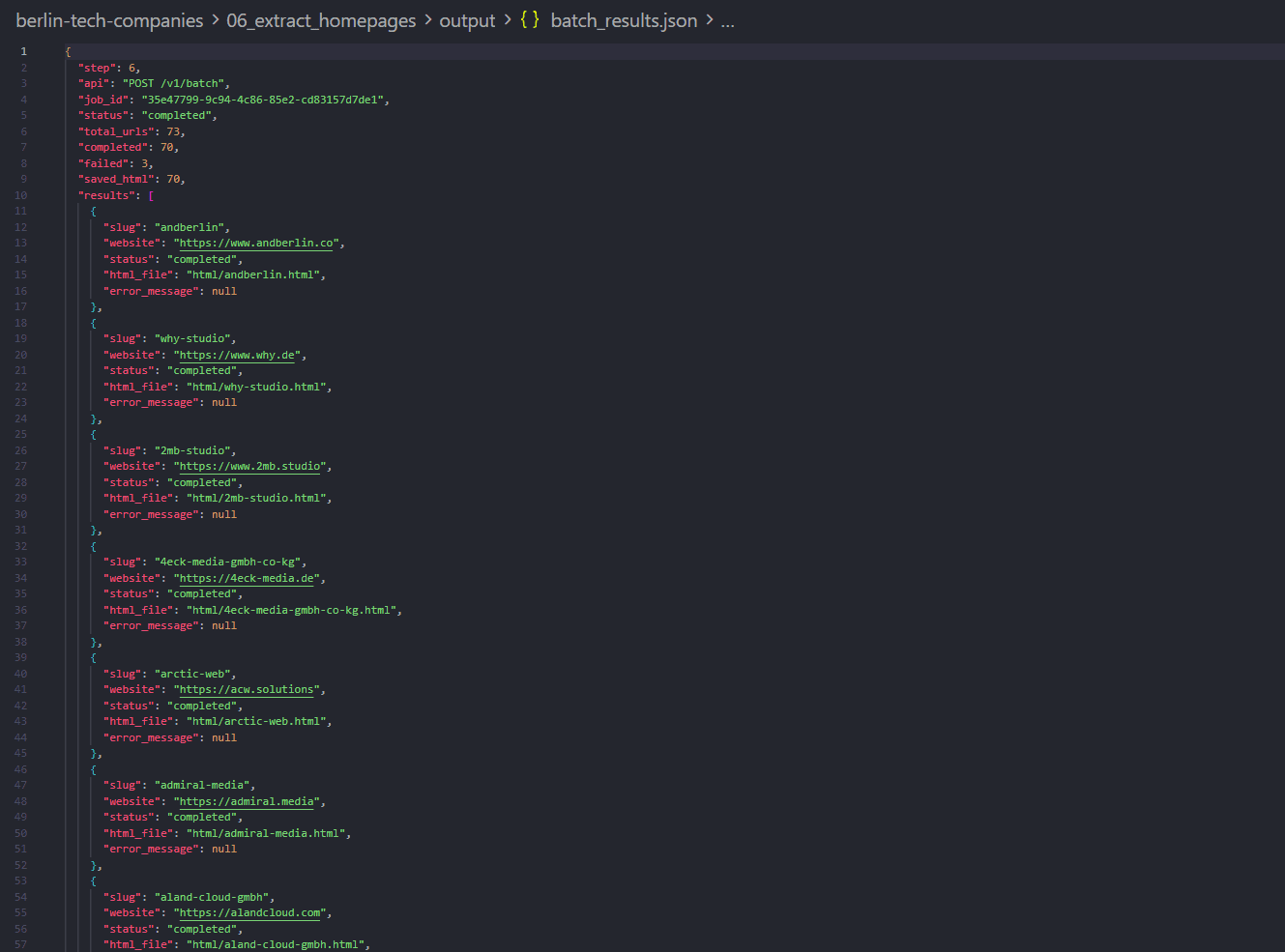
Takeaway
Homepage-first enrichment is cheaper and faster than Map fan-out. If a company still has no contact after this, then consider Map on that one domain for /contact / /impressum.
Step 7: Parse contacts and merge the master file
What we need
The final lead list: firmographics + emails/phones in one record per company.
What we will do
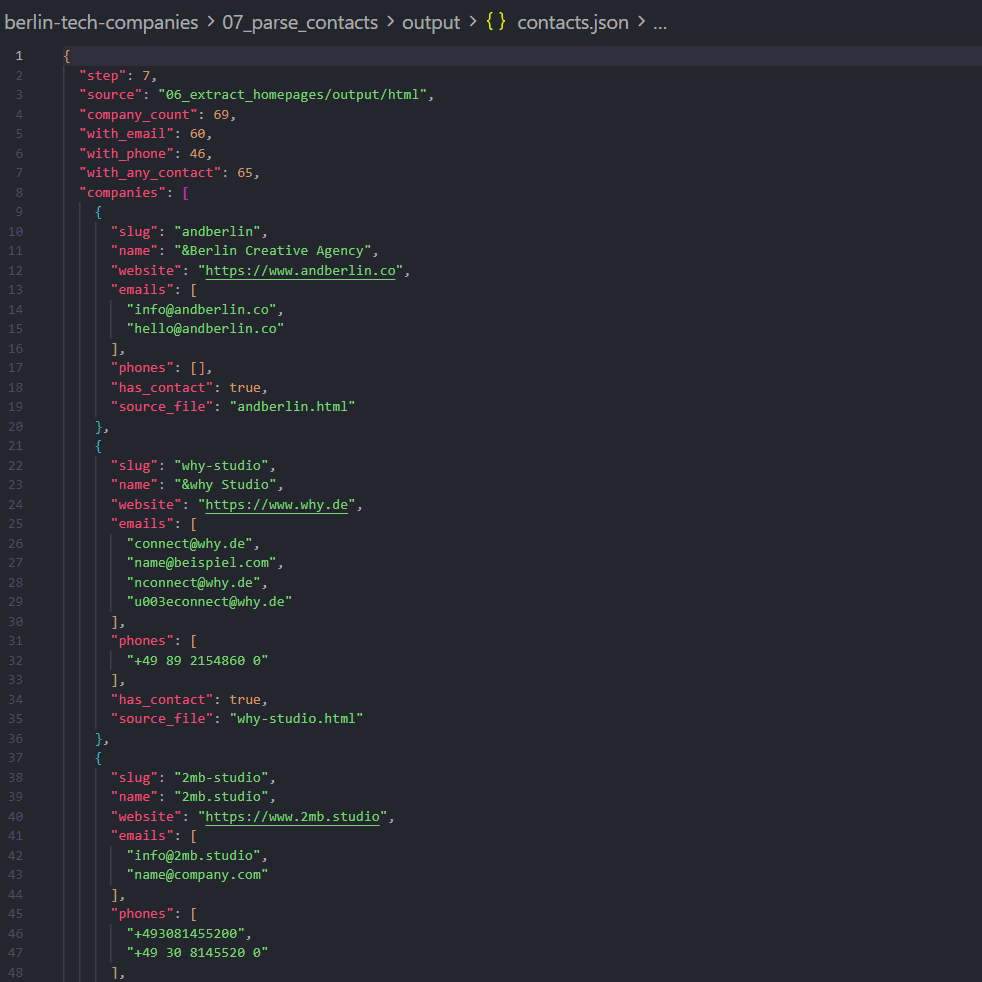
- From each homepage HTML, extract
mailto:/ email-like strings andtel:/ phone-like text. - Join profile fields + contacts on a stable key (slug or normalized website).
- Light-clean placeholders (
example.com, theme demos), dedupe phones, keep companies even when homepage Batch failed.
What you should expect
A contacts file with emails / phones arrays, then a master file where many rows have has_contact: true.
Takeaway
Scraper API gets you the pages. Local parse + merge makes the CRM-ready lead list. Keep parsing simple and filter junk before outreach.
Why this API mix worked
Search was enough to start
You only needed market intent. Search returns candidate sources; you pick one listing and continue.
Map was useful as a check, not as the main discovery path
| Situation | Better tool |
|---|---|
| JS directory grid / infinite scroll cards | Extract with render_js |
| Static site or sitemap-heavy single domain | Map |
| Deep walk of one large website | Crawl |
| Many known URLs (profiles or homepages) | Batch |
Extract + Batch covered the whole lead pipeline
- Extract discovers profile URLs from rendered listing pages (+ pagination).
- Batch pulls all profile HTML.
- Batch pulls all homepage HTML.
- Local code turns HTML into CRM-ready fields.
That is usually enough for directory → firmographics → homepage contacts.
When to add Map or Crawl later
- Map a company site after the homepage has no email: discover
/contact,/kontakt,/impressum, then Batch only those few URLs. - Crawl a single large corporate domain when you need broad content discovery beyond a short contact URL list.
Do not start with Crawl across dozens of unrelated company domains for this use case.
Cost and request usage
On request-based plans, successful page extractions consume requests. Map and job-status polling do not count as page extractions the same way content extraction does.
Approximate request shape for a run like this example:
| Stage | Rough volume | Notes |
|---|---|---|
| Listing Extract | ~3 pages | page 1–3 with JS rendering |
| Profile Batch | ~73 URLs | 1 request per successfully extracted profile |
| Homepage Batch | ~69 URLs | 1 request per successfully extracted homepage |
| Total page extractions | ~145 | Order-of-magnitude for this demo depth |
Cost contrast: Map every company website first
If you Map ~70 company domains, you may discover hundreds of URLs per site. Batching those multiplies spend and runtime. For homepage-first contact enrichment, Batch homepages first, then Map selectively only for companies still missing contact data.
Pricing and plan details can change: check Scraper API Pricing and the Geonode pricing page.
Unlimited plans bill by concurrency (threads), not a monthly request balance: useful when you run large Batches often.
Limitations and good practice
- Use publicly available pages and respect site terms / robots rules for your jurisdiction and use case.
- Directory data can be incomplete or outdated; prefer the company website as the contact source of truth.
- Homepage parsing will miss contacts that exist only behind forms, images, or Impressum-only pages: that is when selective Map + Batch helps.
- Filter obvious placeholder emails before exporting to a CRM or outreach tool.
- This guide produces a lead list, not a compliance or consent platform. Apply your own outreach and privacy policies.
Recap
- Search finds the directory.
- Map may fail on JS listings: switch to Extract.
- Extract + pagination collects profile URLs.
- Batch extracts all profiles, then all homepages.
- Local parse + merge produces the master B2B lead file.
Was this page helpful?
Search Errors
Learn how to identify and handle errors returned by the Search API.
Build a Retail Category Price Catalog from a Public Sitemap
Teaching walkthrough: start from a known retailer sitemap with Map, collect category PLPs, extract paginated listing pages, then Batch product pages into a structured price-and-assortment catalog.