Build a Docs Knowledge Corpus with Crawl
This guide walks you through a real documentation workflow with the Geonode Scraper API: as if we are building it together.
You want a knowledge corpus: many docs pages as clean Markdown for RAG, internal search, or a support bot. You already know the docs site. You do not have a ready-made list of every guide URL.
By the end, you will understand when to use Crawl instead of Map, Extract, or Batch, and how a single async job discovers linked pages and returns their content.
Companion example code lives in geonode-scraper-examples/geonode-docs-corpus/.
Use case
Imagine you are on a docs, support, or AI team. You need:
- Many documentation pages as Markdown
- Stable URLs and titles for indexing
- A bounded crawl (not the whole internet)
Starting point: a known docs root, for example Geonode’s public docs (the same seed used in the Crawl API guides):
https://docs.geonode.com/docs/scraper-apiSeeding the Scraper API section (instead of only the docs homepage) walks nested guides under Extraction, Batch, Crawl, Map, and Search.
What we are going to build
A master JSON corpus. Each page looks roughly like this (shortened):
{
  "url": "https://docs.geonode.com/docs/scraper-api/guides/crawl/01_first-crawl",
  "title": "Your First Crawl",
  "section": "scraper-api",
  "path": "/docs/scraper-api/guides/crawl/01_first-crawl",
  "depth": 2,
  "excerpt": "In this guide, you'll create your first crawl job...",
  "markdown_len": 4200
}| Metric | Demo target |
|---|---|
| Seed | Scraper API docs section |
Crawl limit / depth | 30 / 3 |
| Outcome | docs_corpus.json with page records |
The plan (what you should expect)
Fewer stages than a directory lead list or retail catalog, because Crawl discovers and extracts in one job:
1. Crawl   → seed docs → linked pages + markdown
2. Parse   → title, section, excerpt (local)
3. Merge → docs_corpus.json| API | Why we use it here |
|---|---|
| Crawl | One seed, unknown linked tree, content + discovery together |
| Local parsing | Turn Markdown into indexable fields |
Search is not used. You already know the docs URL.
Map is not required. Map would only return URLs; you would still Batch Extract. Crawl returns content.
Batch is not required. You do not have a URL list until Crawl finishes, and by then pages are already extracted.
Compare with other real-world guides:
| Guide | Why Crawl was skipped |
|---|---|
| B2B agency lead list | Directory + pagination gave profile URLs; then Batch |
| Retail category price catalog | Sitemap + PLP Extract gave product URLs; then Batch |
Before you start
You need:
- A Geonode API key
- Python 3.9 or later
- The
requestspackage
export GEONODE_SCRAPER_API_KEY="YOUR_API_KEY"
pip install requests
On Windows PowerShell:
$env:GEONODE_SCRAPER_API_KEY="YOUR_API_KEY"
pip install requests
Keep Your API Key Private
Never put your Geonode API key directly in your source code or commit it to your repository. Store it in an environment variable or .env file instead.
Step 1: Crawl the docs section
What we need
Many docs pages with Markdown, without hand-picking every guide URL.
What we will do
Create one Crawl job from the Scraper API docs seed. Cap the walk with limit and depth. Keep same_domain_only: true. Docs are mostly static, so start with render_js: false.
What you should expect
A 202 response with job_id. Poll GET /v1/crawl/{job_id} until status is completed. Save each completed page’s Markdown.
import os
import time
import requests

api_key = os.environ["GEONODE_SCRAPER_API_KEY"]
base = "https://scraper.geonode.io"

response = requests.post(
    f"{base}/v1/crawl",
    headers={
        "X-Api-Key": api_key,
        "Content-Type": "application/json",
    },
    json={
        "url": "https://docs.geonode.com/docs/scraper-api",
        "formats": ["markdown"],
        "limit": 30,
        "depth": 3,
        "same_domain_only": True,
        "include_subdomains": False,
        "render_js": False,
    },
)

response.raise_for_status()
job_id = response.json()["job_id"]

while True:
    job = requests.get(
        f"{base}/v1/crawl/{job_id}",
        headers={"X-Api-Key": api_key},
    ).json()
    print(job["status"], job.get("completed_pages"), "/", job.get("total_pages"))
    if job["status"] in {"completed", "failed", "cancelled"}:
        break
    time.sleep(5)

# job["results"] → save data.markdown per page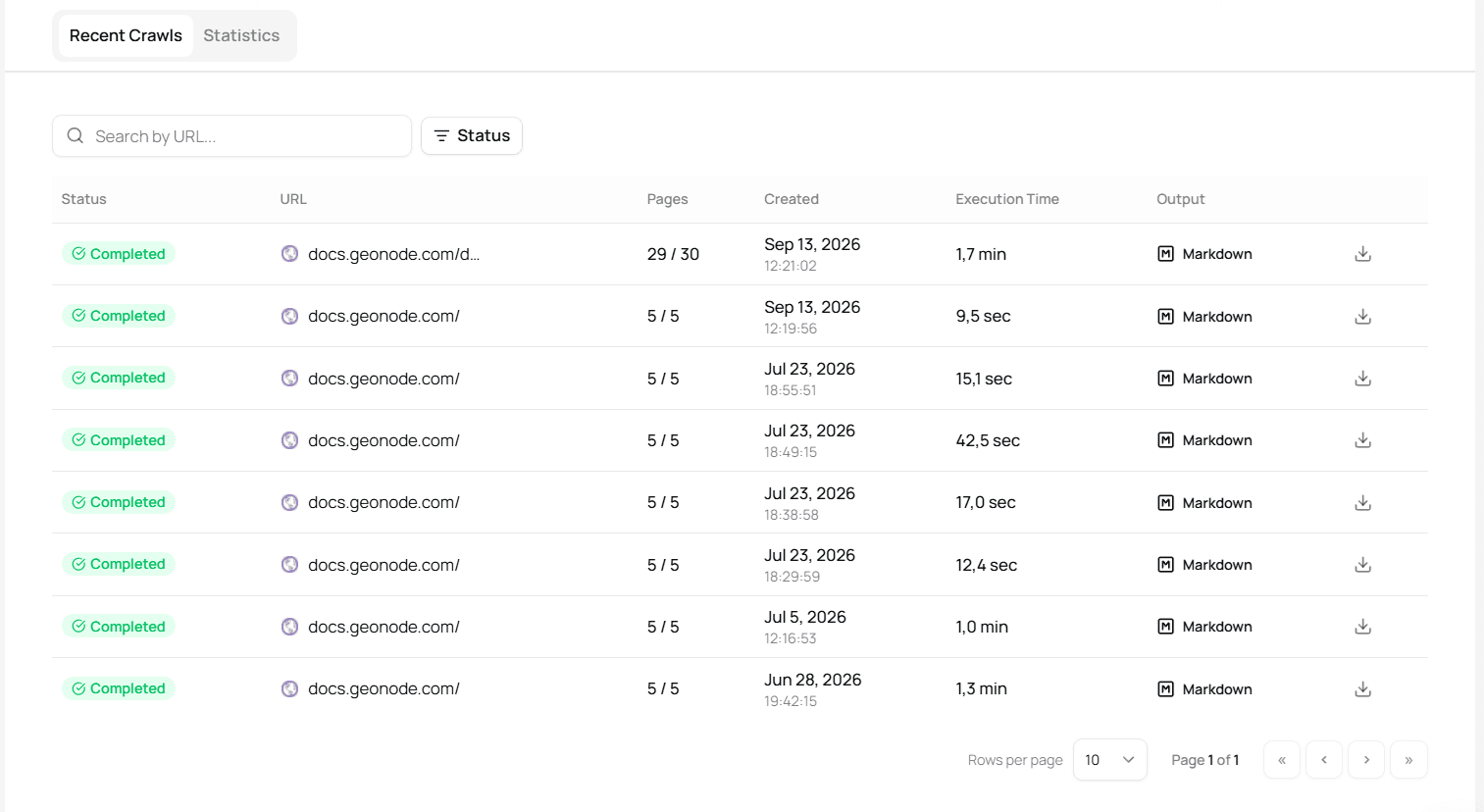
Homepage vs section seed
Crawling only https://docs.geonode.com/ with shallow depth may stop at a handful of top-level hubs (Getting Started, Proxies, Scraper API). Seeding /docs/scraper-api walks nested Extraction, Batch, Crawl, Map, and Search guides, better for a RAG demo.
Takeaway
Crawl answers “give me linked pages with content from this seed.” Bound the job with limit and depth so demos stay cheap and predictable.
Step 2: Parse pages locally
What we need
Structured records: URL, title, section, short excerpt.
What we will do
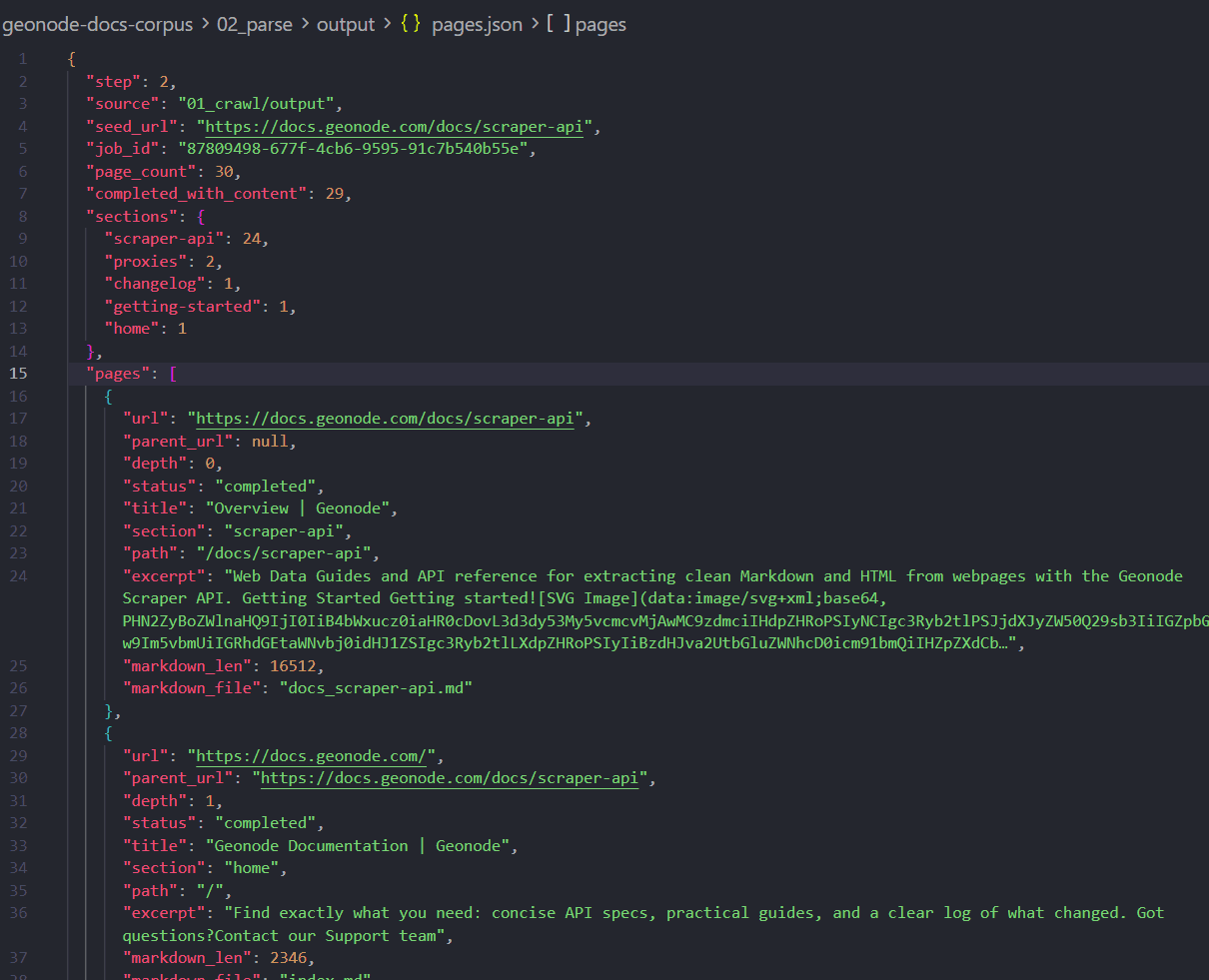
Parse saved Markdown locally (no Geonode call). Prefer the first # heading or front-matter title: as the page title. Derive section from the URL path (/docs/scraper-api/... → scraper-api).
What you should expect
A pages.json with one object per crawled URL, plus section counts.
Takeaway
Scraper API gets you the pages. Local parse makes the corpus indexable. Keep excerpts short for demos; store full Markdown files separately if you need RAG chunks later.
Step 3: Merge the master corpus
What we need
The demo deliverable: one slim file a search or AI pipeline can load.
What we will do
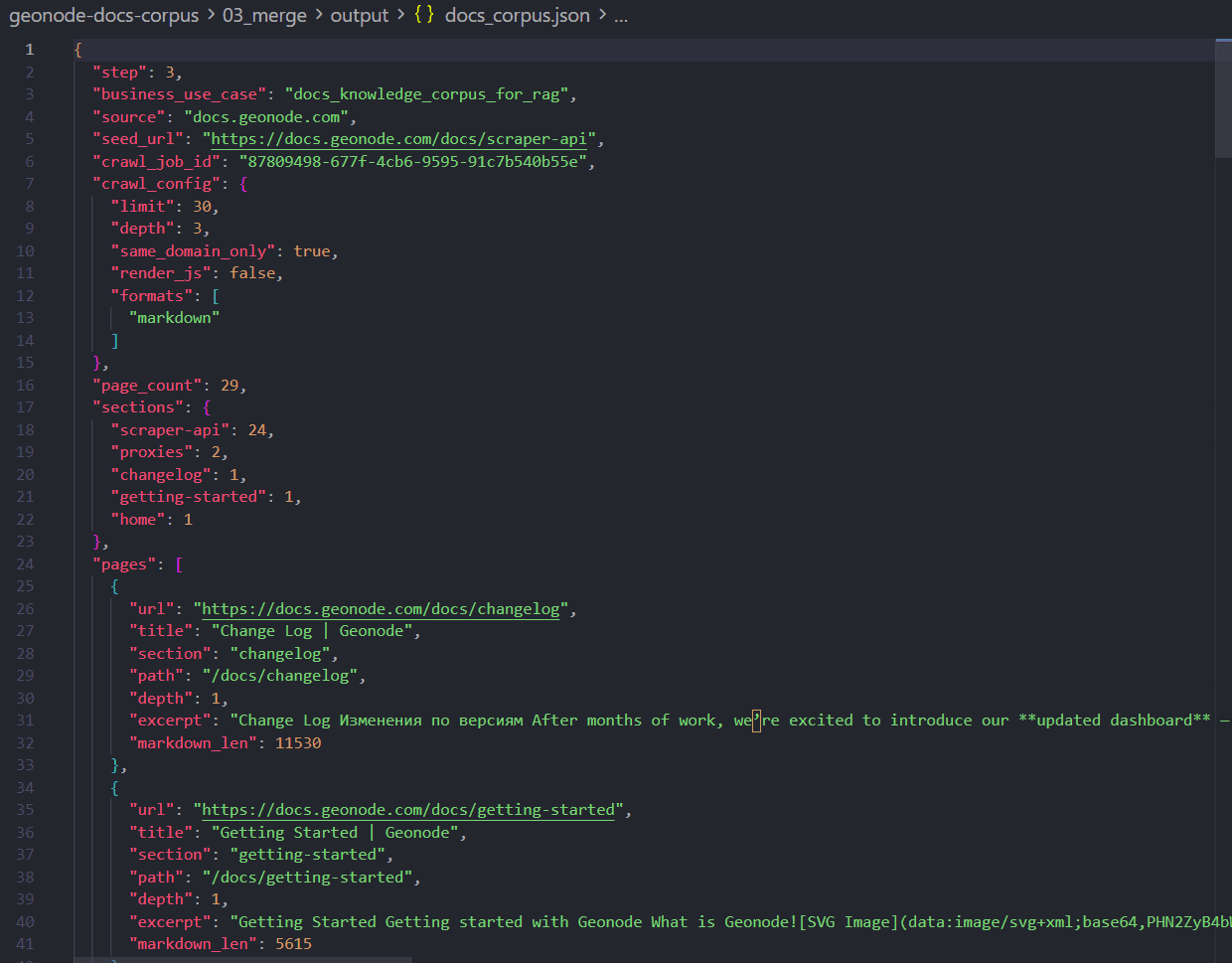
Drop failed pages and internal file names. Keep url, title, section, path, depth, excerpt, markdown_len. Add page_count and section histogram.
What you should expect
docs_corpus.json, the knowledge-corpus equivalent of a lead list or product catalog master file.
Takeaway
Same pattern as other real-world guides: Geonode fetches; your merge step is the business artifact.
Why this API mix worked
Crawl was required
You had one seed and needed many unknown linked pages with content. That is Crawl’s job.
Map would have been incomplete
| Tool | What you get |
|---|---|
| Map | URLs only, still need Extract/Batch |
| Extract | One page per call, you write the link walker |
| Batch | Needs a URL list you already have |
| Crawl | Discover + extract, async, capped by limit/depth |
When not to use Crawl
- You already have every URL → Batch
- You only need a link inventory → Map
- You need one page → Extract
- You do not know which site → Search first, then Crawl that site
Cost and request usage
On request-based plans, successful page extractions in a crawl consume requests (roughly one per completed page).
| Stage | Rough volume | Notes |
|---|---|---|
| Crawl | up to limit pages | Demo uses limit 30 |
| Parse / merge | 0 | Local only |
Keep limit small while teaching. Raise it when you need a fuller corpus.
Limitations and good practice
- Prefer first-party or permitted docs sites for demos.
- Docs trees change; re-run Crawl when the corpus must stay fresh.
- Shallow depth on a marketing homepage may miss nested guides, seed the section you care about.
- Excerpts are not chunking strategy; production RAG usually splits Markdown further.
Recap
- Crawl the docs section with
limit/depth. - Parse Markdown into titles, sections, excerpts.
- Merge into
docs_corpus.jsonfor RAG or search.
That is the Crawl-first story: one seed, unknown URLs, content included, the gap left by the B2B lead list and retail catalog examples.
Was this page helpful?
Build a Retail Category Price Catalog from a Public Sitemap
Teaching walkthrough: start from a known retailer sitemap with Map, collect category PLPs, extract paginated listing pages, then Batch product pages into a structured price-and-assortment catalog.
Extract a Basic Auth Page with Authorization Headers
Teaching walkthrough: probe a password-protected URL without auth, then Extract and Batch with Authorization Basic headers. Uses a public practice site so the before/after is reproducible.