API Code Generator
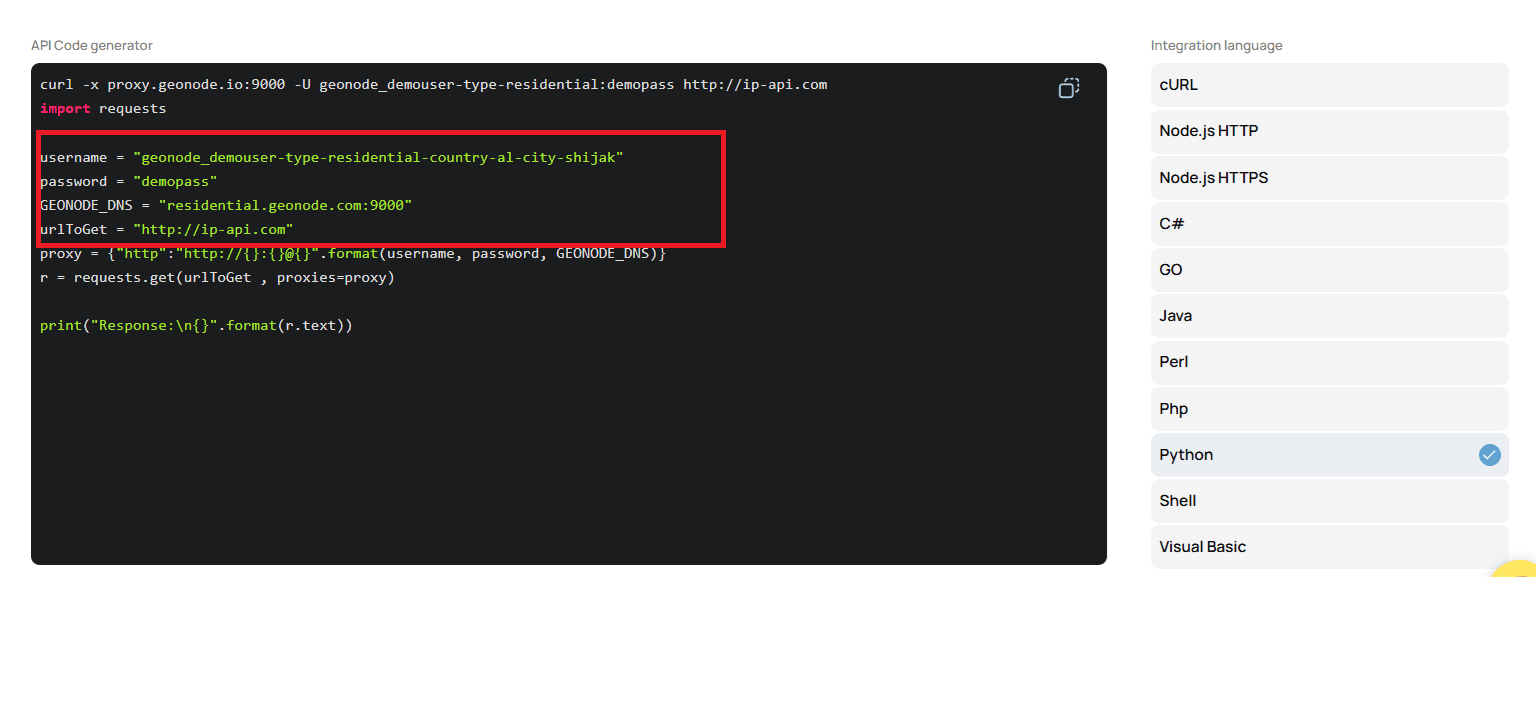
The API Code Generator allows you to instantly create code snippets for different programming languages based on your configured proxy parameters.
This helps you test, integrate, and automate API calls quickly and efficiently.
Step 1: Configure Your Proxy
Before generating code, set up your proxy endpoint.
Follow the guide:
➡️ How to Use the Endpoint Generator to Configure a Proxy
This ensures you have the correct proxy details ready for code generation.
Step 2: Access the API Code Generator
Once your endpoint is created:
- Scroll down to the API Code Generator section in your dashboard.
- You will see code automatically generated based on your proxy configuration.
- The code is available in multiple programming languages, including:
- Python
- Node.js
- Go
- And others
Step 3: Copy and Paste the Code
- Choose your preferred language.
- Copy the generated code snippet.
- Paste it into your development environment or editor (e.g., VS Code, PyCharm, GoLand).
Step 4: Run the Code
Example: Running the Python code in VS Code.
If your snippet uses Python’s requests package, install it first:
pip install requestsThen run your file:
python app.py
Step 5: Verify the Output
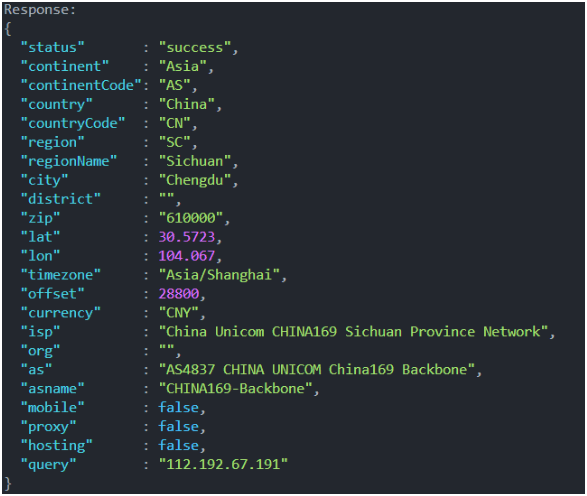
After running the script, check the console or terminal. The output should display the expected data from your API call, confirming that your proxy and code are properly configured.
You’re now ready to generate, customize, and run API code seamlessly with Geonode.