Proxy
This guide explains what a proxy is, how it works, and why it’s essential for online security, privacy, and automation.
What Is a Proxy?
A proxy server acts as a bridge between your device and the internet.
Instead of connecting directly to a website, your request first passes through the proxy, which forwards it on your behalf.
Analogy: A Proxy as a Messenger
Imagine you’re ordering food but don’t want the restaurant to know your home address.
You ask a friend (proxy) to pick it up and deliver it. The restaurant only sees your friend’s address — not yours.
Likewise, when using a proxy:
- Your real IP is hidden.
- The proxy server communicates with websites for you.
- Websites see the proxy’s IP instead of yours.
How a Proxy Works
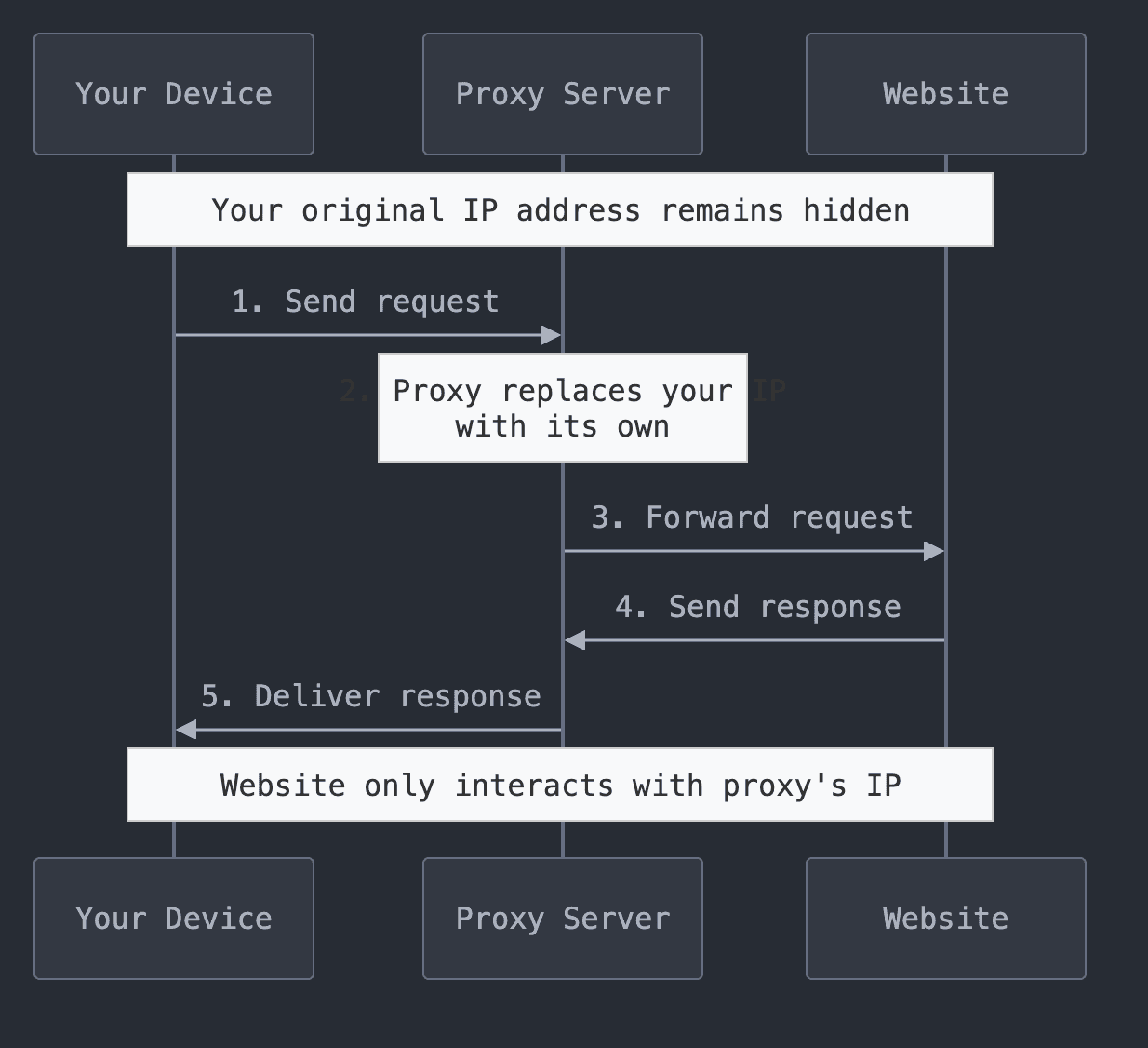
When you connect through a proxy, your data follows four simple steps:
-
Request Sent — You request access to a website.
The request goes to the proxy server first. -
IP Replaced — The proxy swaps your IP with its own and sends the request onward.
-
Response Received — The target website sends data back to the proxy.
-
Response Delivered — The proxy forwards that data back to you, keeping your IP hidden.
Types of Proxies
1. Forward vs. Reverse Proxies
| Type | Description |
|---|---|
| Forward Proxy | Protects the user by hiding their IP when browsing or scraping the internet. |
| Reverse Proxy | Protects servers by managing inbound traffic, improving security and load balancing for hosted websites. |
2. Residential vs. Datacenter Proxies
| Type | Description |
|---|---|
| Residential Proxy | Uses real IPs from ISPs — highly trusted and difficult to detect. |
| Datacenter Proxy | Uses IPs from data centers — faster but easier to identify. |
3. Rotating vs. Sticky Proxies
| Type | Description |
|---|---|
| Rotating Proxy | Changes IP for every request or after a set time — great for scraping and large-scale automation. |
| Sticky Proxy | Keeps the same IP for a session — best for logins, account management, and session-based tasks. |
Why Use a Proxy?
1. Privacy & Anonymity
- Hides your real IP and online identity.
- Prevents tracking and profiling by websites.
2. Geo-Unblocking
- Access region-restricted content (streaming, marketplaces, apps).
- Simulate browsing from specific countries.
3. Security & Protection
- Avoid IP bans and throttling.
- Reduce exposure to threats by masking your origin.
4. Automation & Data Collection
- Collect public data at scale without detection.
- Power SEO, price-tracking, and analytics tools.
How to Choose the Right Proxy
| Use Case | Recommended Proxy Type |
|---|---|
| Browsing & Privacy | Residential Proxy |
| Web Scraping & Automation | Rotating Datacenter Proxy |
| Geo-Blocked Content | Residential Proxy |
| Multiple Account Management | Sticky Residential Proxy |
Summary
- Proxies act as intermediaries that protect your identity online.
- Choose rotating proxies for scraping, sticky ones for stable sessions.
- Residential proxies offer trust and geo-access, while datacenter proxies focus on speed.
- Understanding proxy types helps you stay secure, anonymous, and efficient across all use cases.