Geo Targeting
ProxiesUse geo targeting when you need exit IPs from a specific place or network. You can narrow by country, then state, city, and ASN/ISP where those options are available.
| Level | Residential | Rotating Datacenter | Unlimited Residential |
|---|---|---|---|
| Country | Yes | Yes | Yes |
| State | Yes | Yes | No |
| City | Yes | Yes | No |
| ASN/ISP | Yes | Yes | No |
Select a broader location first. State needs a country. City needs country and state. ASN/ISP options depend on the location you already chose.
Selecting Any at a level leaves that level unrestricted.
Country vs gateway
Country targeting sets the exit IP location. The gateway is the proxy server you connect to. They do not have to match — for example Germany targeting with the France gateway.
Country
- Open the Geonode Dashboard and pick Residential Proxies, Rotating Datacenter Proxies, or Unlimited Residential Proxies.
- Under Proxy configuration, open Country targeting.
- Pick a country (for example Germany).
- Copy the updated endpoint.
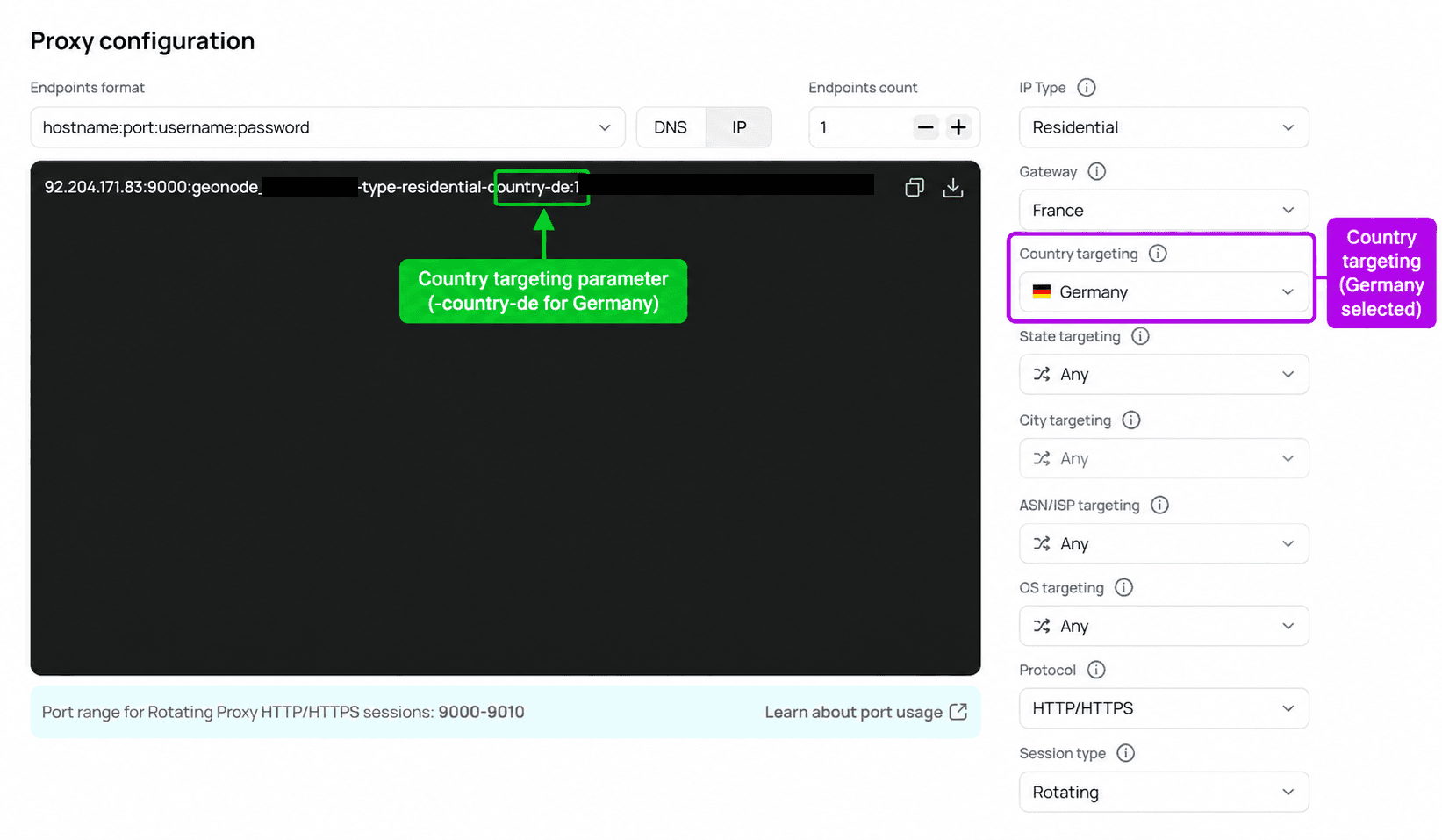
The country is added to the username as a two-letter code:
| Country | Parameter |
|---|---|
| Germany | -country-de |
| United States | -country-us |
| Pakistan | -country-pk |
Test country
curl -x 92.204.171.83:9000 \
  -U "YOUR_PROXY_USERNAME-type-residential-country-de:YOUR_PROXY_PASSWORD" \
  http://ip-api.com
Use your real credentials and the host/port from the dashboard. A working Germany request looks like this:
{
  "status": "success",
  "country": "Germany",
  "countryCode": "DE",
  "regionName": "Saxony",
  "city": "Bautzen",
  "isp": "Deutsche Telekom AG",
  "as": "AS3320 Deutsche Telekom AG",
  "query": "87.182.53.86"
}
Country targeting does not lock a city. Use state or city when you need that.
State
Available on Residential and Rotating Datacenter. Pick a country first.
In the dashboard, open Residential Proxies or Rotating Datacenter Proxies.
Set Country targeting to Germany.
Open State targeting and select Baden-Württemberg.
Copy the endpoint.
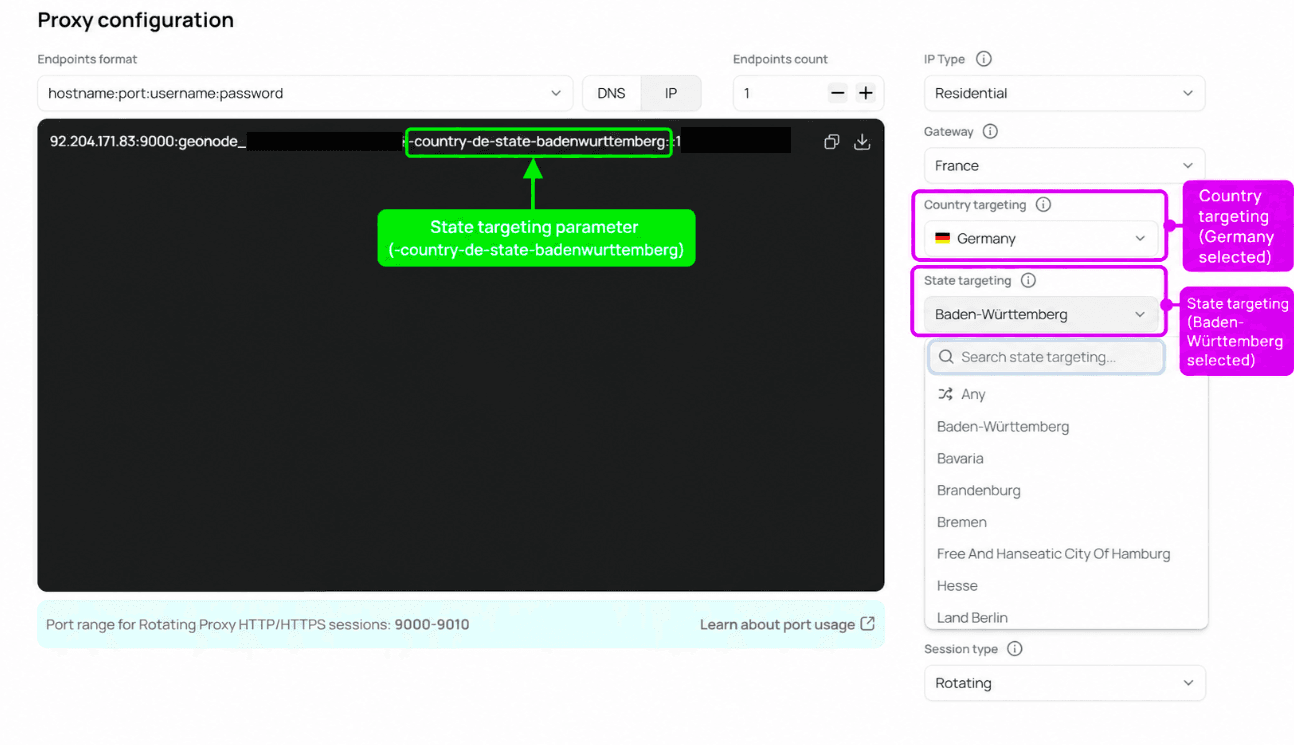
| Setting | Value | Parameter |
|---|---|---|
| Country | Germany | -country-de |
| State | Baden-Württemberg | -state-badenwurttemberg |
Test state
curl -x 92.204.171.83:9000 \
  -U "YOUR_PROXY_USERNAME-type-residential-country-de-state-badenwurttemberg:YOUR_PROXY_PASSWORD" \
  http://ip-api.com
Example result: Mannheim, Baden-Württemberg, Germany.
City
Available on Residential and Rotating Datacenter. Set country and state first.
Select Germany under Country targeting.
Select Baden-Württemberg under State targeting.
Open City targeting and select Aalen.
Copy the endpoint.
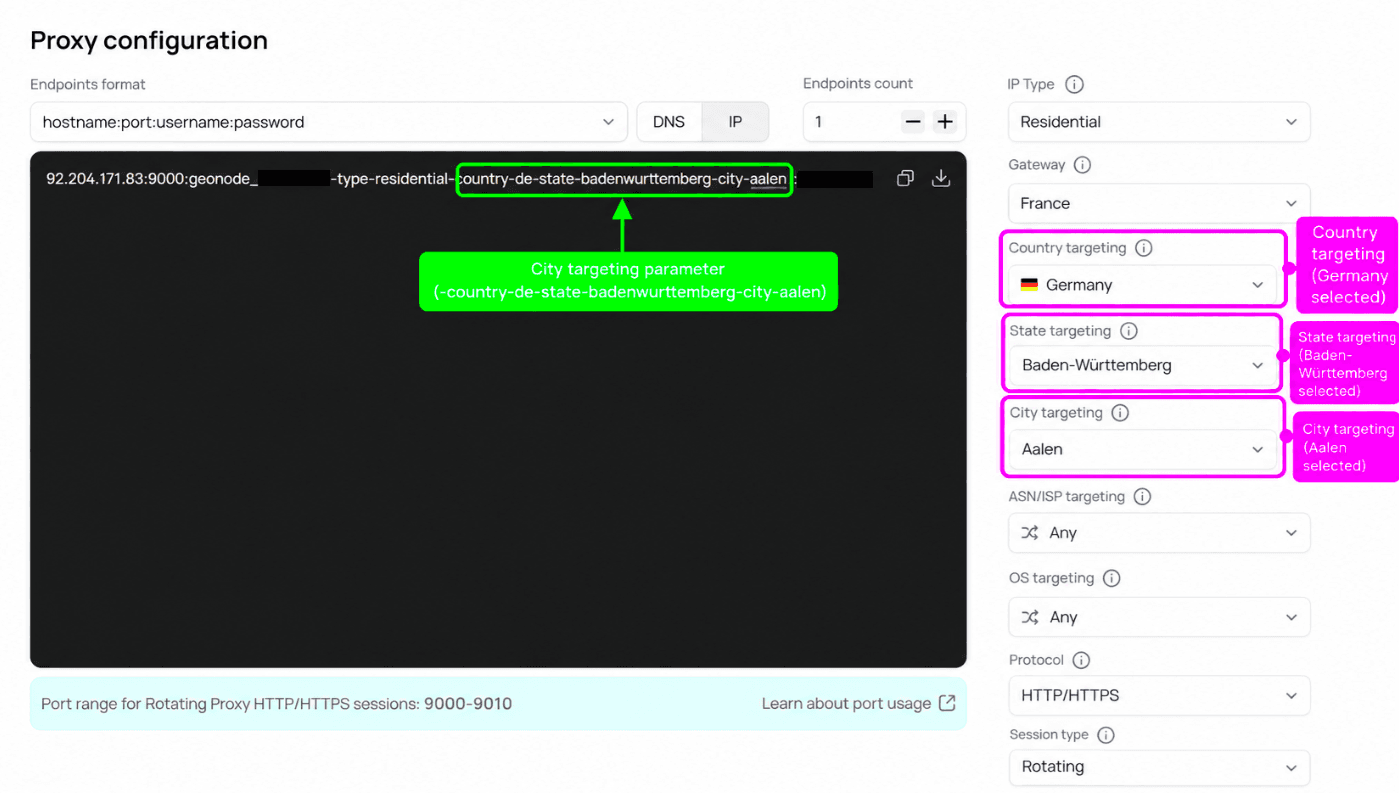
| Setting | Value | Parameter |
|---|---|---|
| Country | Germany | -country-de |
| State | Baden-Württemberg | -state-badenwurttemberg |
| City | Aalen | -city-aalen |
Test city
curl -x 92.204.171.83:9000 \
  -U "YOUR_PROXY_USERNAME-type-residential-country-de-state-badenwurttemberg-city-aalen:YOUR_PROXY_PASSWORD" \
  http://ip-api.com
Example result: Aalen, Baden-Württemberg, Germany.
ASN / ISP
Use this when you care which network the IP comes from. Available on Residential and Rotating Datacenter. Options depend on location and inventory.
For background on ASN vs ISP, see ASN/ISP Targeting.
Set country, and optionally state and city (for example Germany → Baden-Württemberg → Aalen).
Open ASN/ISP targeting and search for a provider or ASN (for example Deutsche Telekom AG or 3320).
Select 3320 - Deutsche Telekom AG and copy the endpoint.
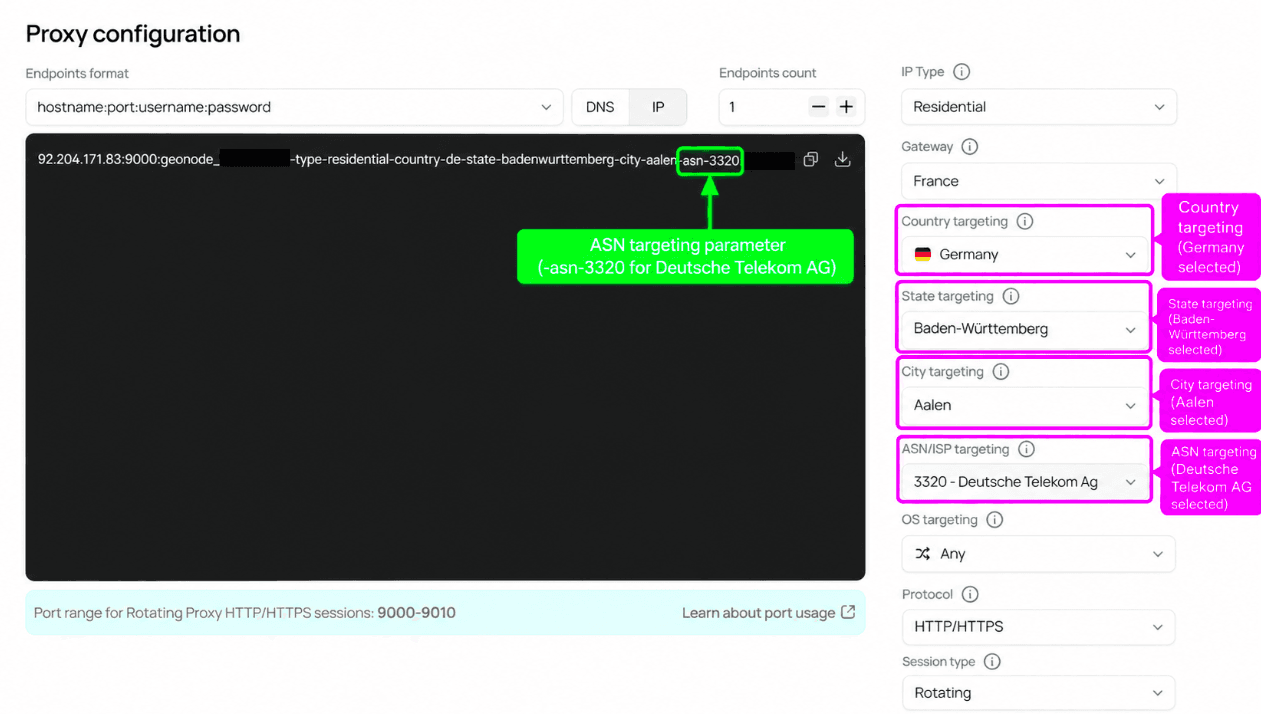
| Setting | Value | Parameter |
|---|---|---|
| Country | Germany | -country-de |
| State | Baden-Württemberg | -state-badenwurttemberg |
| City | Aalen | -city-aalen |
| ASN/ISP | Deutsche Telekom AG (AS3320) | -asn-3320 |
Test ASN/ISP
curl -x 92.204.171.83:9000 \
  -U "YOUR_PROXY_USERNAME-type-residential-country-de-state-badenwurttemberg-city-aalen-asn-3320:YOUR_PROXY_PASSWORD" \
  http://ip-api.com
A matching response shows the same location with "isp": "Deutsche Telekom AG" and "as": "AS3320 Deutsche Telekom AG".
FAQ
Was this page helpful?