Proxy Integration
ProxiesThis guide explains how to generate integration code, connect Geonode proxies to your applications, and verify your proxy connection.
Generate Integration Code
- Open your Geonode Dashboard and select your proxy product.
- Configure your settings under Proxy configuration.
- Scroll down to Proxy integration.
- Select your preferred language and copy the generated code.
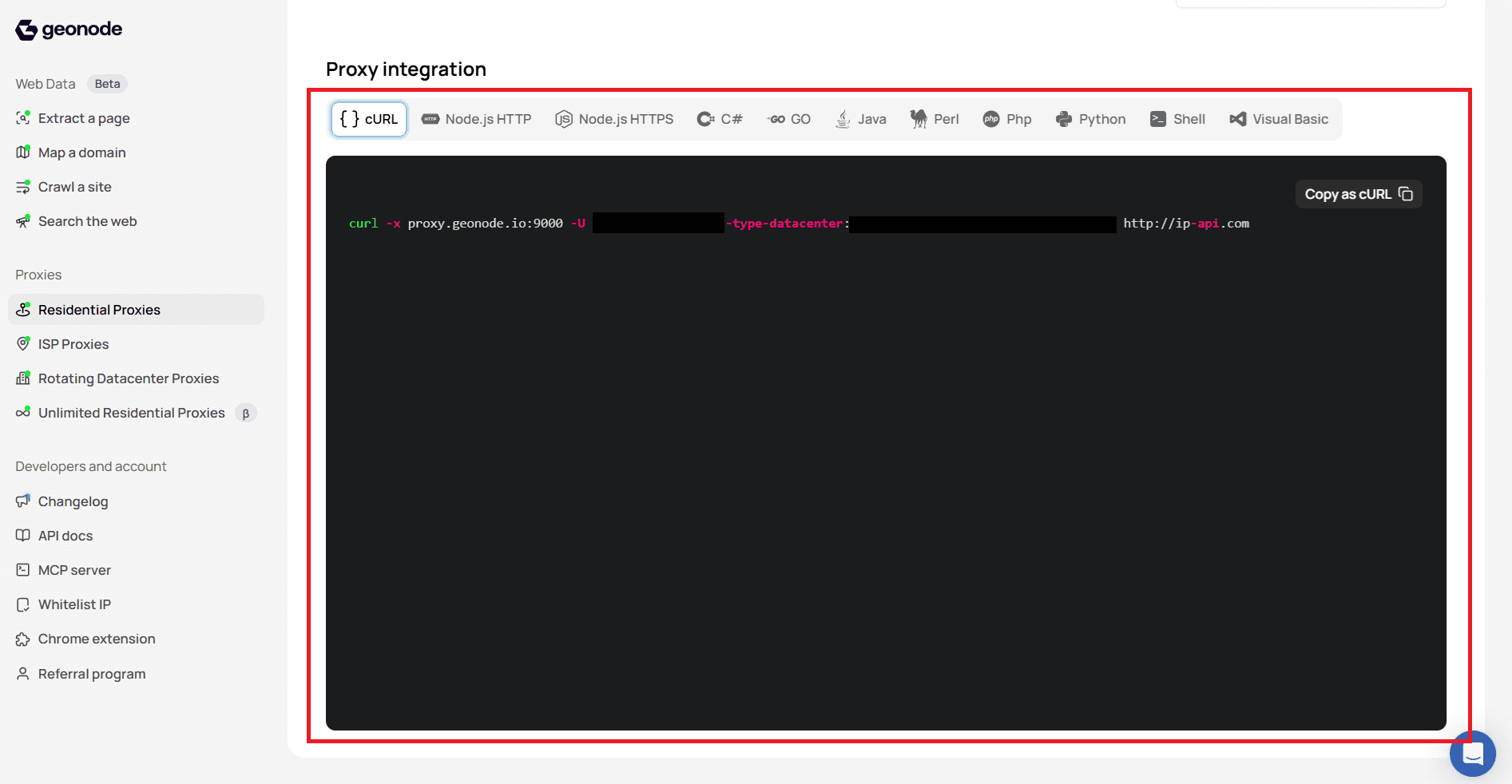
Supported Integrations
Geonode provides integration code for:
- cURL
- Node.js HTTP
- Node.js HTTPS
- C#
- Go
- Java
- Perl
- PHP
- Python
- Shell
- Visual Basic
Test Your Proxy Connection
Use cURL to send a request through your proxy and verify the returned IP address.
Request
The following example uses a Geonode datacenter proxy to request IP information from ip-api.com.
curl -x proxy.geonode.io:9000 \
  -U "YOUR_PROXY_USERNAME-type-datacenter:YOUR_PROXY_PASSWORD" \
  http://ip-api.com
Replace YOUR_PROXY_USERNAME and YOUR_PROXY_PASSWORD with your proxy credentials. Use the hostname and port generated in your dashboard if they differ from the example.
The -type-datacenter parameter selects the datacenter IP type in this example.
Response
The following response was returned from the tested request:
{
  "status": "success",
  "continent": "North America",
  "continentCode": "NA",
  "country": "United States",
  "countryCode": "US",
  "region": "RI",
  "regionName": "Rhode Island",
  "city": "Providence",
  "district": "",
  "zip": "02908",
  "lat": 41.8451,
  "lon": -71.4388,
  "timezone": "America/New_York",
  "offset": -14400,
  "currency": "USD",
  "isp": "Verizon Business",
  "org": "Verizon Business",
  "as": "AS701 Verizon Business",
  "asname": "UUNET",
  "mobile": false,
  "proxy": false,
  "hosting": false,
  "query": "96.253.40.237"
}
Understanding the Response
| Field | Description | Example |
|---|---|---|
status | Indicates whether the IP lookup succeeded | success |
query | Public IP address detected by the service | 96.253.40.237 |
country | Country associated with the IP | United States |
regionName | State or region associated with the IP | Rhode Island |
city | City associated with the IP | Providence |
isp | Internet service provider | Verizon Business |
as | Autonomous system number and organisation | AS701 Verizon Business |
proxy | Whether the lookup service identifies the IP as a proxy | false |
hosting | Whether the lookup service identifies the IP as a hosting IP | false |
The returned IP and location may vary depending on your proxy configuration and available IPs.
Note: The proxy and hosting values are third-party classifications and do not determine your Geonode proxy product type.
Frequently Asked Questions
Was this page helpful?