Account setting and billing
Active Subscriptions
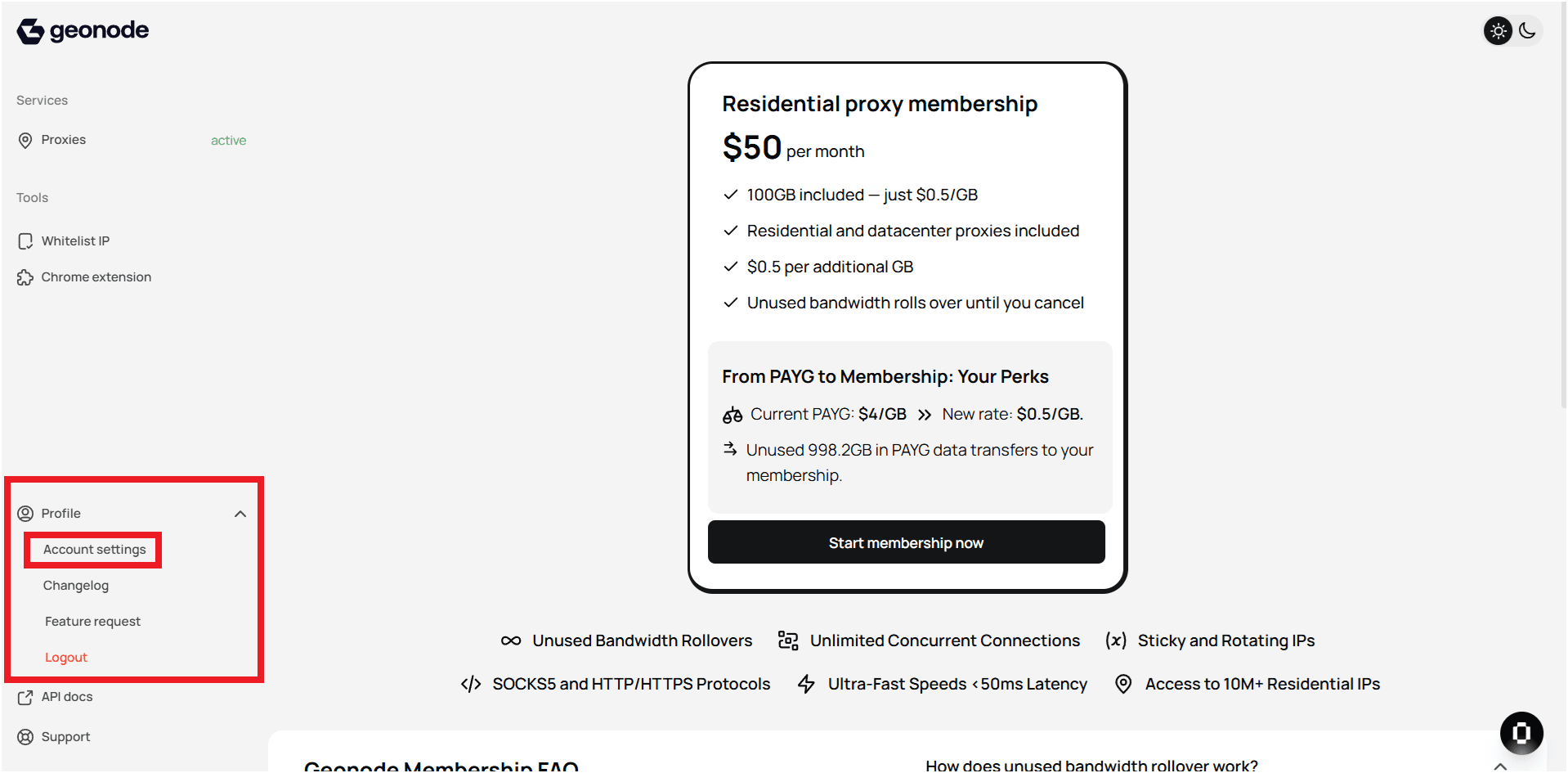
Step 1 — Open Profile Settings
- Log in to your Geonode account.
- Go to Profile Settings in the left-hand sidebar.
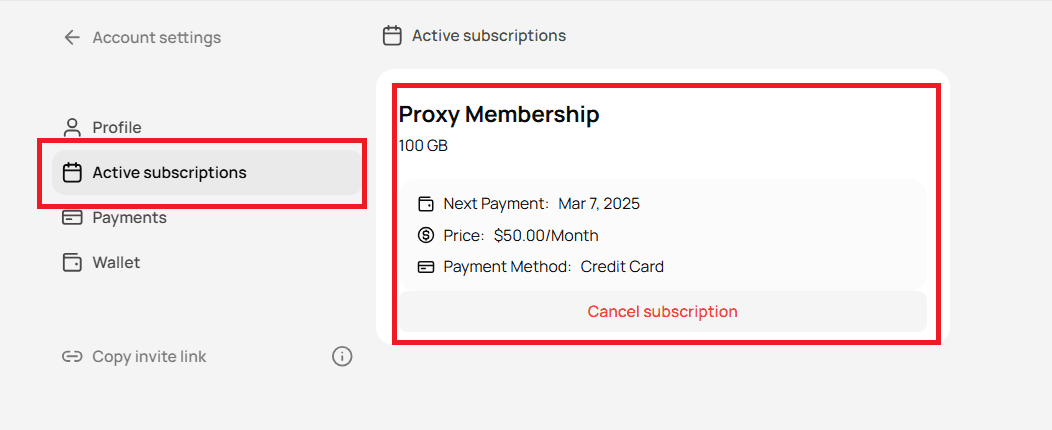
Step 2 — View your active subscription
- In the Profile Settings page, select Active Subscriptions.
- You’ll see details of your current plan, including billing cycle and renewal date.
Tips
- Keep your subscription active to maintain uninterrupted access.
- Review renewal dates regularly to avoid service pauses.
- To upgrade or cancel, use the Billing section in your dashboard.
- For any payment or renewal issues, contact Geonode Support.
Managing subscriptions in Geonode is quick and transparent — everything you need is in your profile settings.