Account setting and billing
Profile Settings
Your profile settings let you manage personal information, change passwords, and, if needed, delete your account.
Step 1 — Access profile settings
- Log in to your Geonode account.
- Open Profile from the left-hand sidebar.
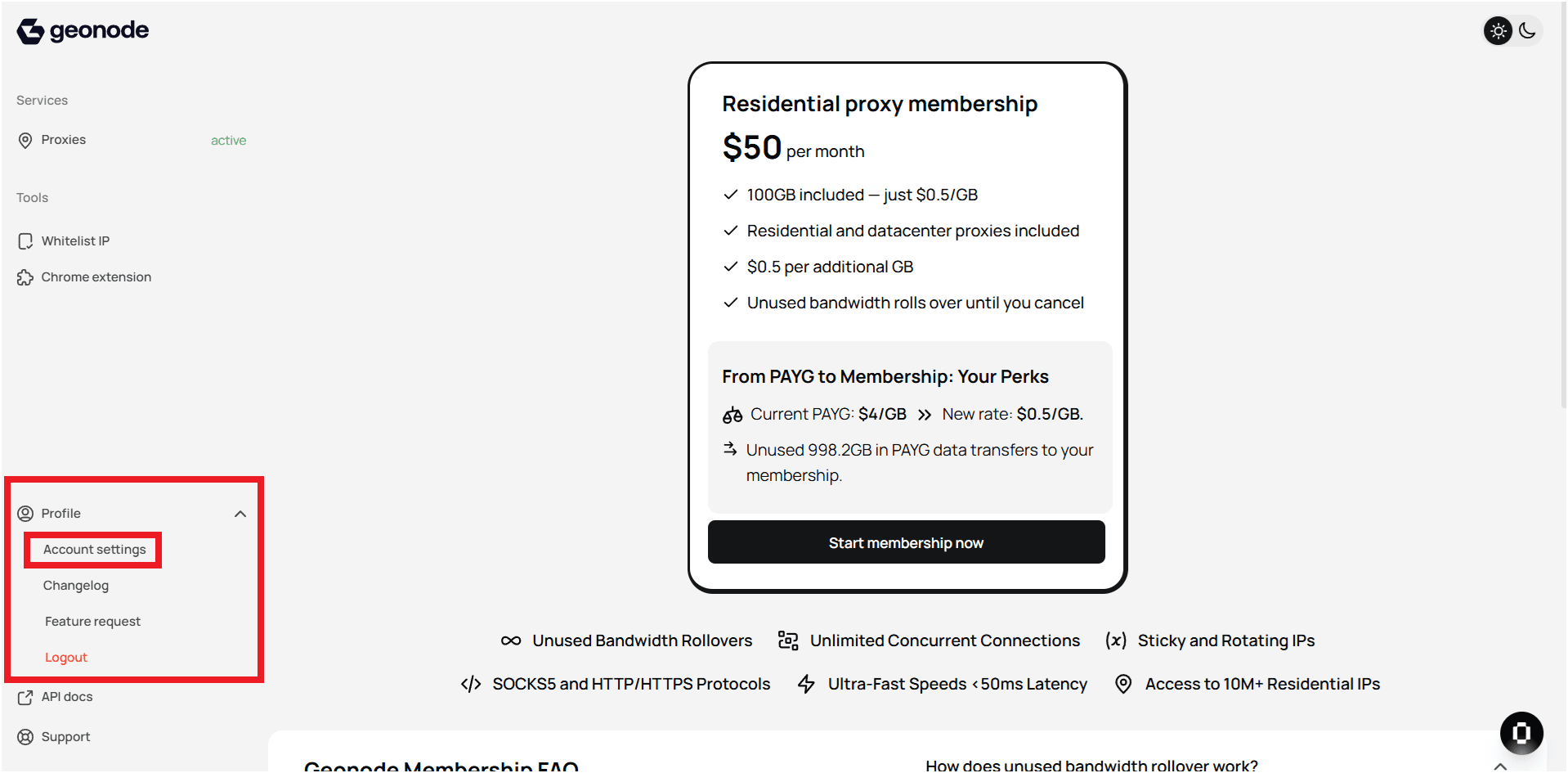
- View detailed profile information.
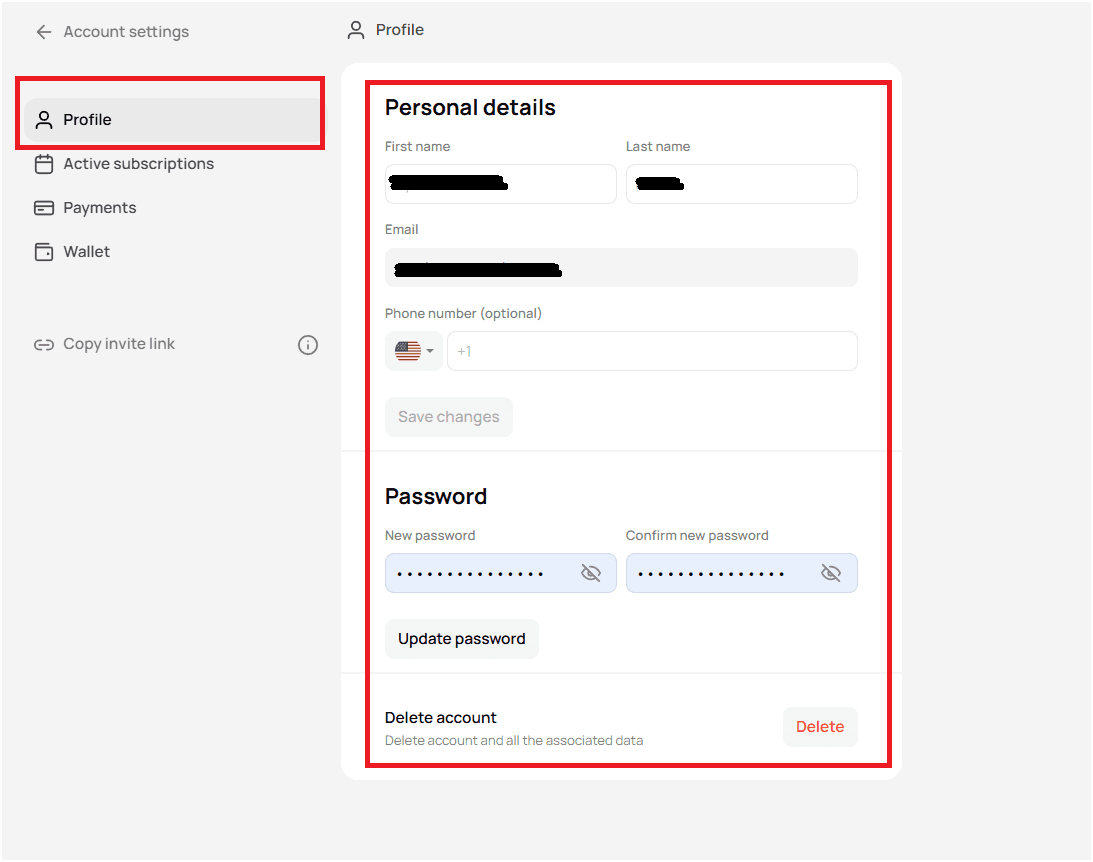
Step 2 — Update personal details
In Personal Details, you can:
- Edit your first and last name.
- Update your phone number.
- Note: your email address cannot be changed.
Click Save changes after updating.
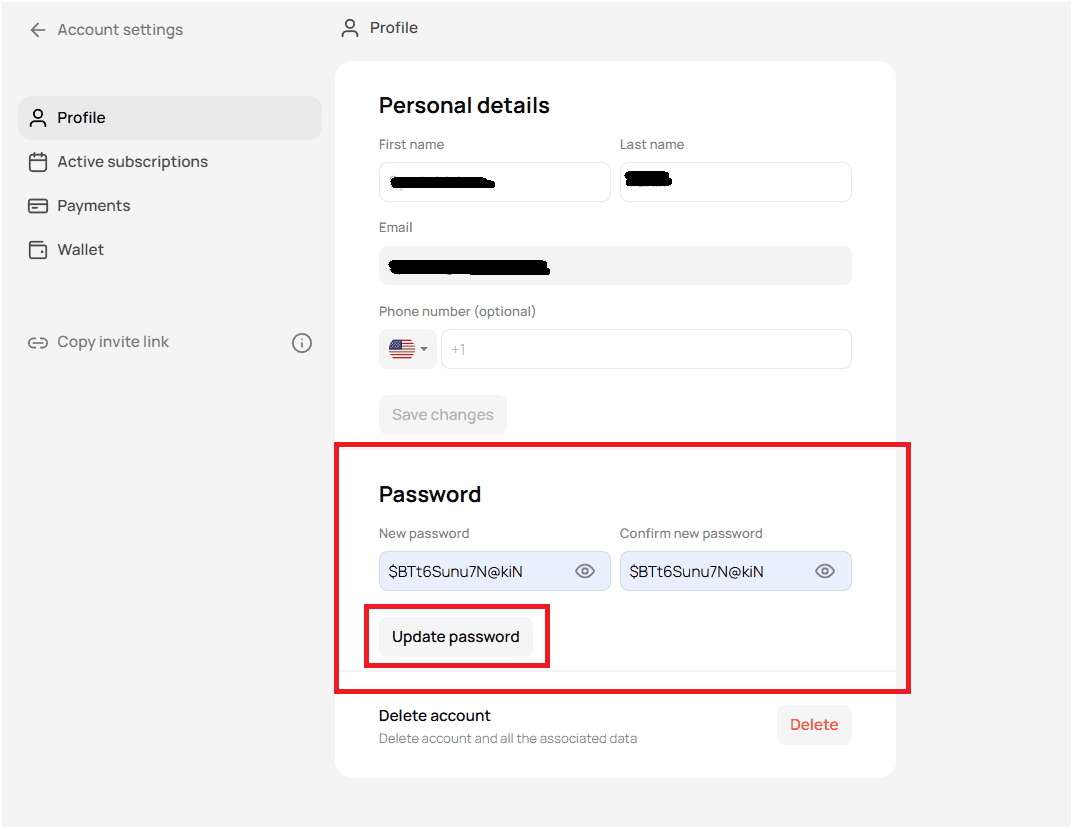
Step 3 — Change your password
- Scroll to the Password section.
- Enter and confirm a new password.
- Click Update password.
Step 4 — Delete your account
If you wish to permanently remove your account:
- Scroll to Delete Account.
- Click Delete.
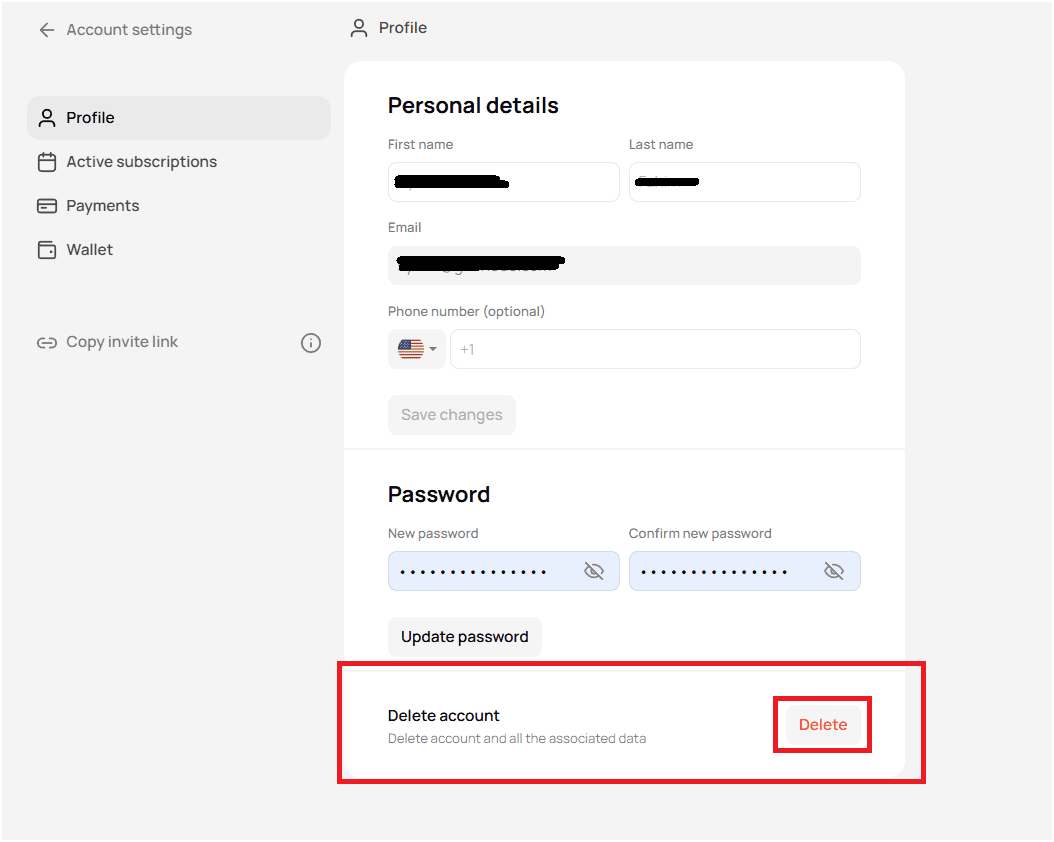
- Confirm the action — all data will be removed.
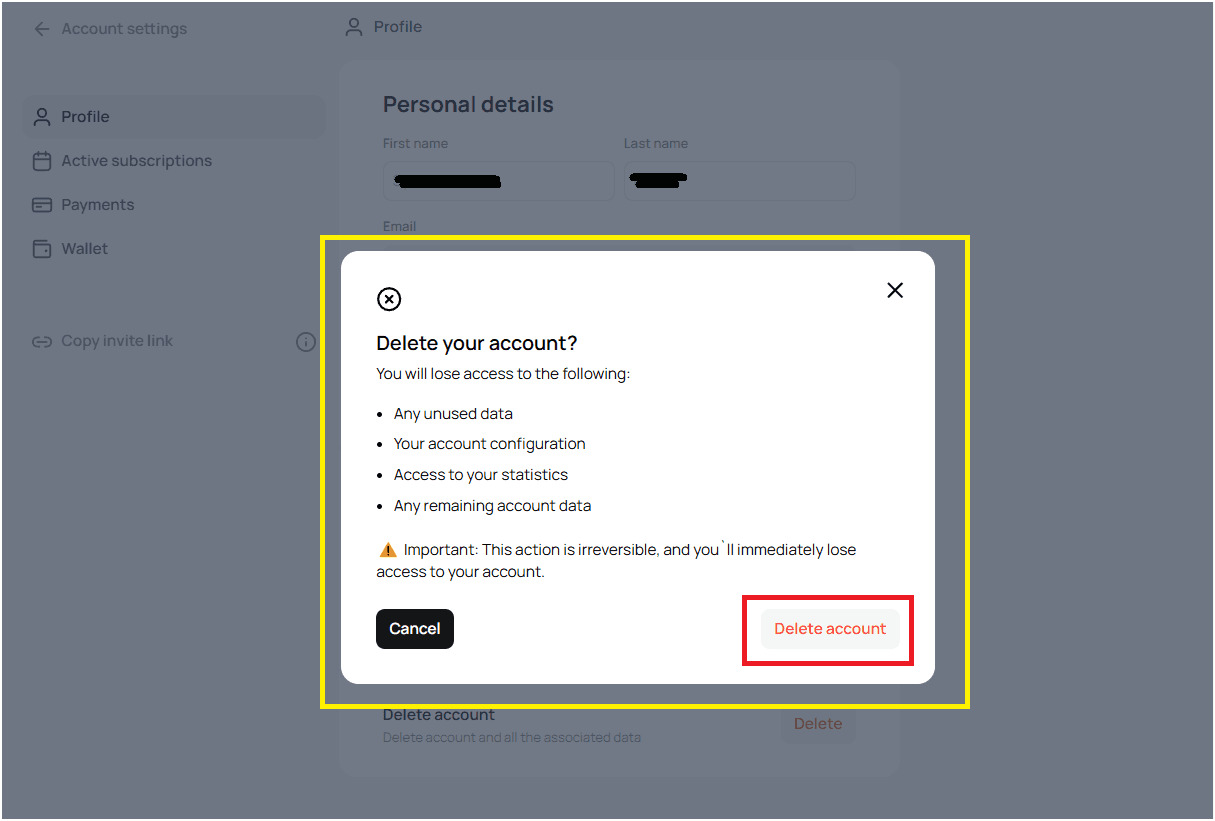
Deleting your account does not automatically cancel any active services. Cancel subscriptions or contact Geonode Support before deletion to stop future charges.
Final tips
- Keep profile information current to avoid issues.
- Use a strong password for better security.
- Account deletion is irreversible.
- For billing or payment concerns, contact Geonode Support.
Managing your profile properly helps maintain a smooth, secure experience in Geonode.