Account setting and billing
Reset API Password
If you need to reset your API password, follow these steps to generate a new one securely.
Resetting your API password immediately deactivates the old one — don’t forget to update your integrations afterward.
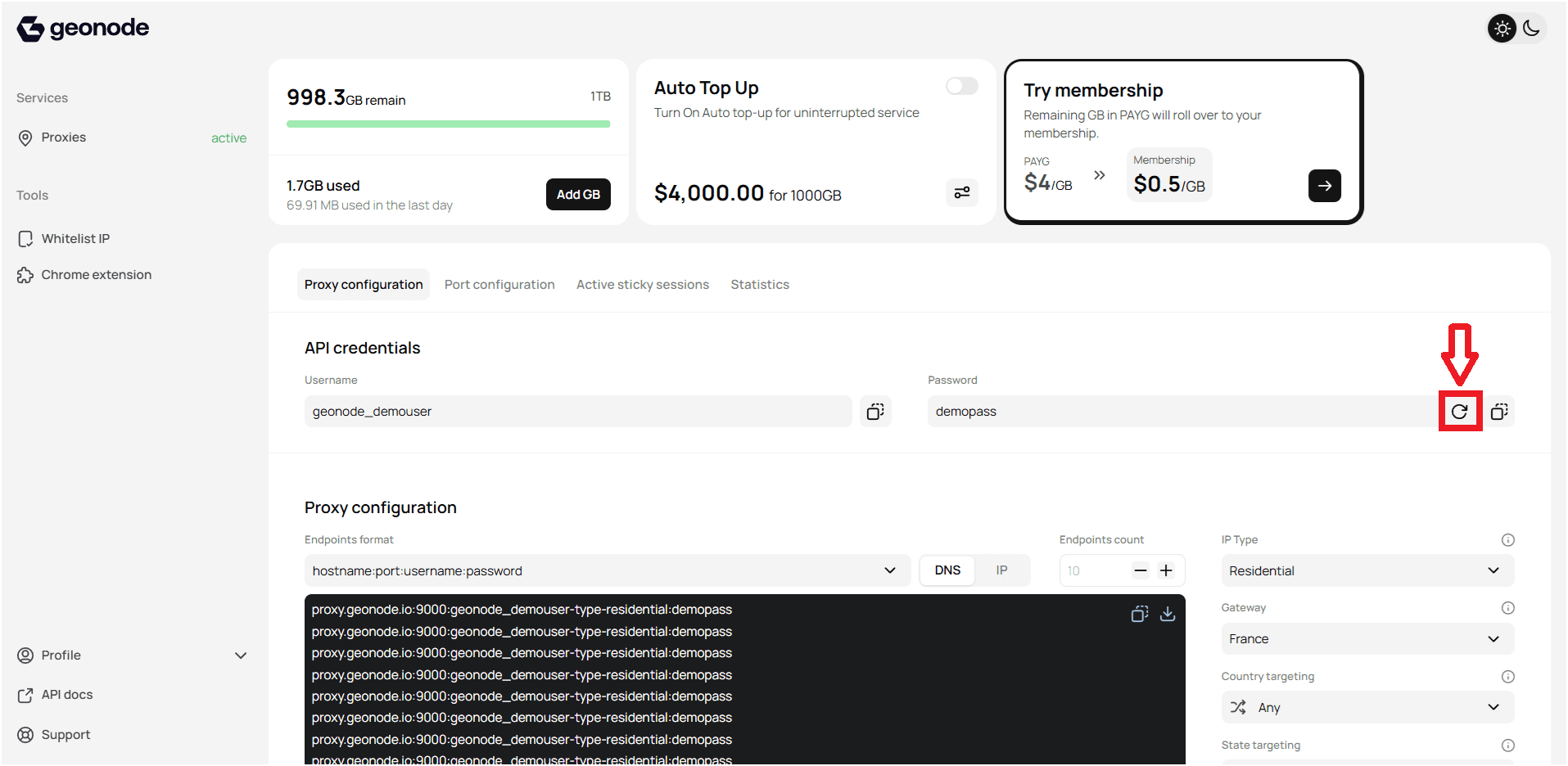
Step 1 — Access API credentials
- Log in to your Geonode account.
- Open the Proxy Configuration tab in the dashboard.
- Locate the API Credentials section.
Step 2 — Generate a new API password
- Click the reset icon next to your current API password.
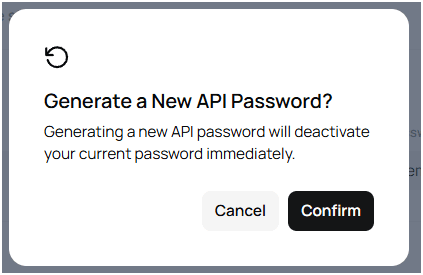
- A confirmation prompt will appear.
- Click Confirm to generate a new password.
Tips
- Resetting your API password deactivates the old one instantly.
- Update all connected tools, scripts, and automations with the new password.
- You can reset it anytime if you forget or lose access.
- For any billing or payment issues, contact Geonode Support.
Managing your API credentials properly ensures secure and uninterrupted access to Geonode services.