Account setting and billing
Payment Methods
Geonode lets you add, update, and manage your payment methods for smooth and secure billing.
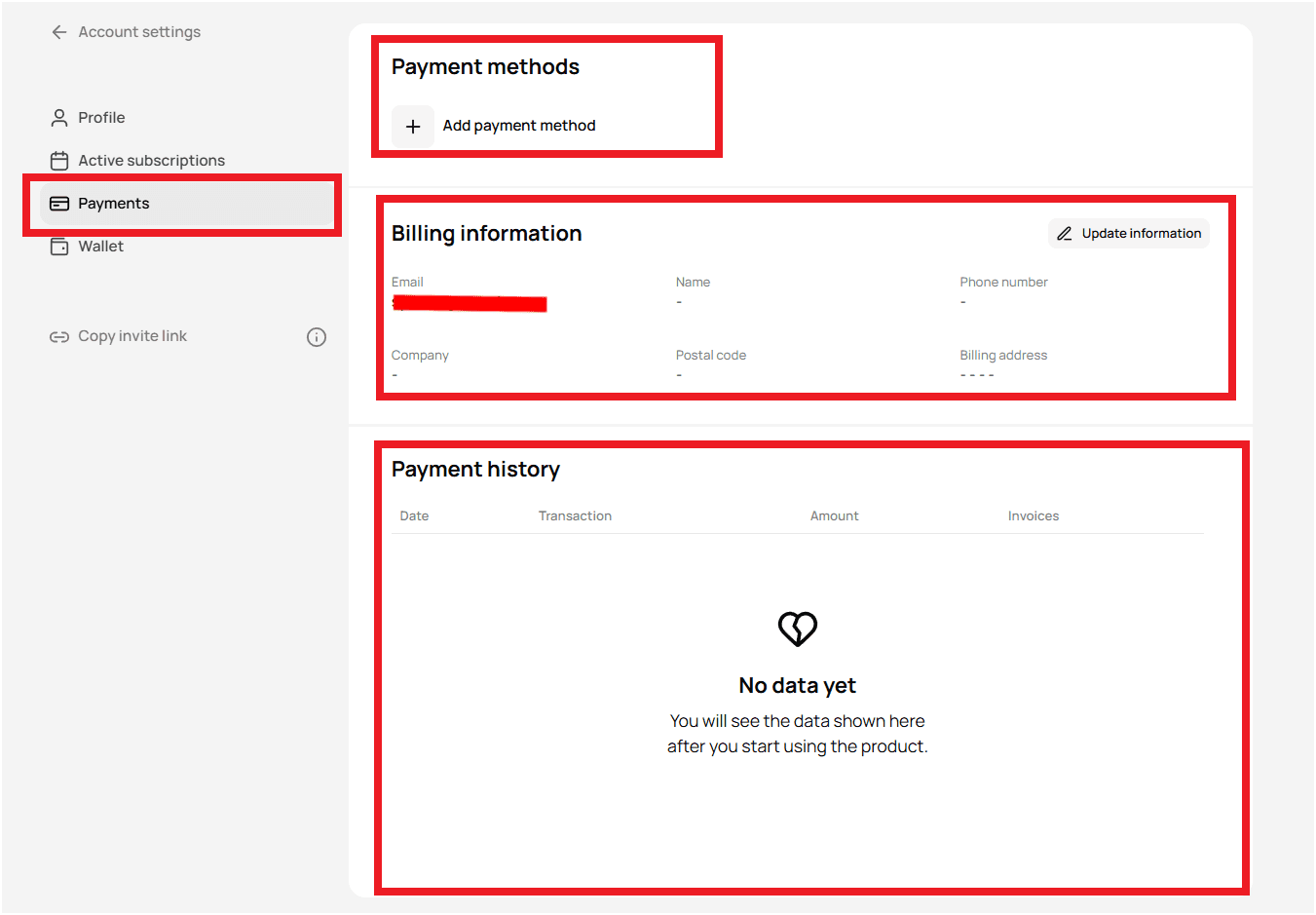
Step 1 — Access the Payments section
- Log in to your Geonode account.
- From the left sidebar, open Payments.
Step 2 — Add a new payment method
- Click Add Payment Method.
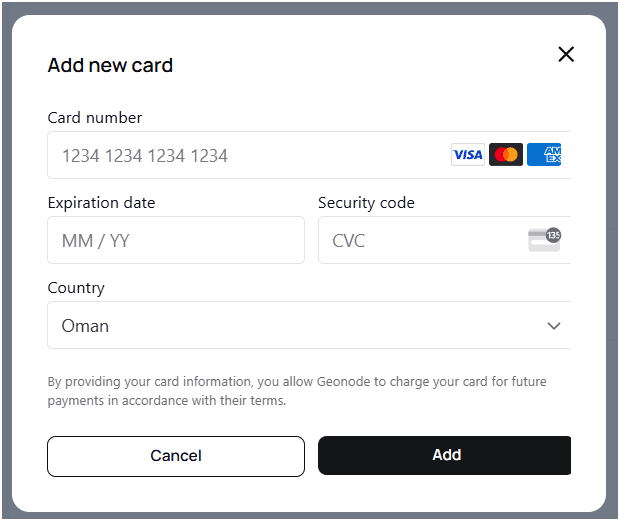
- A pop-up window will appear for card details.
Required information
- Card Number (Visa, Mastercard, or AMEX)
- Expiration Date (MM/YY)
- Security Code (CVC) — 3-digit code on the back of your card
- Billing Country
- Click Add to save your payment method.
Step 3 — Update billing information
- In the Billing Information section, click Update Information.
- Update fields such as:
- Name
- Company (optional)
- Billing address
- Phone number
- Click Save Changes to confirm updates.
Step 4 — View payment history
In the Payment History section, you can track:
- Transaction date
- Transaction details
- Amount charged
- Invoice records
If no payments have been made, you’ll see No Data Yet.
Tips
- Keep billing details accurate to avoid failed payments.
- Supported payment types: Visa, Mastercard, AMEX.
- For payment or billing issues, contact Geonode Support.
Managing payment methods in Geonode ensures secure and uninterrupted service access.