Account setting and billing
Referral Program
The Geonode Referral Program lets you earn a 10% commission every time a new user signs up and makes a purchase through your unique affiliate link.
How to get your referral link
Follow these steps to access and start sharing your link.
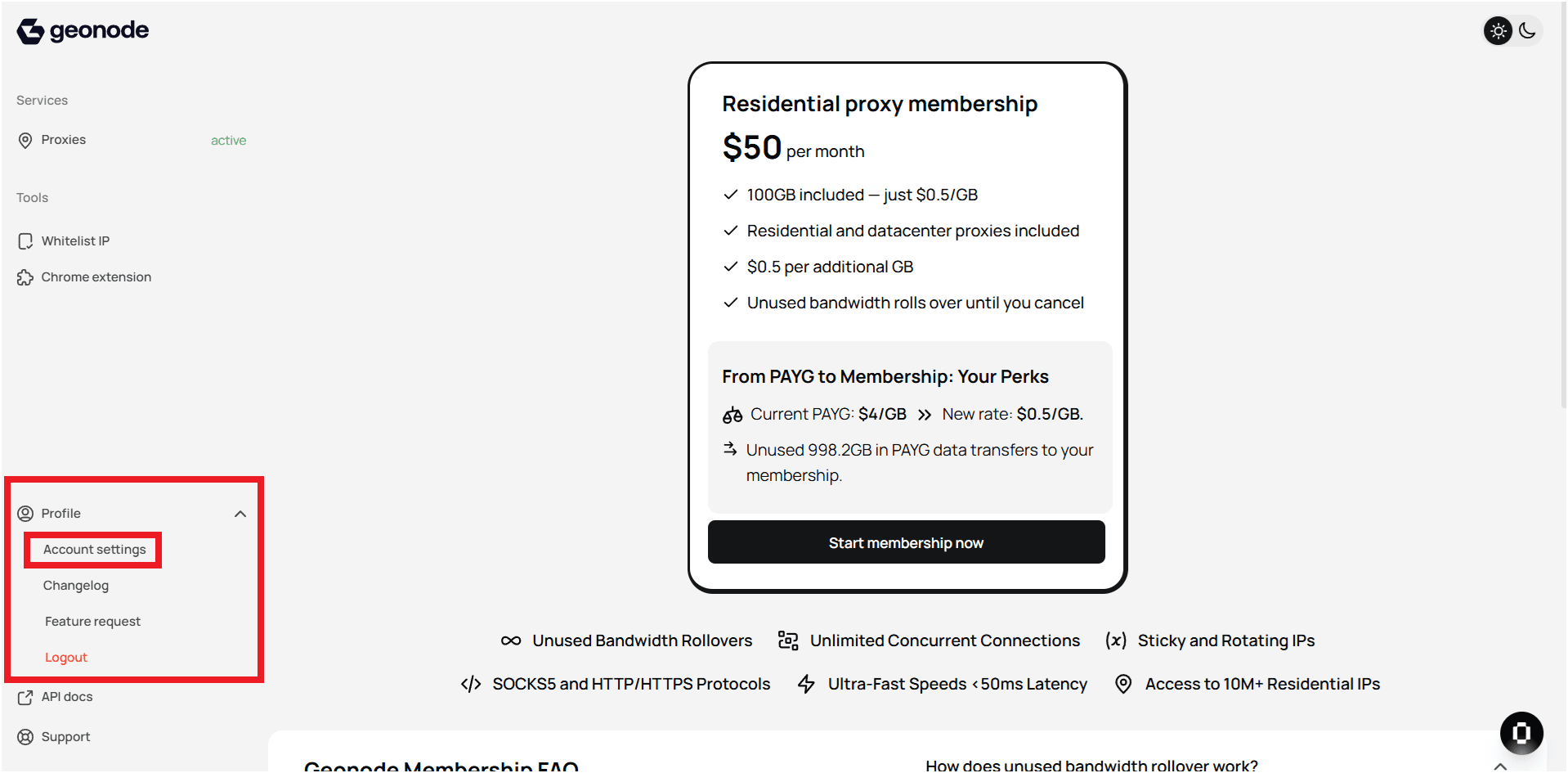
Step 1 — Open Profile Settings
- Log in to your Geonode account.
- Go to Profile Settings in the left sidebar.
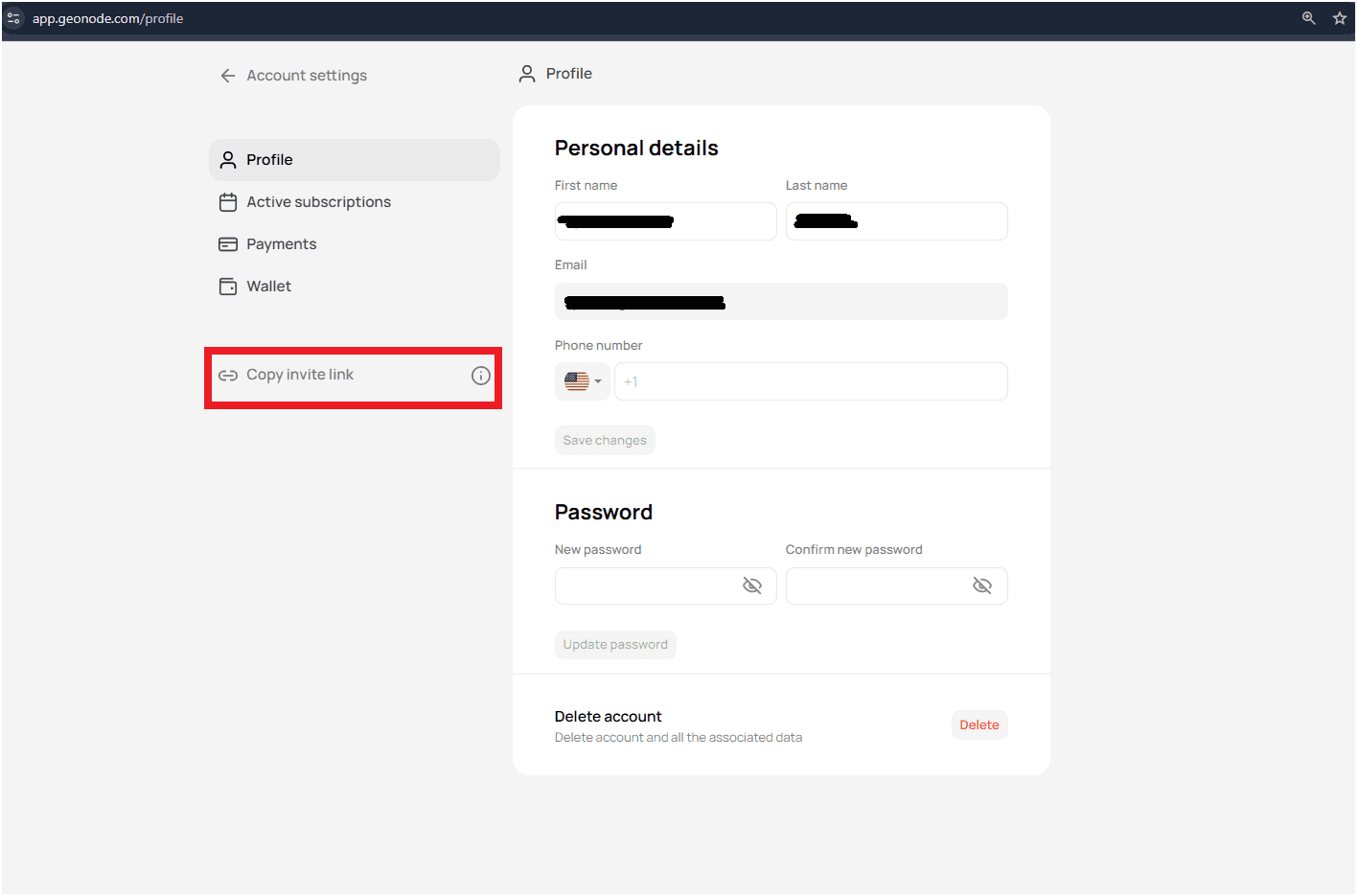
Step 2 — Copy your referral link
- In the Profile Settings page, find the Referral Program section.
- Copy your unique affiliate link.
How the referral program works
- Share your referral link anywhere: social media, websites, or direct messages.
- When a user registers and makes a purchase using your link, you earn 10% commission.
- Commissions are tracked and displayed in your referral dashboard.
Tips
- Share your link across different platforms for better reach.
- More referrals mean higher earnings.
- Monitor your performance and payouts in the referral dashboard.
- For any payment or tracking issues, contact Geonode Support.
Start earning today with Geonode’s Referral Program.