Edge
This guide will help you configure a Geonode proxy in the Microsoft Edge browser.
Prerequisites: Get Proxy Credentials from Geonode
Before setting up a proxy, first, retrieve your proxy credentials from the Geonode dashboard.
Follow this guide: How to Obtain Proxy Server Information
Setting Up a Proxy in Edge
Open Edge Settings
-
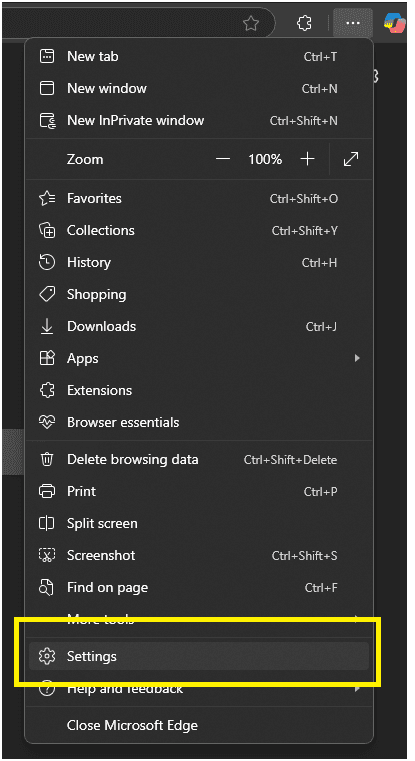
Click the three-dot menu in the top-right corner of Edge.
-
Select Settings from the dropdown menu.
Access System Proxy Settings
-
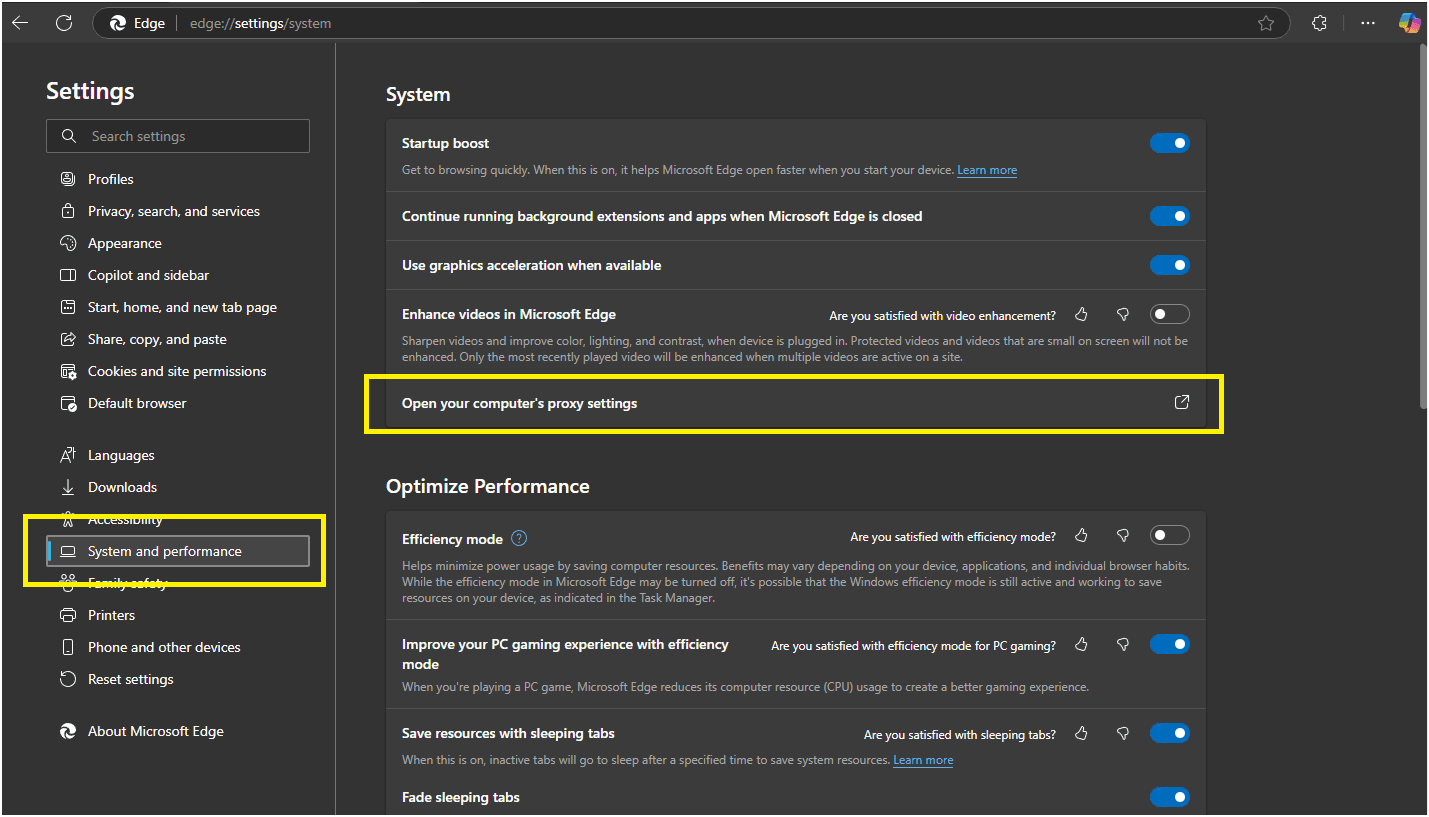
In the left sidebar, click System.
-
Then click Open your computer’s proxy settings.
Configure the Proxy on Your Operating System
Edge will now open your system proxy configuration window.
Follow the appropriate setup guide for your OS below:
Once configured, Edge will automatically route its traffic through the assigned proxy.
Verify Proxy Connection
To ensure the proxy is working, check your IP address using an online tool or follow this guide:
If you encounter any issues, refer to the troubleshooting section or Geonode support.